Use Custom Endpoint for S3 Hosts
In this guide, we will see how we can connect to different S3 compatible object storages using the custom endpoint. Here, we are using Minio since it is an S3-compatible object storage.
Connection
- Go to the ToolJet dashboard, and create a new application.
- On the left-sidebar, go to the Data Sources and add a new AWS S3 datasource.
- Enter the credentials to make the data source configuration.
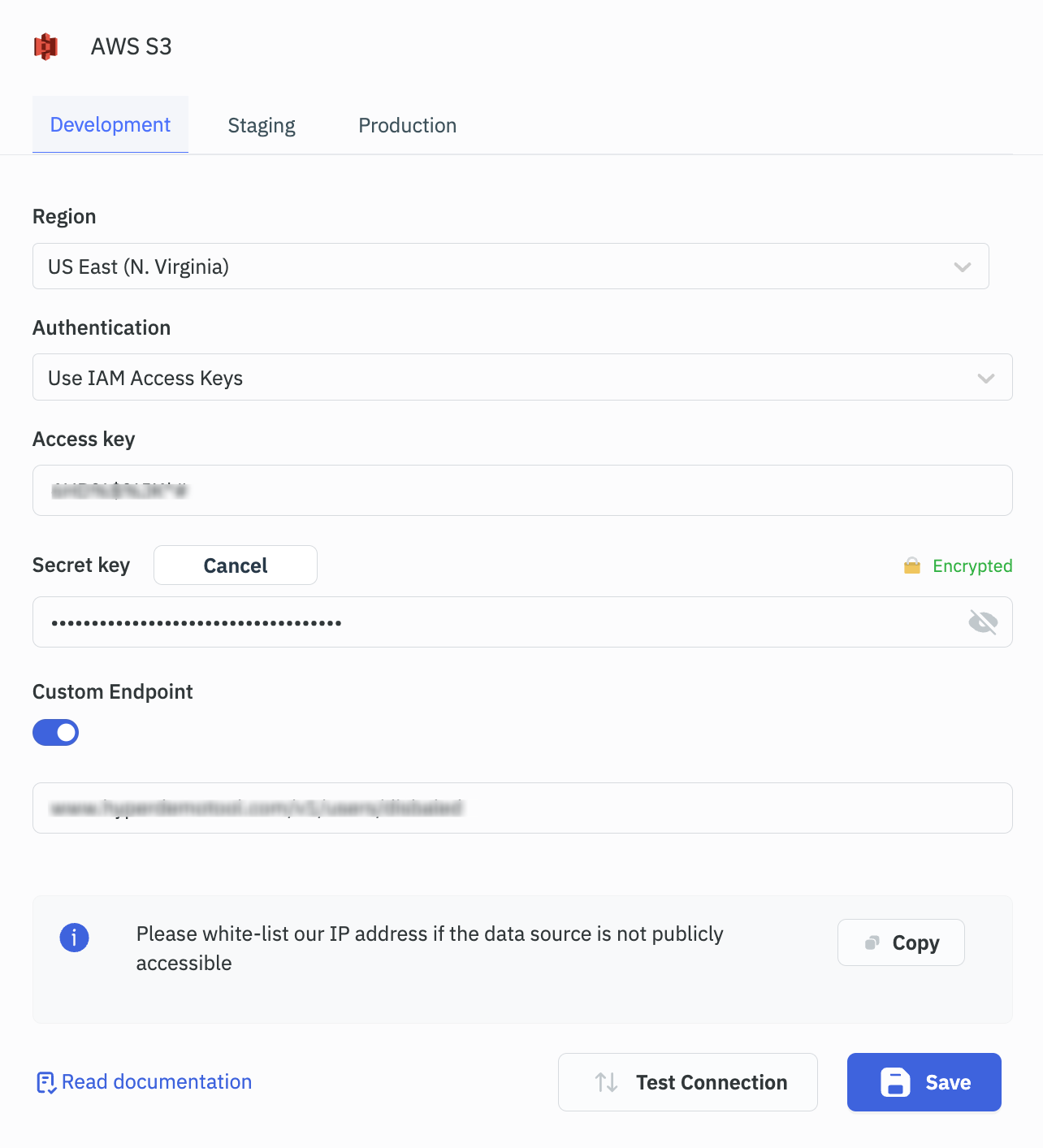
- To get the Credentials which is Access Key and Secret Key, you'll need to go to the Minio console to generate the keys
- Enable the Custom Endpoint toggle switch, and enter the custom host URL i.e where your Minio server API is exposed
- Once entered the details, you can click on the Test Connection button to check the connection
When to Use Custom Endpoints
Custom S3 endpoints are required when connecting ToolJet to storage services that are compatible with the S3 API but do not use the default AWS S3 endpoint format.
You should configure a custom endpoint in the following scenarios:
- Using S3-compatible storage providers such as MinIO, DigitalOcean Spaces, Wasabi, or Ceph
- Connecting to an on-premise or private S3 deployment
- Using a VPC endpoint or private network routing
- Working with non-standard AWS S3 endpoint URLs
If you are using standard Amazon S3 (e.g., https://s3.amazonaws.com or region-based AWS endpoints), a custom endpoint is not required.
Path-Style vs Virtual-Host-Style Access
S3 supports two URL access patterns for addressing objects in ToolJet. The correct style depends on your storage provider.
Virtual-Hosted Style (Default for AWS S3)
In virtual-hosted style, the bucket name is part of the domain. This is the default access pattern used by AWS S3.
https://bucket-name.s3.amazonaws.com/object-key
Path-Style Access
In path-style access, the bucket name appears in the URL path. Many S3-compatible providers require path-style access.
https://s3.amazonaws.com/bucket-name/object-key
Path-style access is commonly required for:
- MinIO
- Local S3-compatible deployments
- Some private cloud storage systems
Example Configuration (MinIO)
Below is an example configuration for connecting ToolJet to a locally hosted MinIO server:
| Field | Value |
|---|---|
| Endpoint | http://localhost:9000 |
| Access Key | minioadmin |
| Secret Key | minio-admin |
| Region | us-east-1 |