Overview
Authentication in ToolJet ensures secure access to your applications and data.In self-hosted deployments, authentication can be configured at two levels:
-
Instance Level: Applies globally across all workspaces within the instance. Only the super admin can configure this.
-
Workspace Level: Overrides instance-level configuration for workspaces where it is applied. Both super admins and workspace admins can configure it.
Scenarios for Authentication Configuration
ToolJet supports flexible authentication setups, allowing instance-level, workspace-level, or a mix of both configurations. You can configure SSO or email-password login at both the levels. Below are common scenarios to guide your setup.
1. Only Instance-Level Login
Instance-level login configuration is a global setting that applies across all workspaces within a ToolJet instance.
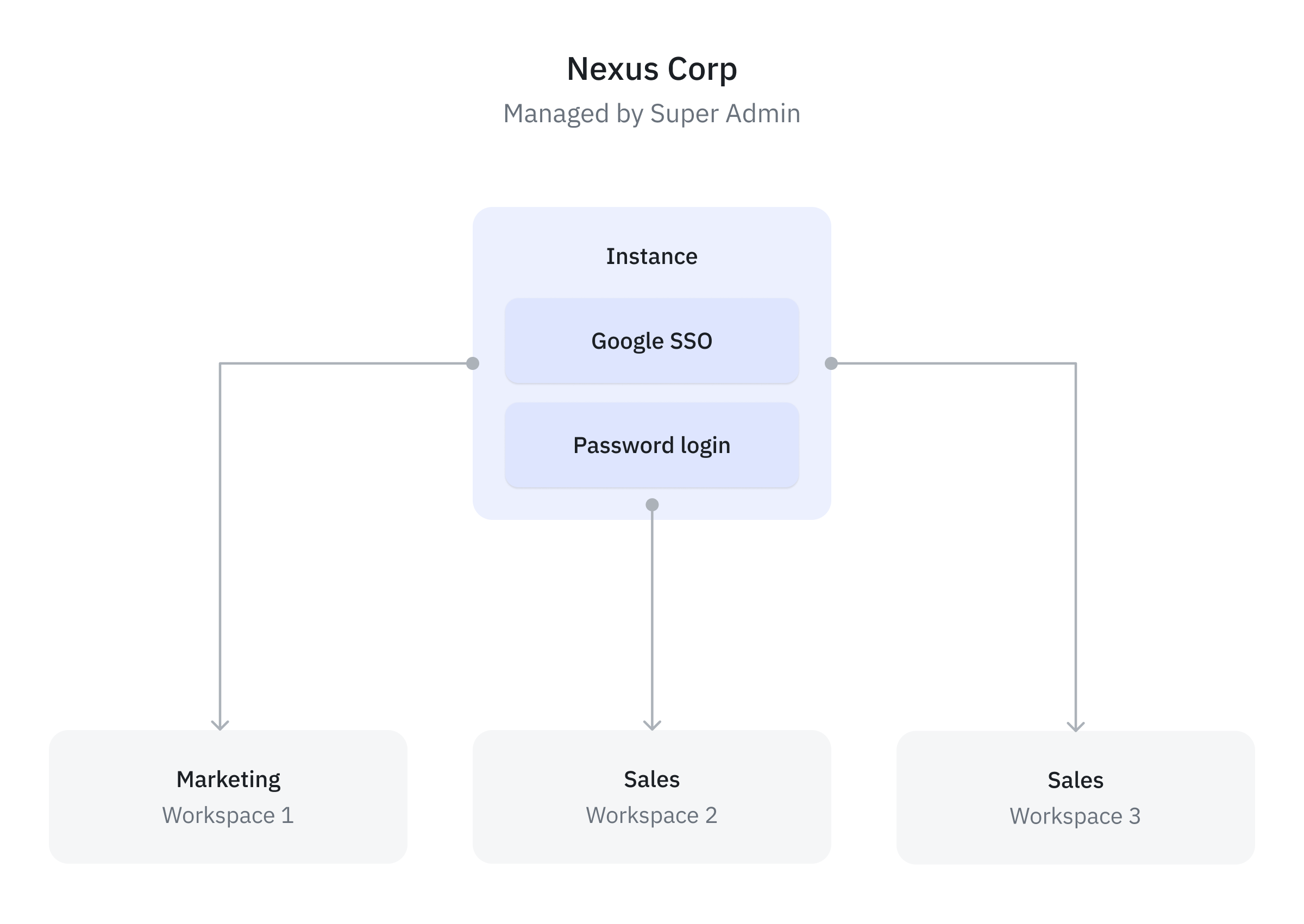
Example: Imagine a company, Nexus Corp, that wants to build internal application with ToolJet for three departments: Marketing, Sales, and Engineering. To ensure better collaboration, they need to isolate the applications and data sources for each department. Since all these departments use the same login system as they belong to the same company, an instance-level configuration is suitable setup for this scenario. Here’s how this can be set up:
-
Create three workspaces—one for each department: Marketing, Sales, and Engineering. This ensures the applications and data sources for each department remain isolated.
-
Since all workspaces belong to a single instance of the company, configure authentication at the instance level. For example, if the company uses Google Workspace, they can configure Google SSO at the instance level.
-
This allows users across all workspaces to log in using the same authentication system.
2. Only Workspace-Level Login
Workspace-level login allows individual workspaces to define their own authentication configurations, overriding the global instance-level settings. This approach is ideal for organizations with diverse authentication needs across departments or teams.
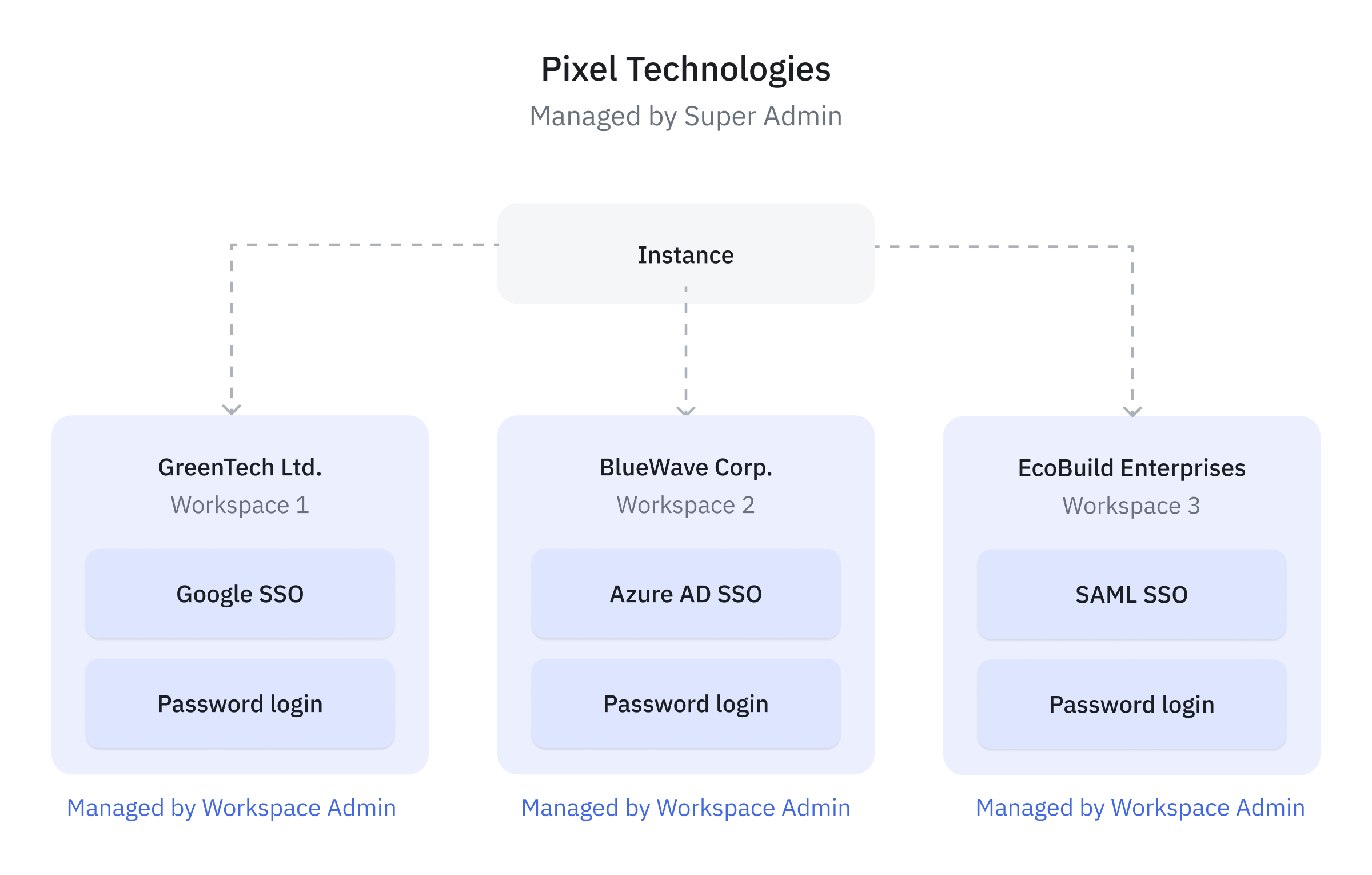
Example Consider a service-based company, Pixel Technologies Inc., that serves three client companies: GreenTech Ltd., BlueWave Corp., and EcoBuild Enterprises. To provide customized solutions, Tech Solutions Inc. have to isolate applications, users and datasource and access control configuration for each client company. In this scenario, service-based company can do the following setup:
-
Create a workspace for each client company: GreenTech Ltd., BlueWave Corp., and EcoBuild Enterprises. This ensures the applications and data sources for each client remain isolated.
-
Configure individual workspace-level login settings for each workspace. For example, GreenTech Ltd may use Google SSO, BlueWave Corp. may prefer Azure AD, and EcoBuild Enterprises might us both SAML SSO and a custom email-password authentication system.
3. Instance-Level and Workspace-Level Login (Mixed Configuration)
In this setup, some workspaces inherit the instance-level configuration, while others override it with workspace-specific login settings.
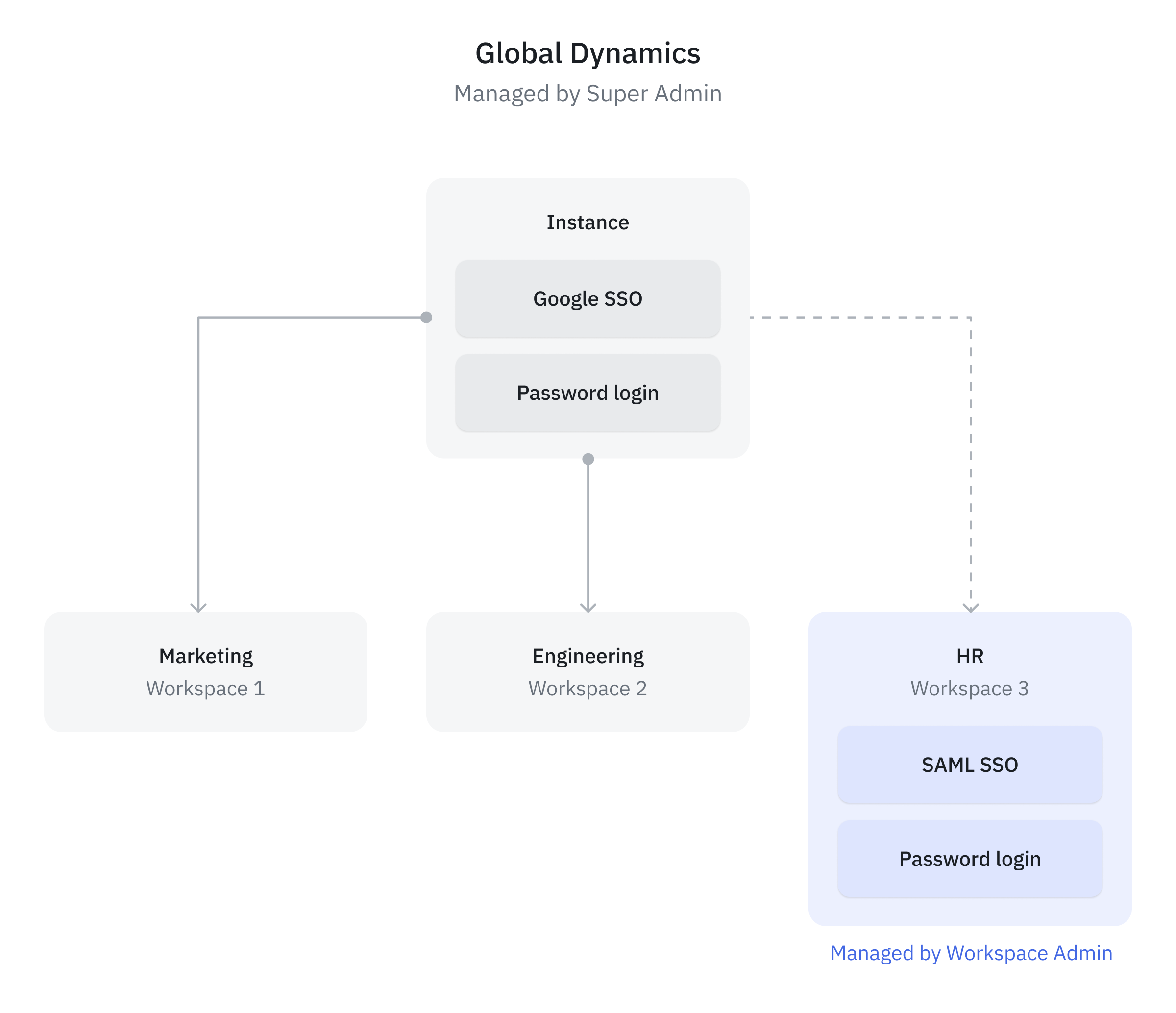
Example Consider a large company, Global Dynamics Ltd., with three departments: Marketing, Engineering, and HR. To ensure better collaboration, they need to isolate the applications and data sources for each department. Global Dynamics Ltd. wants to maintain a separate login for the applications related to the HR department to comply with strict security and compliance requirements. For the other departments, they prefer to use a common authentication at the instance level.
In such scenarios where company wants to implement a mixed authentication configuration, they can do the following setup.
-
Create three workspaces—one for each department: Marketing, Engineering, and HR. This ensures the applications and data sources for each department remain isolated.
-
The Marketing and Engineering workspaces can inherit the instance-level configuration. For instance, they use Google OAuth configured at instance level.
-
The HR workspace, due to compliance and security policies, requires isolated login settings. Thus configures workspace-level login settings, such as SAML authentication, which will override the instance level configuration.