ToolJet AI
Build with AI
With ToolJet, you can build business applications effortlessly using natural language. Whether you're starting from scratch or enhancing an existing app, ToolJet AI accelerates development by generating UI, queries, and data bindings; so your team ships internal tools faster.
Generate an Application
Go from a prompt to a fully functional business app in minutes
1
Describe your application
Enter a prompt on the dashboard. e.g., "Create a customer support dashboard to track ticket volume, response times, and agent performance using @postgresql "
✍️ Tips for writing better prompts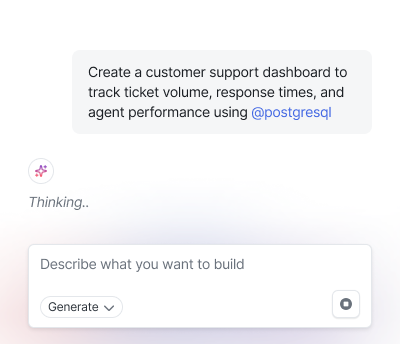
2
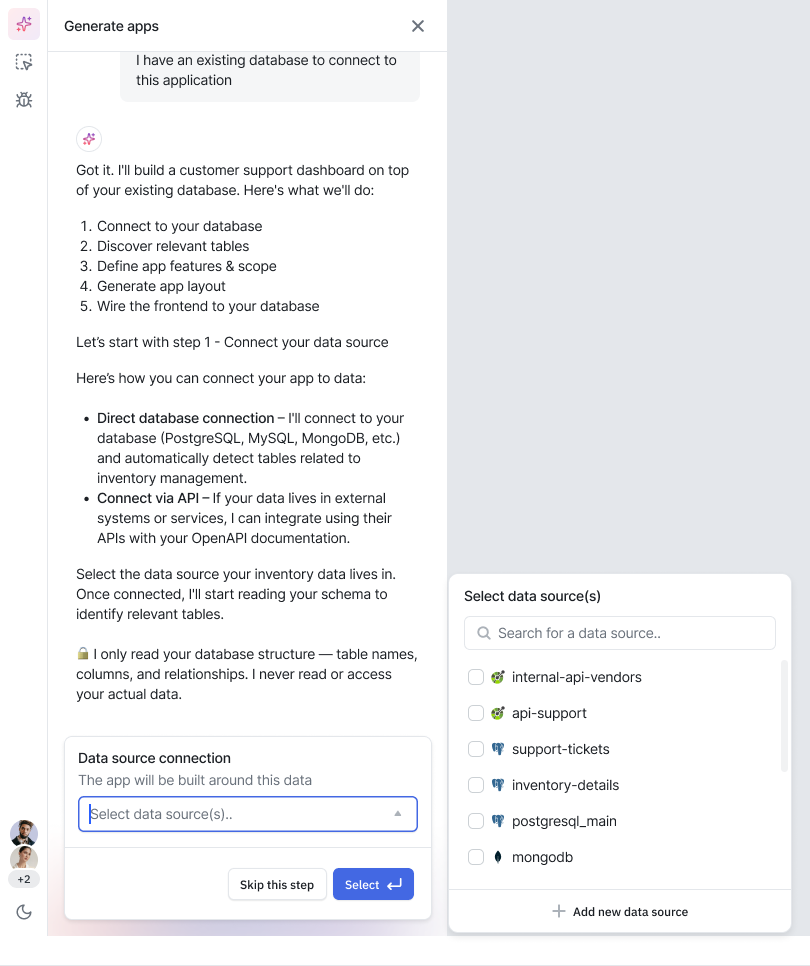
Select your data source
Choose from your existing database to connect your real schema, or proceed with sample data to prototype quickly.
3
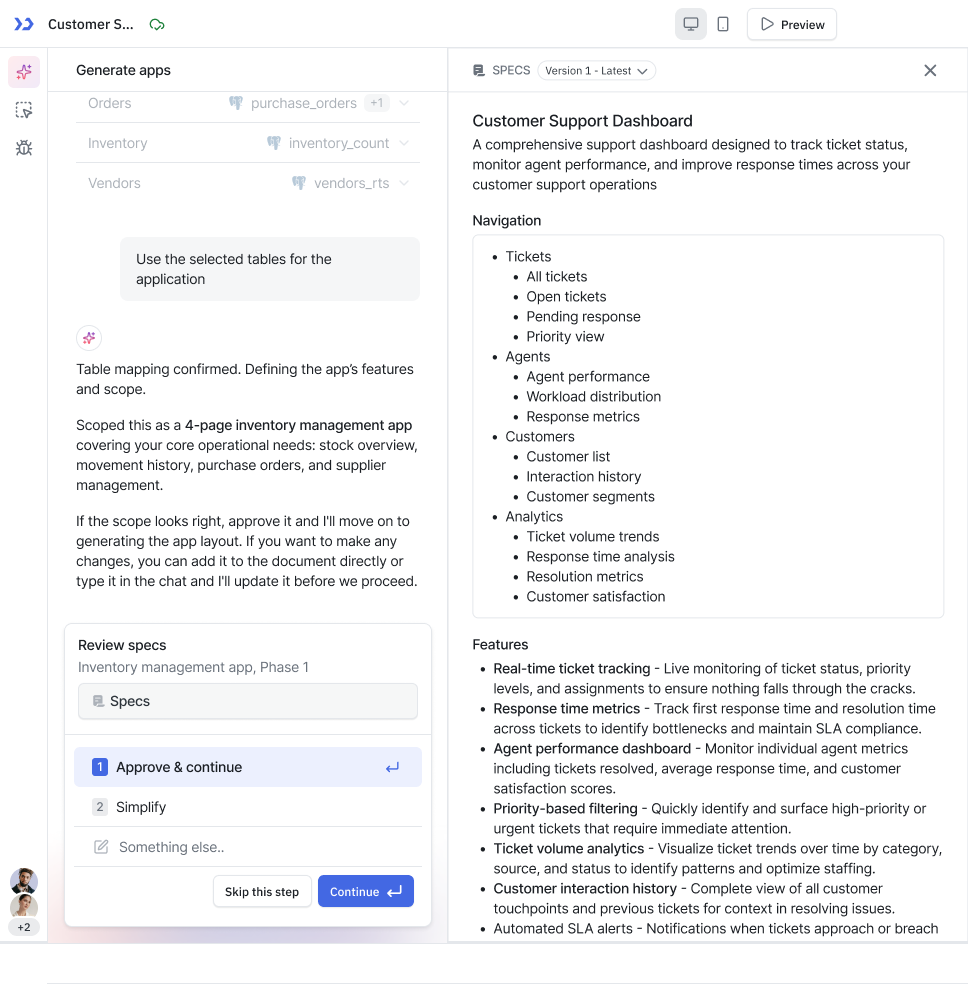
Review the spec document
AI generates a specification outlining features, pages, and navigation. Review and approve before anything is built.
4
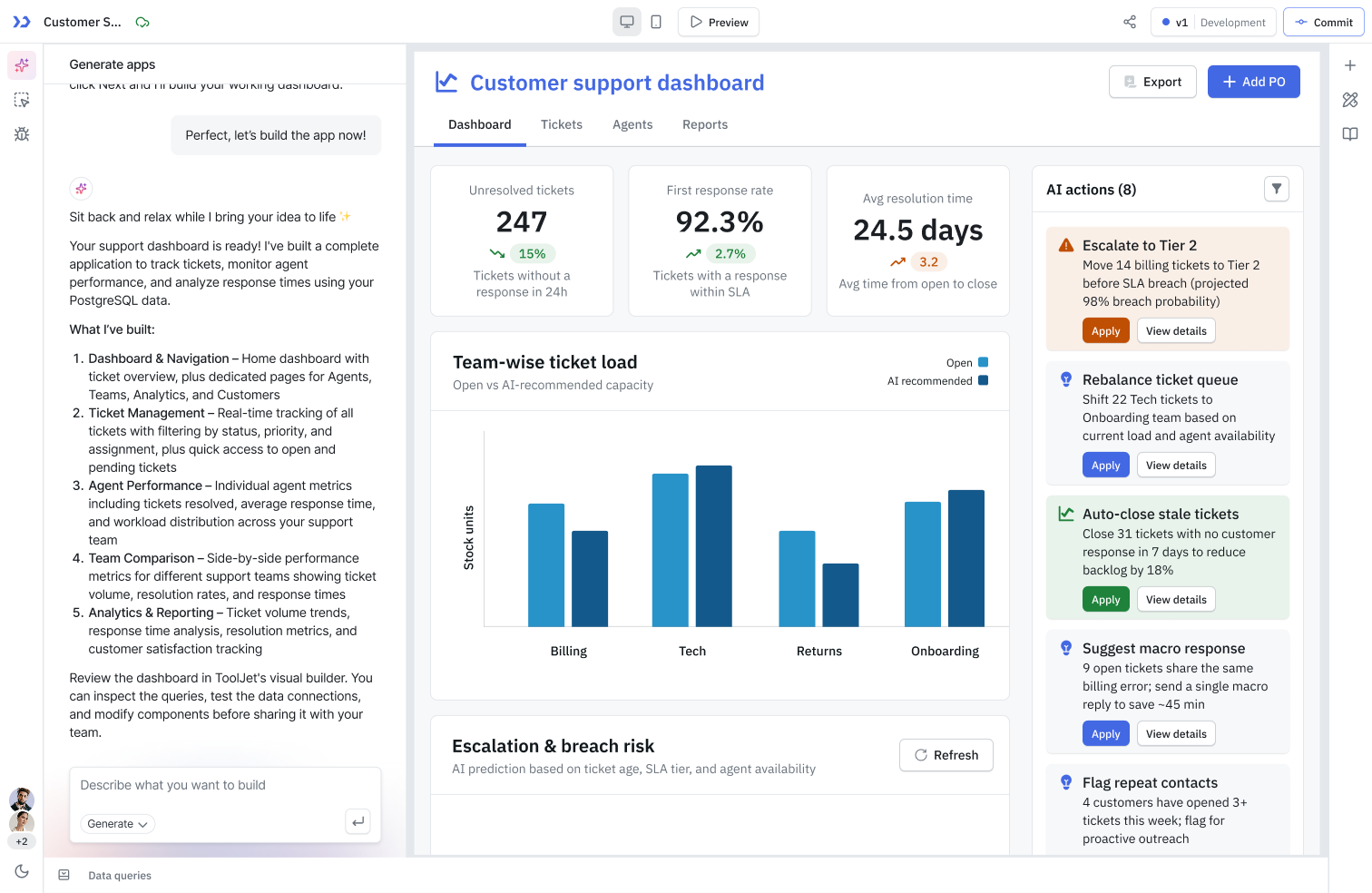
Application is generated
A fully functional app is created with UI components, queries, and data bindings already configured. Customize from there.
AI Capabilities
Everything you can do with ToolJet AI today
⚡
Generate Applications
Describe your app in plain language. ToolJet AI scaffolds the full UI, queries, and schema; ready to customize.
🗄️
Integrate Existing Data
Connect your existing database. AI reads your table and builds apps on top of your schema.
🔧
Debug Components
Broken bindings or invalid expressions? Click Fix with AI directly in the property editor to resolve errors in place.
📚
Learn with AI
Ask anything about ToolJet: components, queries, integrations. Get instant, contextual answers from the docs assistant.
✍️
Prompting 101
Generic prompts produce generic apps. Learn how to write prompts that produce purpose-built tools for your business.
🔌Self Hosted
ToolJet MCP
Connect AI assistants like Cursor, Claude, or Copilot to your ToolJet instance via the Model Context Protocol.
AI Configuration
Choose how AI requests are powered: based on your cost, compliance, and infrastructure needs
Default
ToolJet Managed AI
AI requests are routed through ToolJet AI Cloud and billed against your workspace's AI credits. Zero setup required.
- No configuration needed
- Credit-based billing
- Monthly + add-on credits
Enterprise
Bring Your Own Key
Use your own LLM API key instead of consuming ToolJet credits. Requests still route through ToolJet AI Cloud.
- Direct billing from your LLM provider
- Full usage visibility
- No ToolJet credits consumed
Enterprise · Self Hosted
ToolJet AI Enterprise
Deploy ToolJet's AI server on your own infrastructure. No data leaves your environment ever.
- Fully air-gapped deployment
- Your own LLM keys
- Meets strict data residency requirements
Data & Privacy
Understand how ToolJet handles your data when AI is involved
🔒
Privacy Policy
What data is shared with AI, how it's protected, and your deployment options.
Need Help?
- Reach out via our Slack Community
- Or email us at [email protected]
- Found a bug? Please report it via GitHub Issues