ToolJet AI Enterprise
ToolJet AI Enterprise is designed for organizations that require complete control over where their data is processed. Rather than routing AI requests through ToolJet AI Cloud, you deploy a ToolJet-provided server image within your own environment. All AI workloads execute on your servers, using your own LLM API key, no data is transmitted to or processed by ToolJet at any point.
This is particularly relevant for organizations operating under strict data residency regulations, internal compliance policies, or those running in air-gapped or private-cloud environments where external network calls to third-party servers are not permitted.
Unlike Bring Your Own Key (BYOK), which uses your API key but still processes requests via ToolJet AI Cloud, ToolJet AI Enterprise removes ToolJet from the request path entirely.
Benefits of ToolJet AI Enterprise:
- Cost control: Usage is billed directly to your LLM provider account. ToolJet does not charge ToolJet AI credits for these requests.
- Visibility: You can monitor usage and set spending limits through your LLM provider's dashboard.
- Full data isolation: All AI execution happens on infrastructure you control. ToolJet servers are not involved in processing requests.
- Flexible key management: Supply your API key through the ToolJet UI or inject it directly as an environment variable on the server. Using an environment variable is preferable for secrets management in automated or containerized deployments.
ToolJet AI Enterprise requires that you deploy and operate the ToolJet-provided server image yourself.
Deploying the Server Image
Please reach out to our support team at [email protected]. They will assist you with the server image and the steps required to deploy it.
Configuring Your API Key
There are two methods for providing your LLM API key to the server:
Configure via the ToolJet UI
This method is suitable when you prefer centralised key management through the ToolJet interface.
- Navigate to Workspace Settings → LLM Key in your ToolJet workspace.
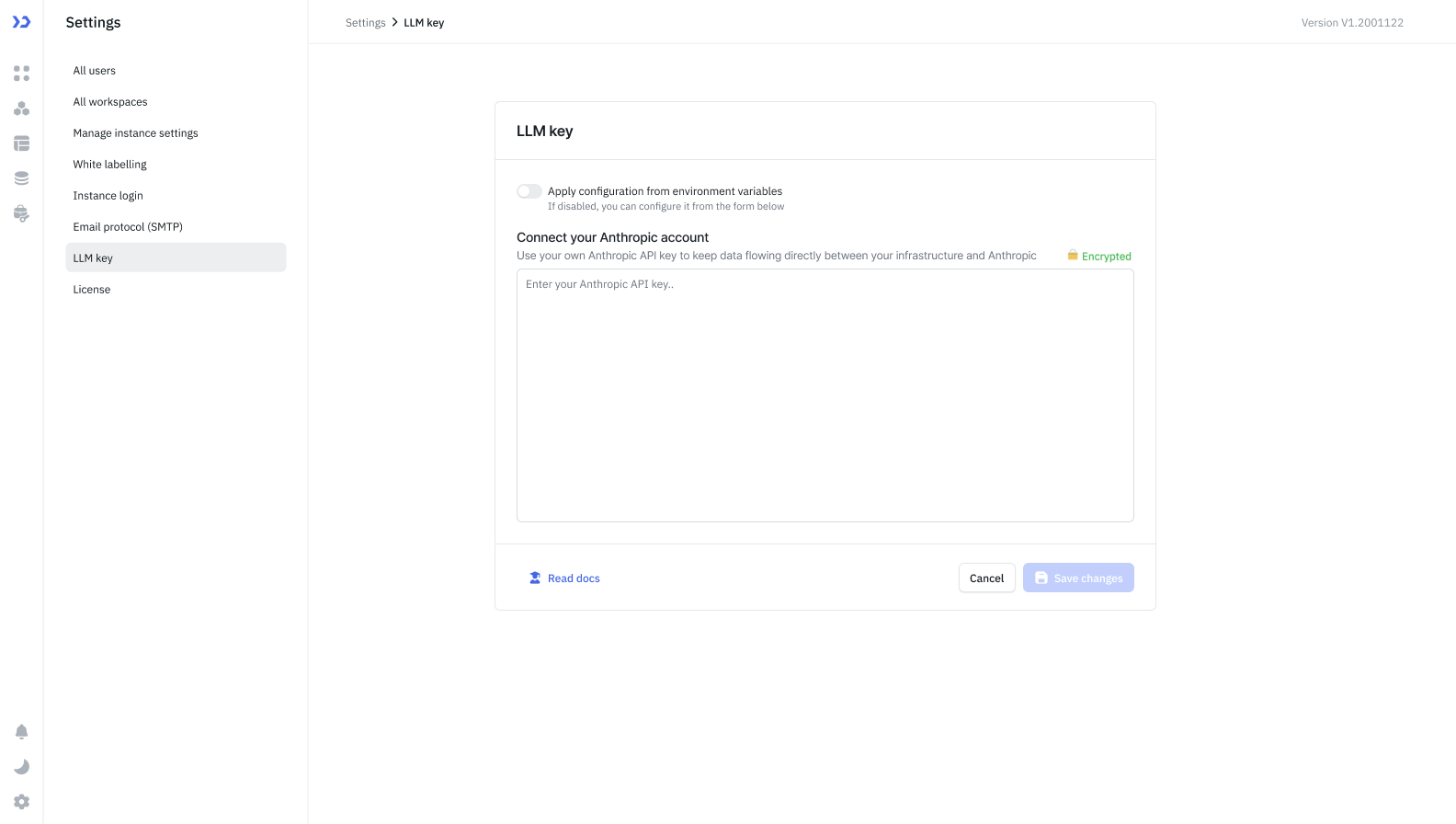
- Enter your API key from your LLM provider (e.g., your Anthropic API key from console.anthropic.com).
- Click Save changes.
ToolJet will securely forward the key to your server when making AI requests.
Use an Environment Variable
This method is recommended for production deployments, CI/CD pipelines, or environments where secrets should not be entered through a UI.
- In Workspace Settings → LLM Key, enable the Apply configuration from environment variables toggle.
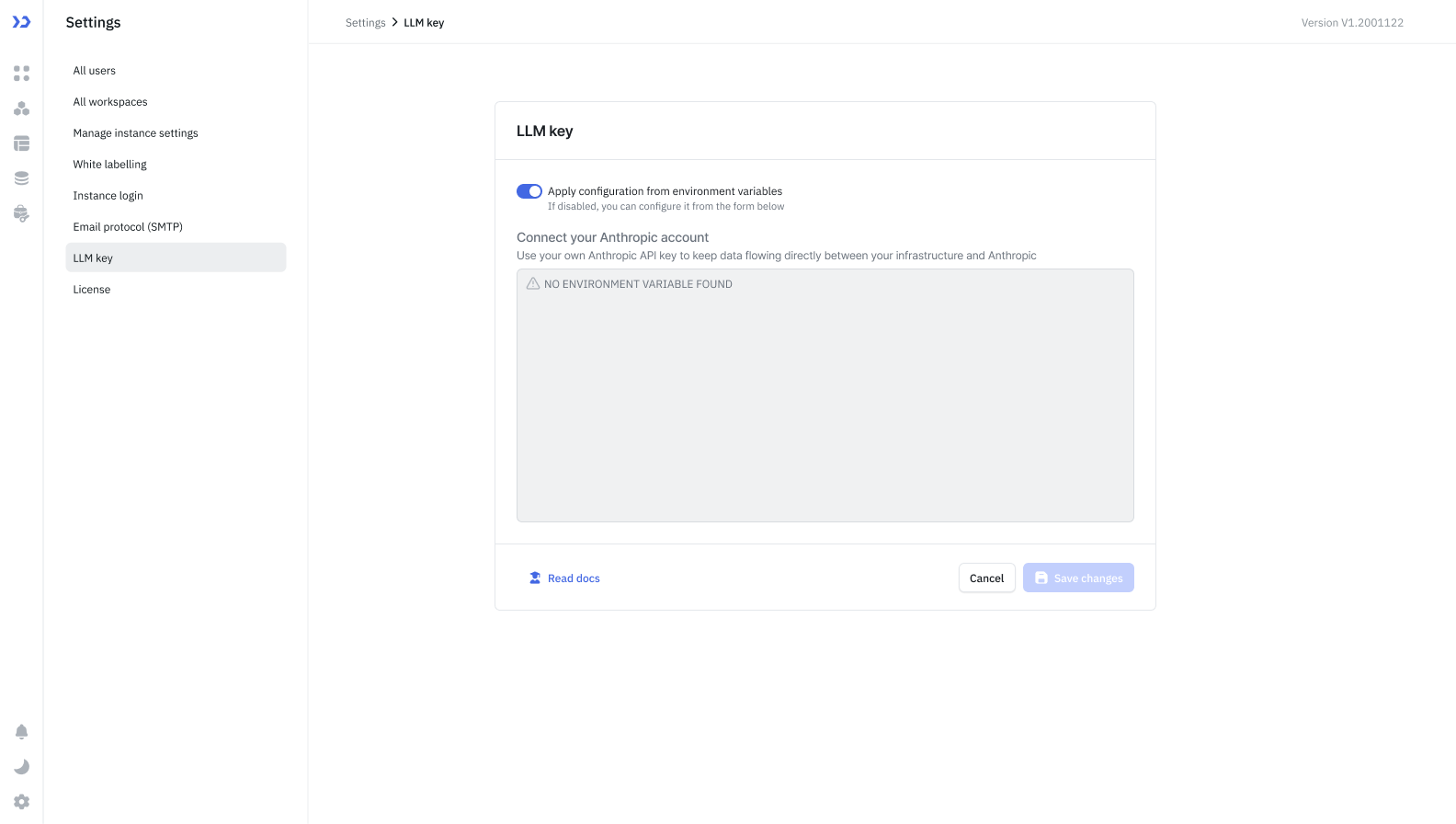
- Click Continue on the pop-up.
- Set the
ANTHROPIC_API_KEYenvironment variable directly on your server:
ANTHROPIC_API_KEY=your_api_key_here
The server will read the key from the environment at runtime. ToolJet will not transmit the key from the UI.
Supported Providers
Currently, only Anthropic is supported. Support for additional LLM providers is planned for future releases.
Frequently Asked Questions
What is the difference between BYOK and ToolJet AI Enterprise?
With BYOK, your API key is used but requests are still routed through ToolJet AI Cloud. With ToolJet AI Enterprise, you host the server yourself, no data leaves your infrastructure at any point.
Is ToolJet AI Enterprise available on ToolJet Cloud?
No. ToolJet AI Enterprise requires you to deploy and operate the ToolJet-provided server image within your own infrastructure.
Which method of API key configuration should I use?
For production or automated deployments, environment variables are recommended as they keep secrets out of the UI and align with standard secret management practices. The UI method is suitable for simpler setups or development environments.
What happens if both the UI key and the environment variable are configured?
When the Apply configuration from environment variables toggle is enabled, the server uses the environment variable and ignores any key entered via the UI.
Can I use ToolJet AI Enterprise in an air-gapped environment?
Yes, provided the server image can be deployed within your network and your LLM provider's API is accessible from that environment.