Data Source Permissions
Admins and Super Admins can configure various permissions for a data source within a workspace, for detailed information on other permissions and access control, refer to the Access Control Guide.
Permissions
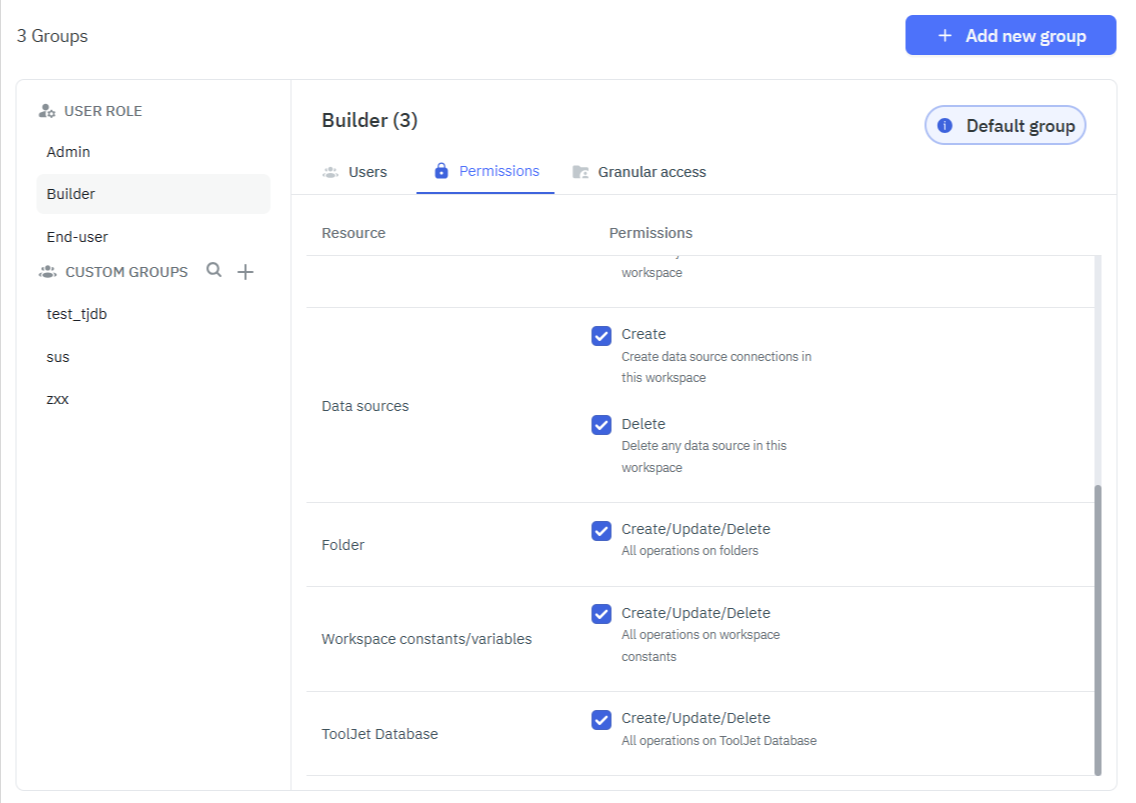
Creation and Deletion of Data Sources
| Permission | Description |
|---|---|
| Create | Add new data sources and modify existing ones. Delete button will not be visible on hovering over the connected data source. |
| Delete | Remove connected data sources from the workspace. Delete button will show up on hovering over the connected data source. |
| Create and Delete | Add new data sources and remove connected data sources from the workspace. |
| Neither Create nor Delete | No access to the Data Sources page from the Dashboard. Error toast will popup on trying to access the Data Sources page using URL. |
ToolJet Database Permissions
| Permission | Description |
|---|---|
| Create/Update/Delete | Allows users to perform all write operations on ToolJet Database tables, including creating, updating, and deleting records. |
note
The Create/Update/Delete permission can be assigned to any user group, including custom groups. Workspace Admins and Super Admins can configure this permission from Workspace Settings > Groups.
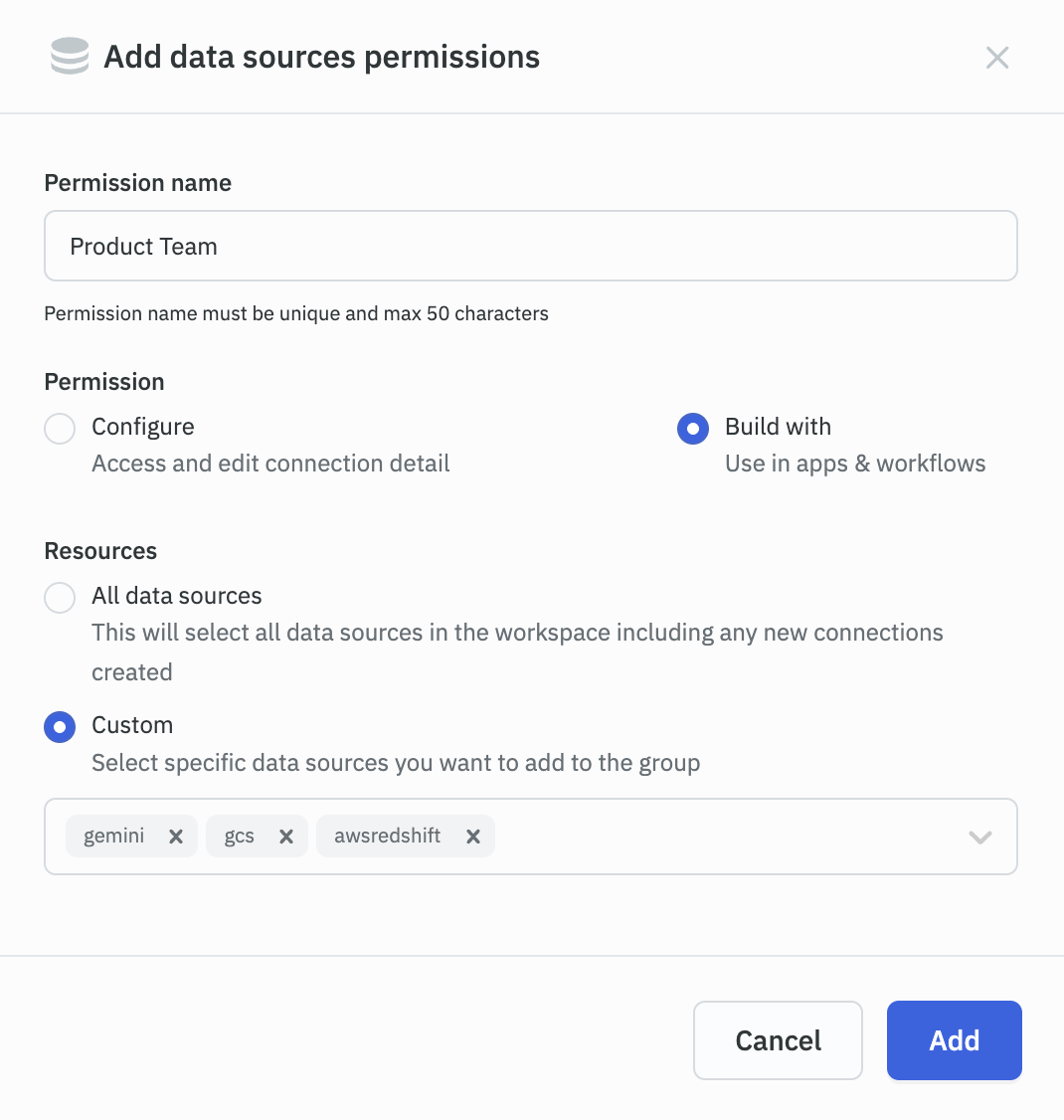
Configure or Build with Data Sources
| Permission | Description |
|---|---|
| Build with | Connect to authorized data sources for their user group. Users can't update the credentials of authorized data sources. |
| Configure | Users can update the credentials of authorized data sources. |