Intentionally Throwing an Error in RunJS for Debugging
In ToolJet, Run JavaScript (RunJS) queries can be intentionally failed to simulate error scenarios, validate application error handling, and debug query execution flows. This document explains how to intentionally fail a RunJS query, by also using custom logs to gain better visibility into query execution using the Debugger panel.
Failing a RunJS Query Using JavaScript Errors
A RunJS query can be intentionally failed by throwing a JavaScript error. When an error is thrown:
- Query execution stops immediately
- ToolJet marks the query as failed
- The error is surfaced in the Debugger panel
Creating the Error-Throwing RunJS Query
-
Create a new RunJS query by clicking the
+ Addbutton on the query panel. -
Paste the following code into the RunJS query editor. This code utilizes the
ReferenceErrorconstructor to intentionally generate an error.throw new ReferenceError('This is a reference error.');
This causes the RunJS query to fail and allows developers to test how the application responds to query errors.
Adding an Event Handler for Failure
-
Now, enhance the query by adding an event handler that will display an alert when the query fails.
-
Click the "Run" button to execute the query and observe the intentional error being thrown.
Refer to the screencast below:
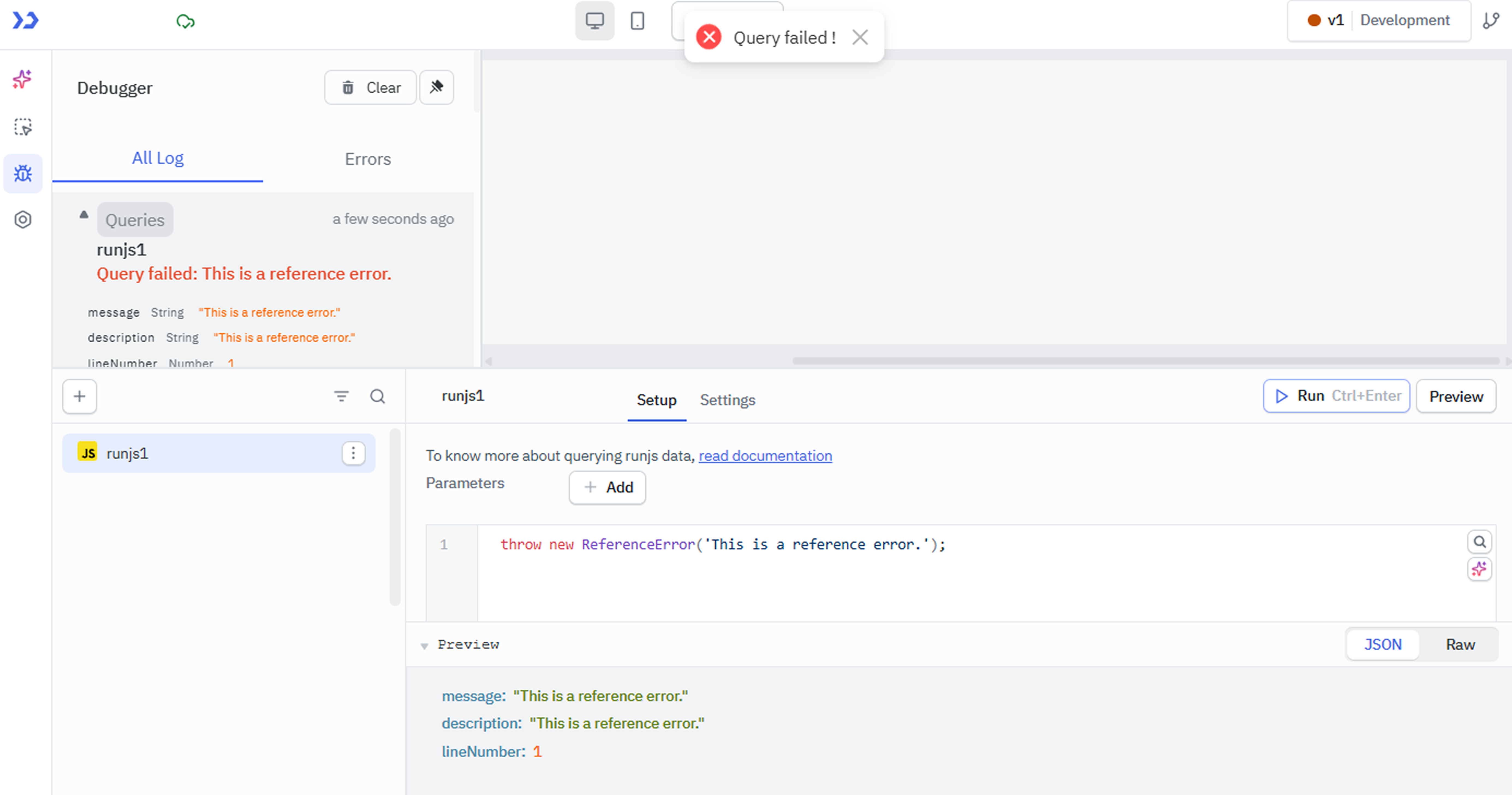
By following these steps, you can effectively simulate errors in your RunJS queries, aiding in the debugging process and improving the overall robustness of your code.
Example Query
The below example demonstrates how intentional failures can be combined with custom logs to trace execution flow during debugging.
actions.logInfo("RunJS query started");

// Intentionally fail the query
throw new Error("Intentional failure for debugging");

// This line will not be executed
actions.log("RunJS query finished");
Response Example
{
  "message": "Intentional failure to test debugging and error handling",
  "description": "Intentional failure to test debugging and error handling",
  "lineNumber": 4
}