QuickBooks
The QuickBooks plugin in ToolJet enables applications to connect with QuickBooks APIs directly from ToolJet. It allows users to manage resources such as customers, invoices, payments, vendors, and reports without building custom backend integrations. QuickBooks exposes REST APIs that allow external applications to securely access and manage accounting data programmatically.
Before following this guide, it is assumed that you have already completed the process of Using Marketplace plugins.
Connection
To connect to QuickBooks, the following credentials are required:
-
Client ID: Enter your Client ID. This identifies your ToolJet application to QuickBooks.
-
Client Secret: Enter your Client Secret. This secret will be stored in the encrypted form.
-
Scope(s): Scope defines the permissions your ToolJet app will have in QuickBooks. You can modify the scopes based on your use case.
Ensure the scopes entered in the ToolJet data source configuration exactly match the scopes configured in your QuickBooks application settings. Any mismatch between the configured scopes and the requested scopes may cause the OAuth authentication flow to fail or restrict access to certain QuickBooks resources.
-
Redirect URI: ToolJet automatically generates a Redirect URI. This redirect URI is required for completing the OAuth authentication flow.
-
Username: QuickBooks account username used for authentication, if required by the configured flow or environment.
-
Password: Password associated with the QuickBooks account used during authentication.
-
Company ID: Unique identifier of the QuickBooks company account whose resources and financial data will be accessed.
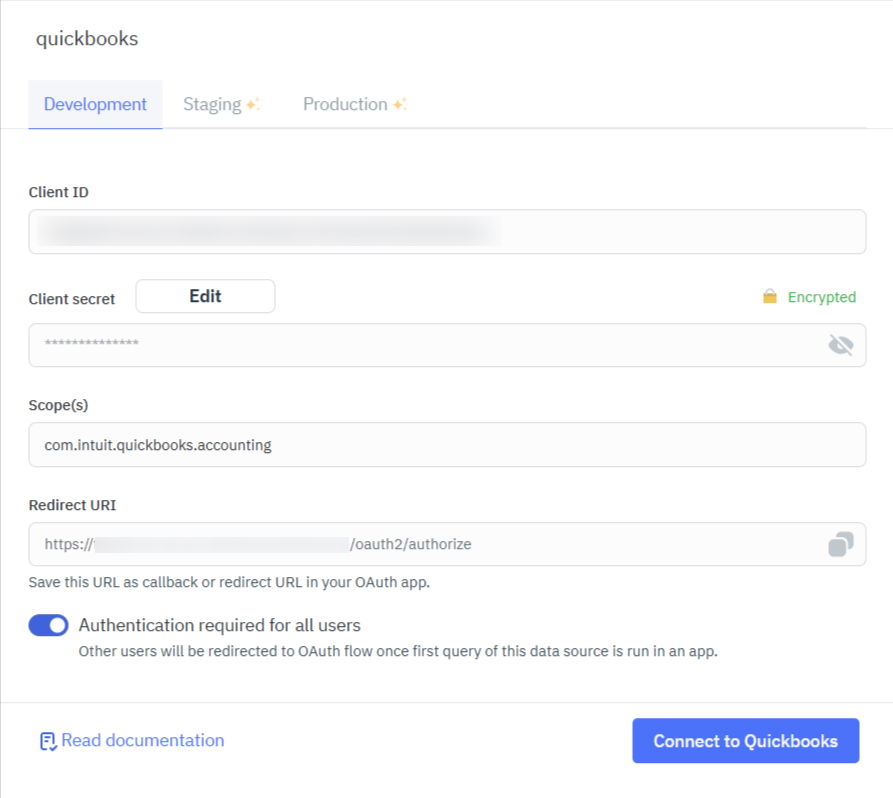
For detailed steps to generate the Client ID and Client Secret, refer to the QuickBooks documentation.
Supported Operations
ToolJet supports multiple QuickBooks operations through REST API calls, enabling you to manage customers, invoices, payments, vendors, accounts, reports, and other QuickBooks resources directly within your application.
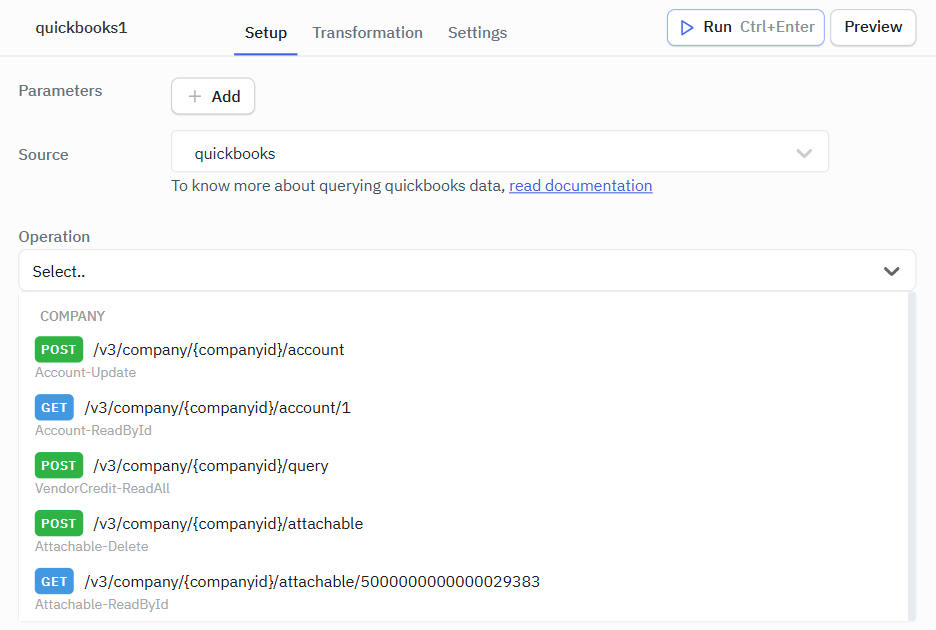
COMPANY
All QuickBooks API endpoints require a Company ID, which uniquely identifies the QuickBooks company account associated with the request. Queries are executed against the specified company's data.
| Method | API Endpoint | Description |
|---|---|---|
| POST | /v3/company/{companyid}/account | Update an account |
| GET | /v3/company/{companyid}/account/1 | Get the Account which has accountId as 1 |
| POST | /v3/company/{companyid}/query | Vendor Credit - Read All |
| POST | /v3/company/{companyid}/attachable | Attachable Delete |
| GET | /v3/company/{companyid}/attachable/5000000000000028383 | Attachable Read by Id |
| POST | /v3/company/{companyid}/upload | Upload Attachments |
| POST | /v3/company/{companyid}/batch | Batch |
| POST | /v3/company/{companyid}/bill | Bill Delete |
| GET | /v3/company/{companyid}/bill/1 | Bill- Get by Id |
| POST | /v3/company/{companyid}/billpayment | Bill Payment Update |
| GET | /v3/company/{companyid}/billpayment/118 | Bill Payment Read by Id |
| GET | /v3/company/{companyid}/cdc | CDC Read |
| POST | /v3/company/{companyid}/class | Class Delete |
| GET | /v3/company/{companyid}/class/5000000000000018727 | Class Read by Id |
| GET | /v3/company/{companyid}/companyinfo/{companyid} | Company Info Read by Id |
| POST | /v3/company/{companyid}/creditmemo | Credit Memo Delete |
| GET | /v3/company/{companyid}/creditmemo/160 | Credit Memo Read by Id |
| POST | /v3/company/{companyid}/customer | Customer Delete |
| GET | /v3/company/{companyid}/customer/63 | Customer Read by Id |
| POST | /v3/company/{companyid}/department | Department Delete |
| GET | /v3/company/{companyid}/department/1 | Department Read by Id |
| POST | /v3/company/{companyid}/deposit | Deposit Delete |
| GET | /v3/company/{companyid}/deposit/162 | Deposit Read by Id |
| POST | /v3/company/{companyid}/employee | Employee Delete |
| GET | /v3/company/{companyid}/employee/68 | Employee Read by Id |
| POST | /v3/company/{companyid}/estimate | Estimate Delete |
| GET | /v3/company/{companyid}/estimate/163 | Estimate Read by Id |
| GET | /v3/company/{companyid}/exchangerate | Exchange Rate - Get Details |
| POST | v3/company/{companyid}/inventoryadjustment | Create Inventory Adjustment Copy |
| POST | /v3/company/{companyid}/invoice | Invoice Delete |
| GET | /v3/company/{companyid}/invoice/147 | Invoice Read by Id |
| POST | /v3/company/{companyid}/item | Item Delete |
| GET | /v3/company/{companyid}/item/<id> | Item Read by Id |
| POST | /v3/company/{companyid}/journalentry | Journal Entry Delete |
| GET | /v3/company/{companyid}/journalentry/8 | Journal Entry Read by Id |
| POST | /v3/company/{companyid}/payment | Payment Delete |
| GET | /v3/company/{companyid}/payment/174 | Payment Read by Id |
| POST | /v3/company/{companyid}/paymentmethod | Payment Method Delete |
| GET | /v3/company/{companyid}/paymentmethod/8 | Payment Method Read by Id |
| GET | /v3/company/{companyid}/preferences | Preferences Read |
| POST | /v3/company/{companyid}/preferences | Preferences Update |
| POST | /v3/company/{companyid}/purchase | Purchase Delete |
| GET | /v3/company/{companyid}/purchase/175 | Purchase Read by Id |
| POST | /v3/company/{companyid}/purchaseorder | Purchase Order Delete |
| GET | /v3/company/{companyid}/purchaseorder/178 | Purchase Order Read by Id |
| POST | /v3/company/{companyid}/refundreceipt | Refund Receipt Delete |
| GET | /v3/company/{companyid}/refundrecipt/66 | Refund Recipt- Read by Id |
| GET | /v3/company/{companyid}/reports/AccountList | Report Account List |
| GET | /v3/company/{companyid}/reports/AgedPayablesDetail | Report Aged Payables Detail |
| GET | /v3/company/{companyid}/reports/AgedPayables | Report Aged Payables |
| GET | /v3/company/{companyid}/reports/AgedReceivableDetail | Report Aged Receivable Detail |
| GET | /v3/company/{companyid}/reports/AgedReceivables | Report Aged Receivables |
| GET | /v3/company/{companyid}/reports/BalanceSheet | Report Balance Sheet |
| GET | /v3/company/{companyid}/reports/CashFlow | Report Cash Flow |
| GET | /v3/company/{companyid}/reports/ClassSales | Report Class Sales |
| GET | /v3/company/{companyid}/reports/CustomerBalance | Report Customer Balance |
| GET | /v3/company/{companyid}/reports/CustomerBalanceDetail | Report Customer Balance Detail |
| GET | /v3/company/{companyid}/reports/CustomerIncome | Report Customer Income |
| GET | /v3/company/{companyid}/reports/CustomerSales | Report Customer Sales |
| GET | /v3/company/{companyid}/reports/DepartmentSales | Report Department Sales |
| GET | /v3/company/{companyid}/reports/GeneralLedger | Report General Ledger |
| GET | /v3/company/{companyid}/reports/InventoryValuationSummary | Report Inventory Valuation Summary |
| GET | /v3/company/{companyid}/reports/ItemSales | Report Item Sales |
| GET | /v3/company/{companyid}/reports/ProfitAndLoss | Report Profit And Loss |
| GET | /v3/company/{companyid}/reports/ProfitAndLossDetail | Report Profit And Loss Detail |
| GET | /v3/company/{companyid}/reports/TrialBalance | Report Trial Balance |
| GET | /v3/company/{companyid}/reports/TransactionList | Report Transaction List |
| GET | /v3/company/{companyid}/reports/VendorBalance | Report Vendor Balance |
| GET | /v3/company/{companyid}/reports/VendorBalanceDetail | Report Vendor Balance Detail |
| GET | /v3/company/{companyid}/reports/VendorExpenses | Report Vendor Expenses |
| POST | /v3/company/{companyid}/salesreceipt | Sales Receipt-Void |
| GET | /v3/company/{companyid}/salesreceipt/181 | Sales Receipt Read by Id |
| POST | /v3/company/{companyid}/taxagency | Tax Agency Create |
| GET | /v3/company/{companyid}/taxagency/3 | Tax Agency Read by Id |
| GET | /v3/company/{companyid}/taxcode/2 | Tax Code Read by Id |
| GET | /v3/company/{companyid}/taxrate/1 | Tax Rate Read by Id |
| POST | /v3/company/{companyid}/taxservice/taxcode | Tax Service Create |
| POST | /v3/company/{companyid}/term | Term Delete |
| GET | /v3/company/{companyid}/term/8 | Term Read by Id |
| POST | /v3/company/{companyid}/timeactivity | Time Activity Delete |
| POST | /v3/company/{companyid}/transfer | Transfer delete |
| GET | /v3/company/{companyid}/transfer/184 | Transfer Read by Id |
| POST | /v3/company/{companyid}/vendor | Vendor Delete |
| GET | /v3/company/{companyid}/vendor/70 | Vendor Read by Id |
| POST | /v3/company/{companyid}/vendorcredit | Vendor Credit Delete |
| GET | /v3/company/{companyid}/vendorcredit/185 | Vendor Credit Read by Id |
Example Queries
Operation : GET /v3/company/{companyid}/account/1
This query retrieves the account details for the account with accountId set to 1. It can be used to fetch information such as account type, balance, classification, and other account-related metadata from QuickBooks.
Required Parameter:
- companyid
Optional Parameter:
- minorversion
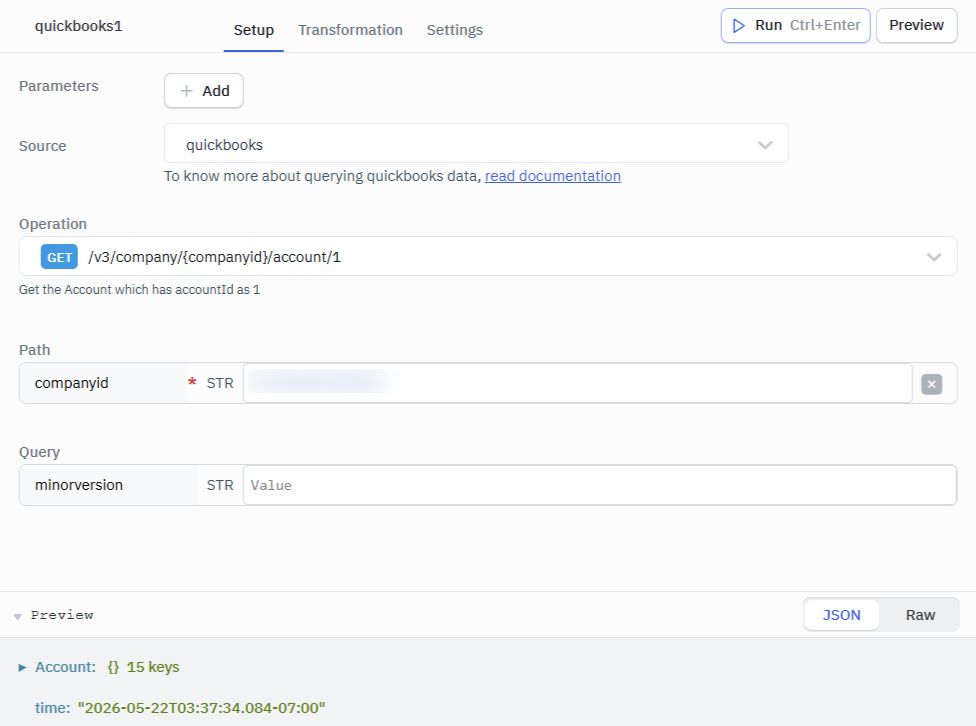
Response Example
{
  "Account": {
    "Name": "Services",
    "SubAccount": false,
    "FullyQualifiedName": "Services",
    "Active": true,
    "Classification": "Revenue",
    "AccountType": "Income",
    "AccountSubType": "ServiceFeeIncome",
    "CurrentBalance": 0,
    "CurrentBalanceWithSubAccounts": 0,
    "CurrencyRef": {
      "value": "AUD",
      "name": "Australian Dollar"
    },
    "domain": "QBO",
    "sparse": false,
    "Id": "1",
    "SyncToken": "0",
    "MetaData": {
      "CreateTime": "2025-12-07T15:27:58-08:00",
      "LastUpdatedTime": "2025-12-07T15:27:58-08:00"
    }
  },
  "time": "2026-05-22T03:45:46.022-07:00"
}
Operation : POST /v3/company/{companyid}/account
This query creates or updates an account in QuickBooks. It can be used to modify existing account information such as account name, account type, classification, or other account properties.
Required Parameter:
- companyid
Optional Parameters:
- minorversion
- requestbody
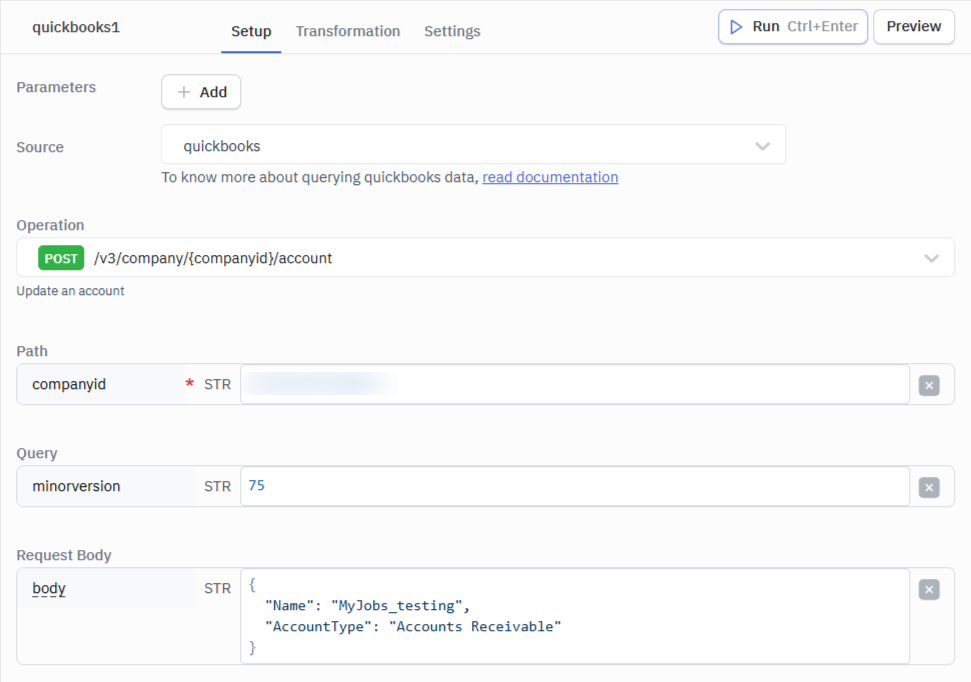
Response Example
{
  "Account": {
    "Name": "MyJobs_testing",
    "SubAccount": false,
    "FullyQualifiedName": "MyJobs_testing",
    "Active": true,
    "Classification": "Asset",
    "AccountType": "Accounts Receivable",
    "AccountSubType": "AccountsReceivable",
    "CurrentBalance": 0,
    "CurrentBalanceWithSubAccounts": 0,
    "CurrencyRef": {
      "value": "AUD",
      "name": "Australian Dollar"
    },
    "domain": "QBO",
    "sparse": false,
    "Id": "1150040002",
    "SyncToken": "0",
    "MetaData": {
      "CreateTime": "2026-05-22T03:49:10-07:00"
    }
  },
  "time": "2026-05-22T03:49:10.529-07:00"
}