Portkey
ToolJet can integrate with Portkey to access AI services such as text completion, chat completion, prompt completion, and embedding creation. This integration enables ToolJet to leverage Portkey's LMOps platform to develop, launch, maintain, and iterate on generative AI features.
Before following this guide, it is assumed that you have already completed the process of Using Marketplace plugins.
Connection
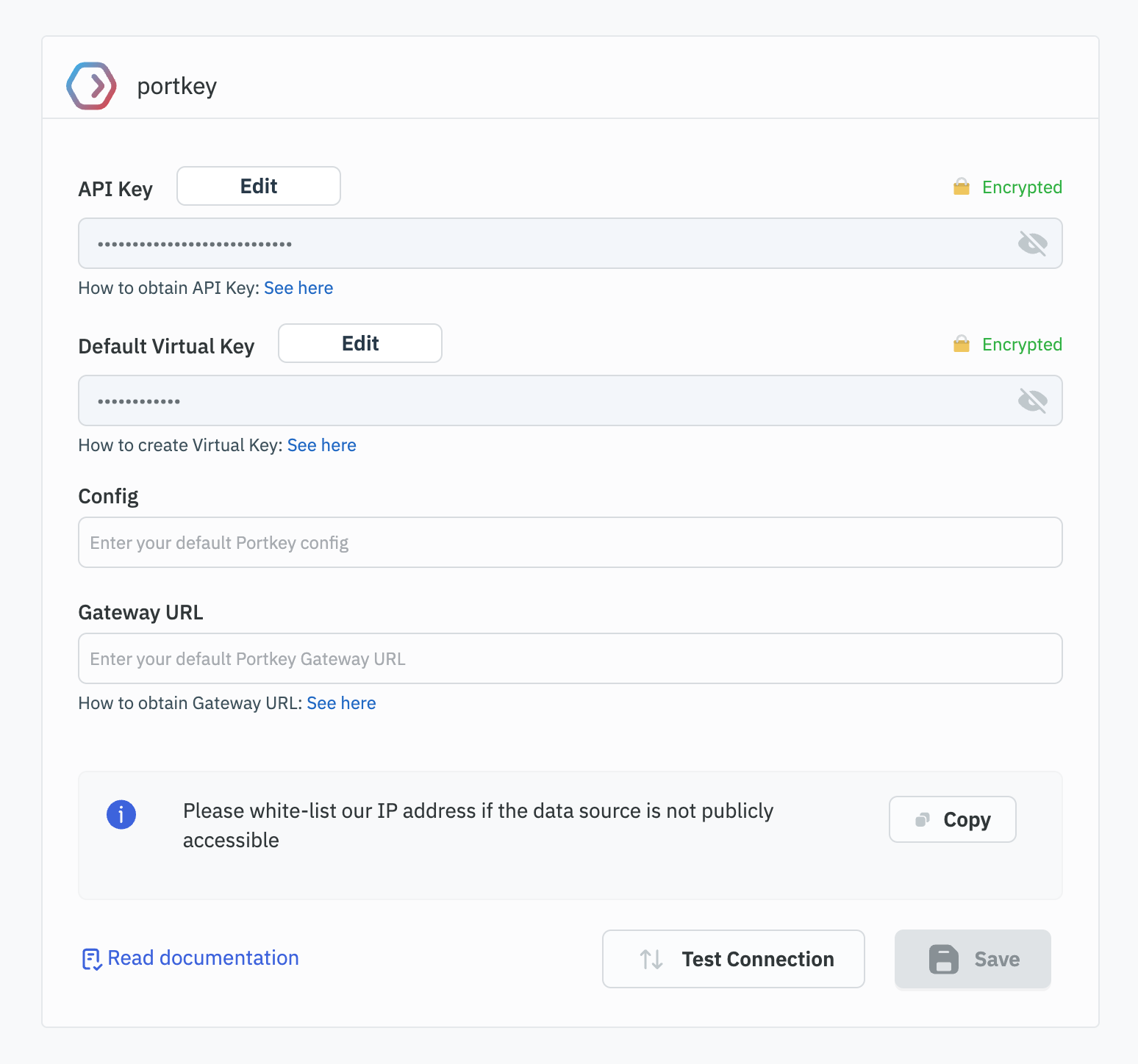
To connect to Portkey, the following credentials are required:
-
API Key: Your Portkey API Key. Refer to the Portkey API Authentication Documentation for instructions on obtaining your API Key.
-
Default Virtual Key (Optional): Your default Portkey Virtual Key. Visit the Portkey Virtual Keys Documentation to learn how to create and retrieve your Virtual Key.
-
Config (Optional): Your default Portkey configuration.
-
Gateway URL (Optional): Your default Portkey Gateway URL. See the Portkey API Authentication Documentation for details on how to obtain your Gateway URL.
Supported Operations
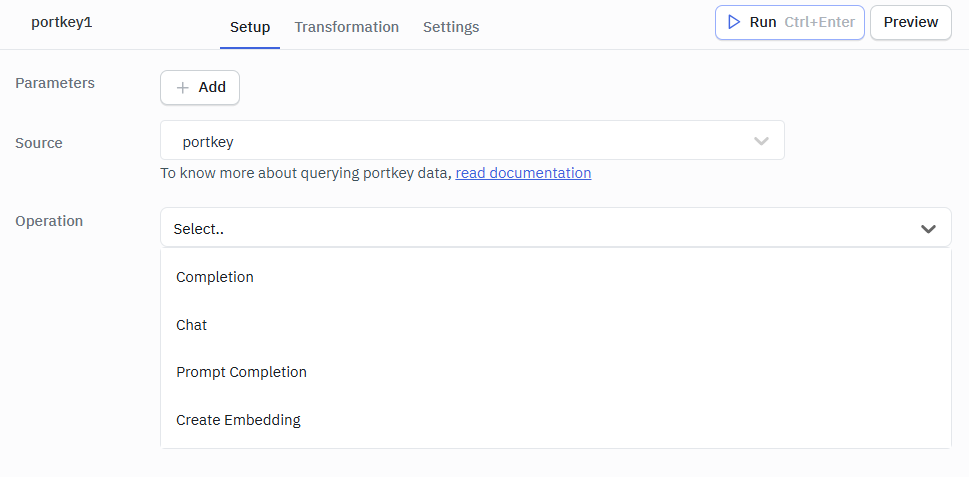
Portkey in ToolJet supports the following operations:
Completion
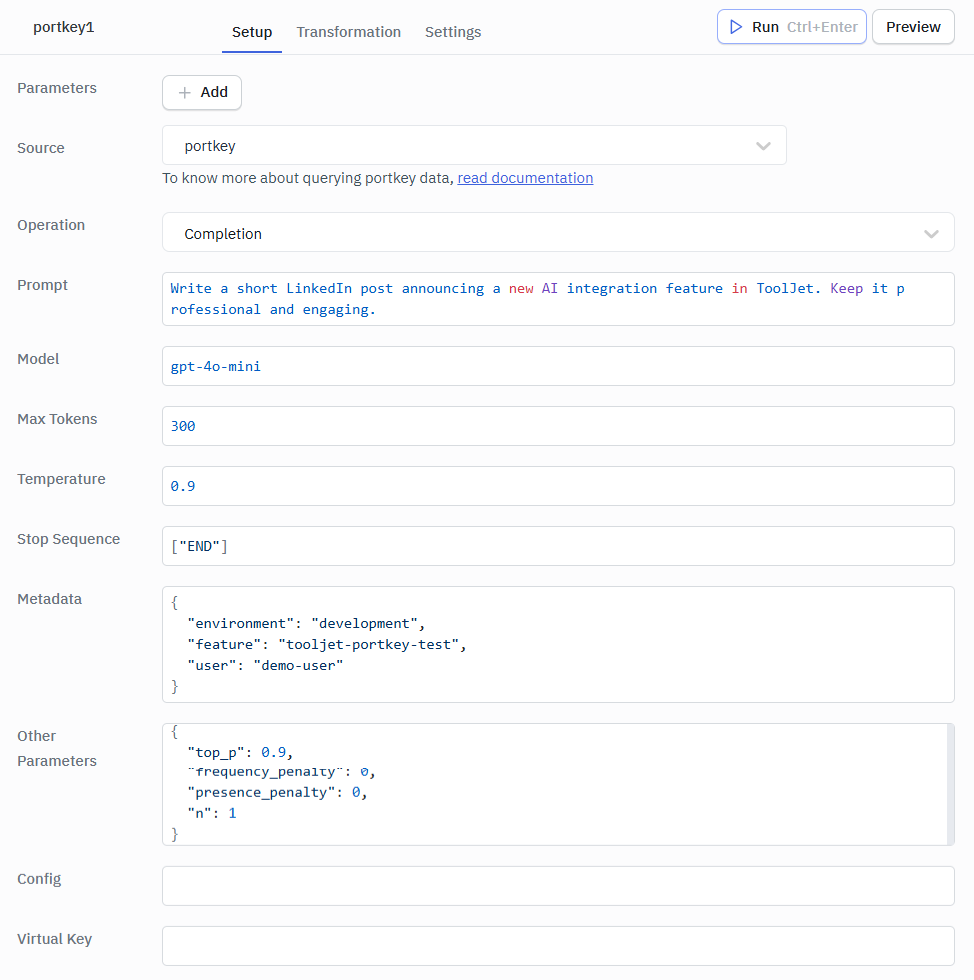
This operation generates text completions based on a given prompt.
Required Parameters:
- Prompt: The input text to generate completions for.
- Model: The AI model to use.
Optional Parameters:
- Max Tokens: Maximum number of tokens to generate.
- Temperature: Controls randomness.
- Stop Sequences: Sequences where the API will stop generating further tokens.
- Metadata: Additional metadata for the request.
- Other Parameters: Any other parameters to include in the request.
- Config: Optional JSON object to pass additional Portkey request configuration such as caching, routing, retries, or timeout settings.
- Virtual Key: The Portkey virtual API key used to authenticate and route the request through a specific configured provider or workspace.
Response Example
{
"id": "cmpl-9vNUfM8OP0SwSqXcnPwkqzR7ep8Sy",
"object": "text_completion",
"created": 1723462033,
"model": "gpt-4o-mini",
"choices": [
{
"text": "Write a short LinkedIn post announcing a new AI integration feature in ToolJet. Keep it professional and engaging.",
"index": 0,
"logprobs": null,
"finish_reason": "stop"
}
],
"usage": {
"prompt_tokens": 15,
"completion_tokens": 10,
"total_tokens": 25
}
}
Chat
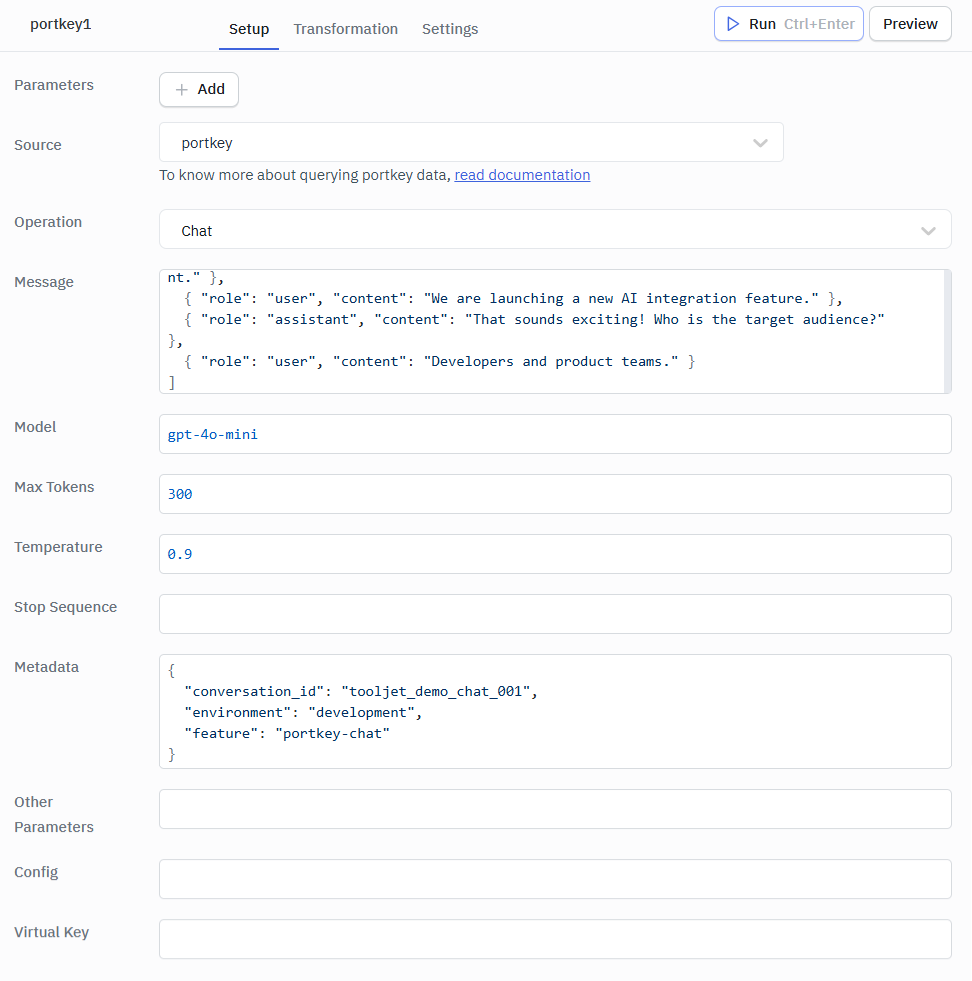
This operation generates chat completions based on a series of messages.
Required Parameters:
- Messages: An array of message objects representing the conversation.
- Model: The AI model to use.
Operational Parameters:
- Max Tokens: Maximum number of tokens to generate.
- Temperature: Controls randomness.
- Stop Sequence: Sequences where the API will stop generating further tokens.
- Metadata: Additional metadata for the request.
- Other Parameters: Any other parameters to include in the request.
Response Example
{
  "id": "chatcmpl-9vNIlfllXOPEmroKFajK2nlJHzhXA",
  "object": "chat.completion",
  "created": 1723461295,
  "model": "gpt-4o-mini",
  "choices": [
    {
      "index": 0,
      "message": {
        "role": "user",
        "content": "Developers and product teams.",
        "refusal": null
      },
      "logprobs": null,
      "finish_reason": "end"
    }
  ],
  "usage": {
    "prompt_tokens": 29,
    "completion_tokens": 7,
    "total_tokens": 36
  },
  "system_fingerprint": null
}
Prompt Completion
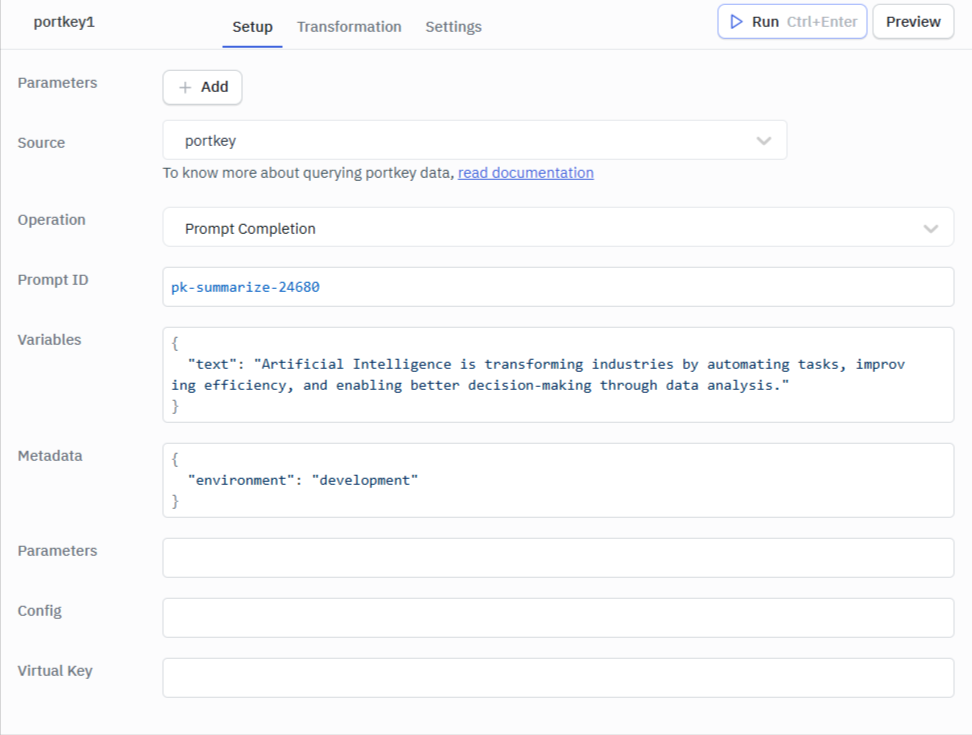
This operation generates completions based on a pre-defined prompt.
Required Parameter:
- Prompt ID: The ID of the pre-defined prompt to use.
Optional Parameters:
- Variables: Variables to be used in the prompt.
- Parameters: Additional parameters for the prompt completion.
- Metadata: Additional metadata for the request.
Response Example
{
  "id": "chatcmpl-9w6D8jZciWVf1DzkgqNZK14KUvA4d",
  "object": "chat.completion",
  "created": 1723633926,
  "model": "gpt-4o-mini",
  "choices": [
    {
      "index": 0,
      "message": {
        "role": "assistant",
        "content": "Artificial Intelligence is transforming industries by automating tasks, improving efficiency, and enabling better decision-making through data analysis.",
        "refusal": null
      },
      "logprobs": null,
      "finish_reason": "stop"
    }
  ],
  "usage": {
    "prompt_tokens": 145,
    "completion_tokens": 71,
    "total_tokens": 216
  },
  "system_fingerprint": "fp_48196bc67a"
}
Create Embedding
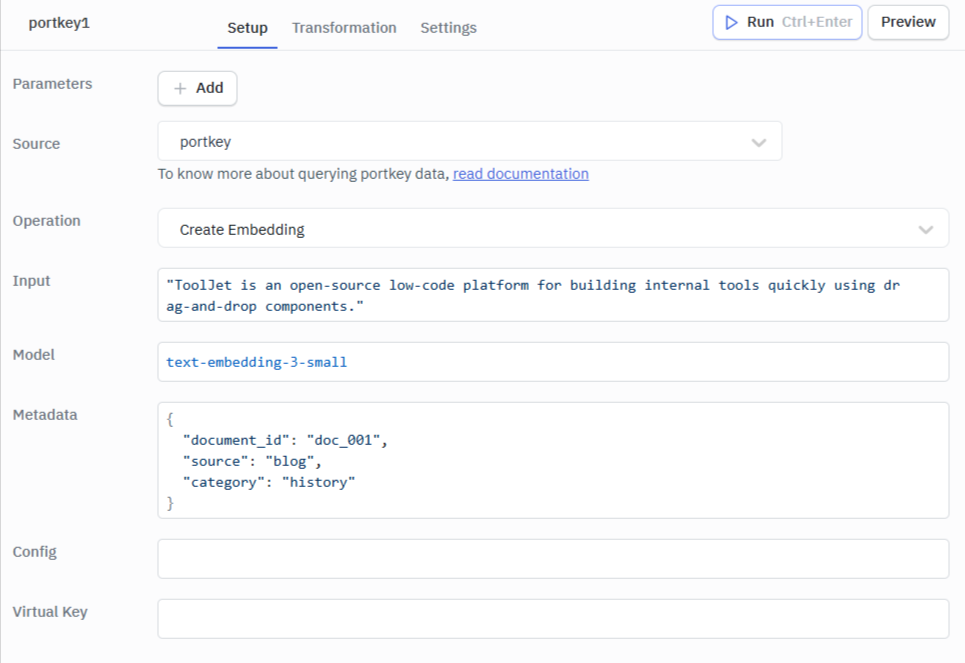
This operation creates embeddings for given input text.
Required Parameters:
- Input: The input text to create embeddings for.
- Model: The AI model to use for creating embeddings.
Optional Parameters:
- Metadata: Additional metadata for the request.
- Config: Configuration options for the request.
- Virtual Key: A specific virtual key to use for the request, overriding the default.
Response Example
{
  "object": "list",
  "data": [
    {
      "object": "embedding",
      "index": 0,
      "embedding": [
        -0.02083237,
        -0.016892163,
        -0.0045676464,
        -0.05084554,
        -0.025968939,
        0.029597048,
        0.029987168,
        0.02907689,
        0.0105982395,
        -0.024356445,
        -0.00935636,
        0.0066352785,
        0.034018397,
        -0.042002838,
        0.03856979,
        -0.014681488,
        ...,
        0.024707552
      ]
    }
  ],
  "model": "text-embedding-3-small",
  "usage": {
    "prompt_tokens": 9,
    "total_tokens": 9
  }
}