Couchbase
ToolJet integrates with Couchbase to leverage its NoSQL database and advanced vector search capabilities. This enables CRUD document operations, SQL++ queries, and Full-Text Search (FTS) within Couchbase databases. Vector store features support semantic search, hybrid queries, and intelligent application development.
Before following this guide, it is assumed that you have already completed the process of Using Marketplace plugins.
Connection
To connect with Couchbase, you will need the following credentials. Which you can generate from Couchbase Console.
- Data API Endpoint
- Username
- Password
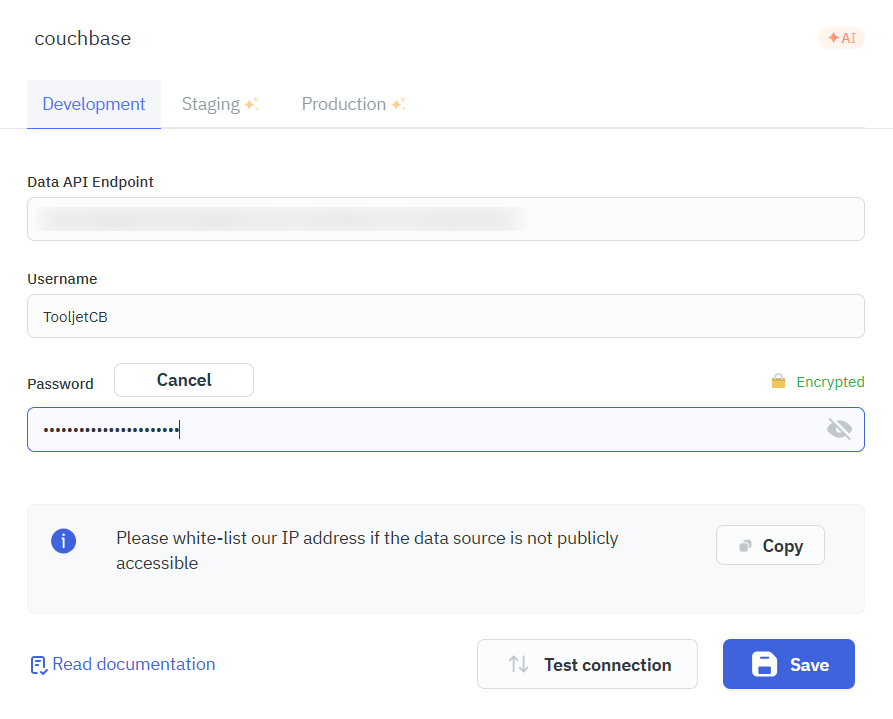
Connecting to Data API endpoint in ToolJet
To connect ToolJet with the Couchbase Data API, you must first enable the Data API access and configure authentication properly.
- Configure Allowed IP Addresses: For public connections, you must allow the IP address from which ToolJet will send requests. Add the required IP or CIDR block under Allowed IP Addresses.
- Set Up Cluster Access Credentials: Create or use existing cluster credentials to authenticate Data API requests.
- Retrieve the Data API Endpoint URL: Once enabled, Couchbase displays the Data API endpoint URL, which can be used as the base URL in ToolJet.
Supported Operations
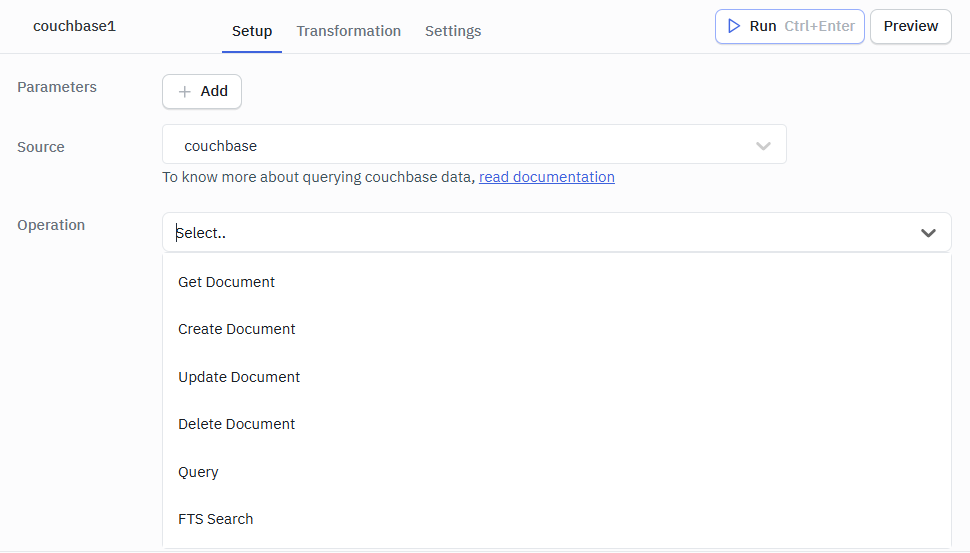
Get Document
This operation retrieves a specific document by its ID from a Couchbase collection.
Required Parameters
- Bucket: The name of the bucket containing the document
- Document ID: The unique identifier of the document to retrieve
- Scope: The scope name
- Collection: The collection name
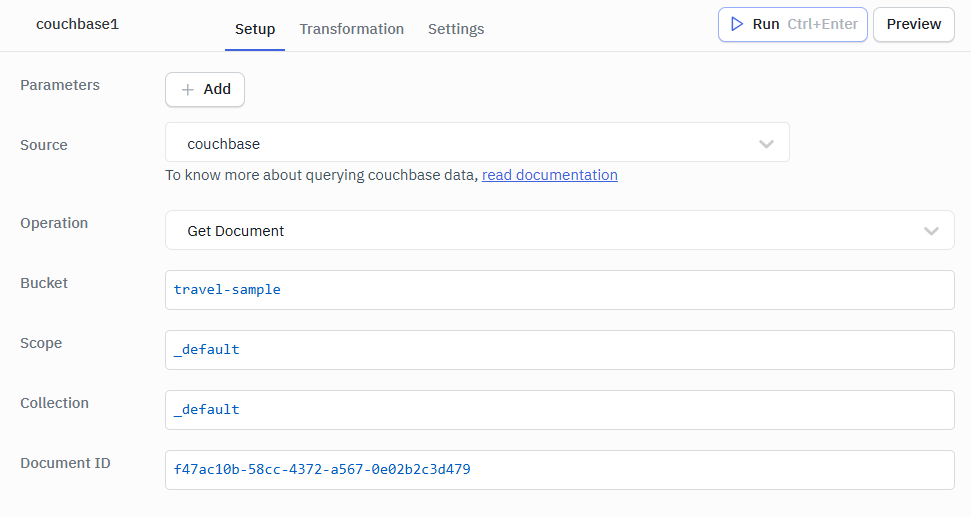
Example Response
{
  "id": "user::123",
  "name": "John Doe",
  "email": "[email protected]",
  "age": 30,
  "created_at": "2026-02-04T12:15:00Z"
}
Create Document
This operation creates a new document in a Couchbase collection.
Required Parameters
- Bucket: The name of the bucket to create the document in
- Scope: The scope name
- Collection: The collection name
- Document ID: The unique identifier for the new document
- Document: The document data as a JSON object
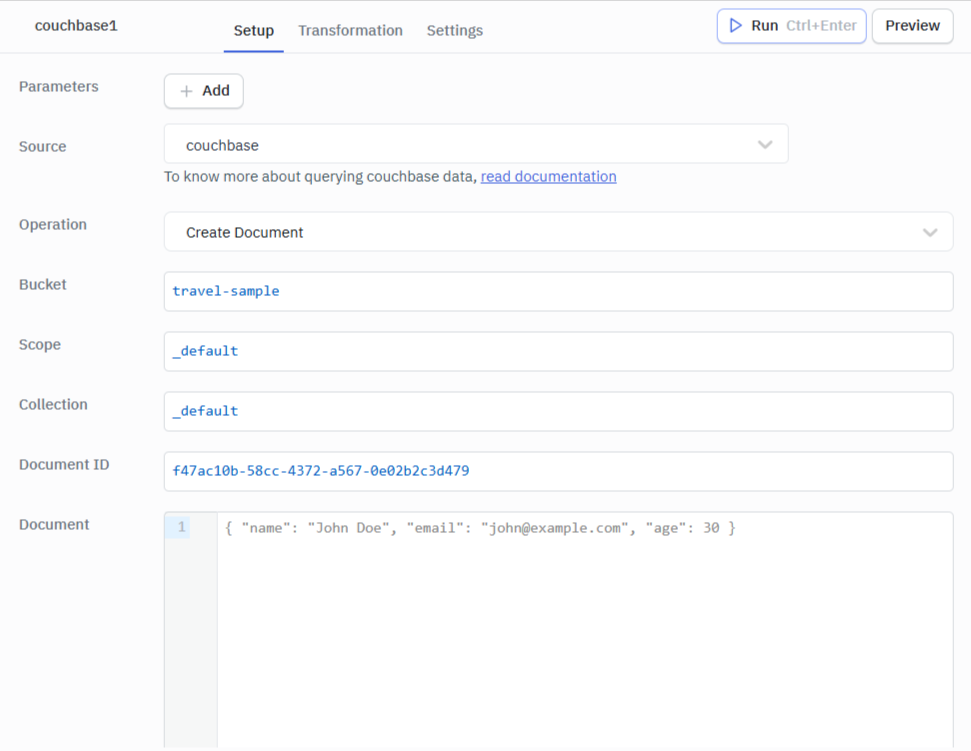
Example Response
Created successfully
Update Document
This operation updates an existing document in a Couchbase collection.
Required Parameters
- Bucket: The name of the bucket containing the document
- Scope: The scope name
- Collection: The collection name
- Document ID: The unique identifier of the document to update
- Document: The updated document data as a JSON object
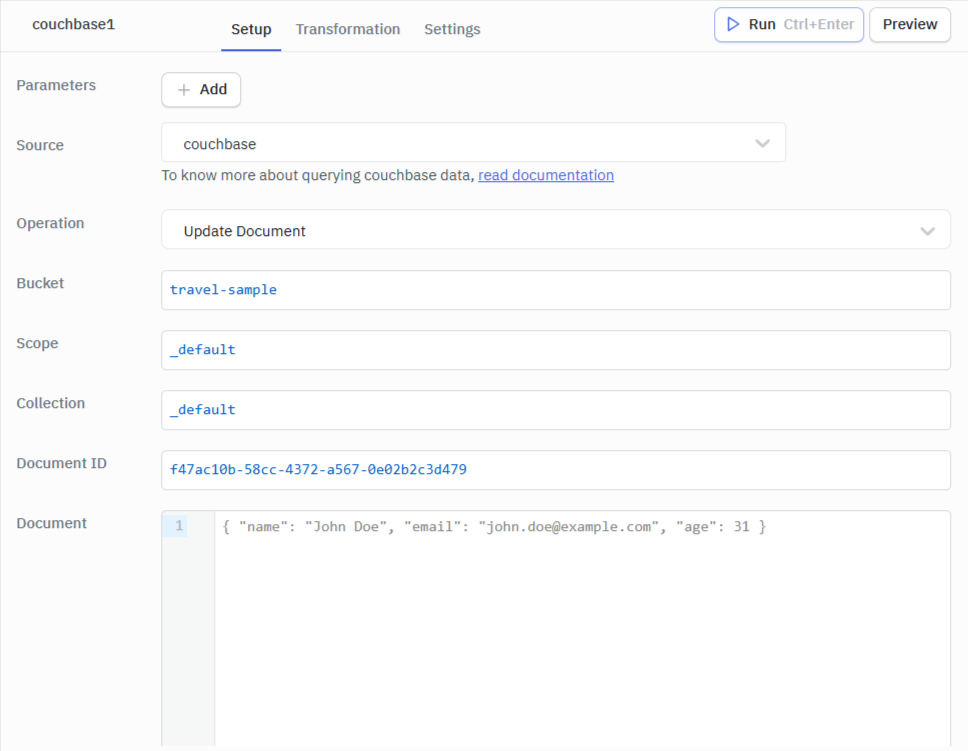
Example Response
Updated successfully
Note: Update operation replaces the original document with the updated value of the document passed.
Delete Document
This operation deletes a document from a Couchbase collection.
Required Parameters
- Bucket: The name of the bucket containing the document
- Scope: The scope name
- Collection: The collection name
- Document ID: The unique identifier of the document to delete
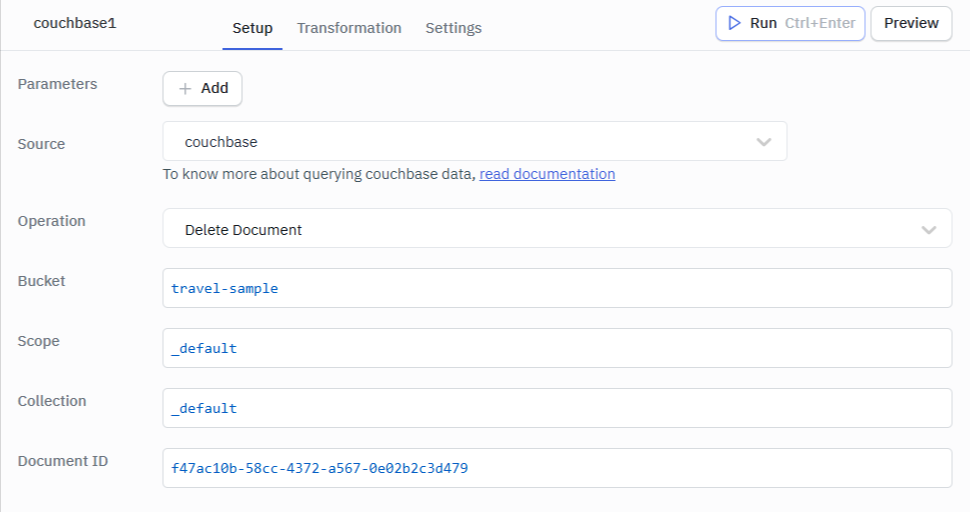
Example Response
Deleted successfully
Query
This operation executes SQL++ queries against your Couchbase database.
Required Parameters
- SQL++ Query: The SQL++ statement to execute (use
$parameterplaceholders for named parameters)
Optional Parameters
- Arguments (Key-Value): Key-value object for named parameters that replace
$parameterplaceholders in the query - Query Options: JSON object containing additional query options like
readonly,timeout, etc.
Example Query
SELECT * FROM `travel-sample`.`inventory`.`airline` WHERE country = $country LIMIT 10
Arguments (Key-Value): { "$country": "France" }
Query Options: { "readonly": true, "query_context": "travel-sample.inventory" }
Refer to the request paramters for supported query options.
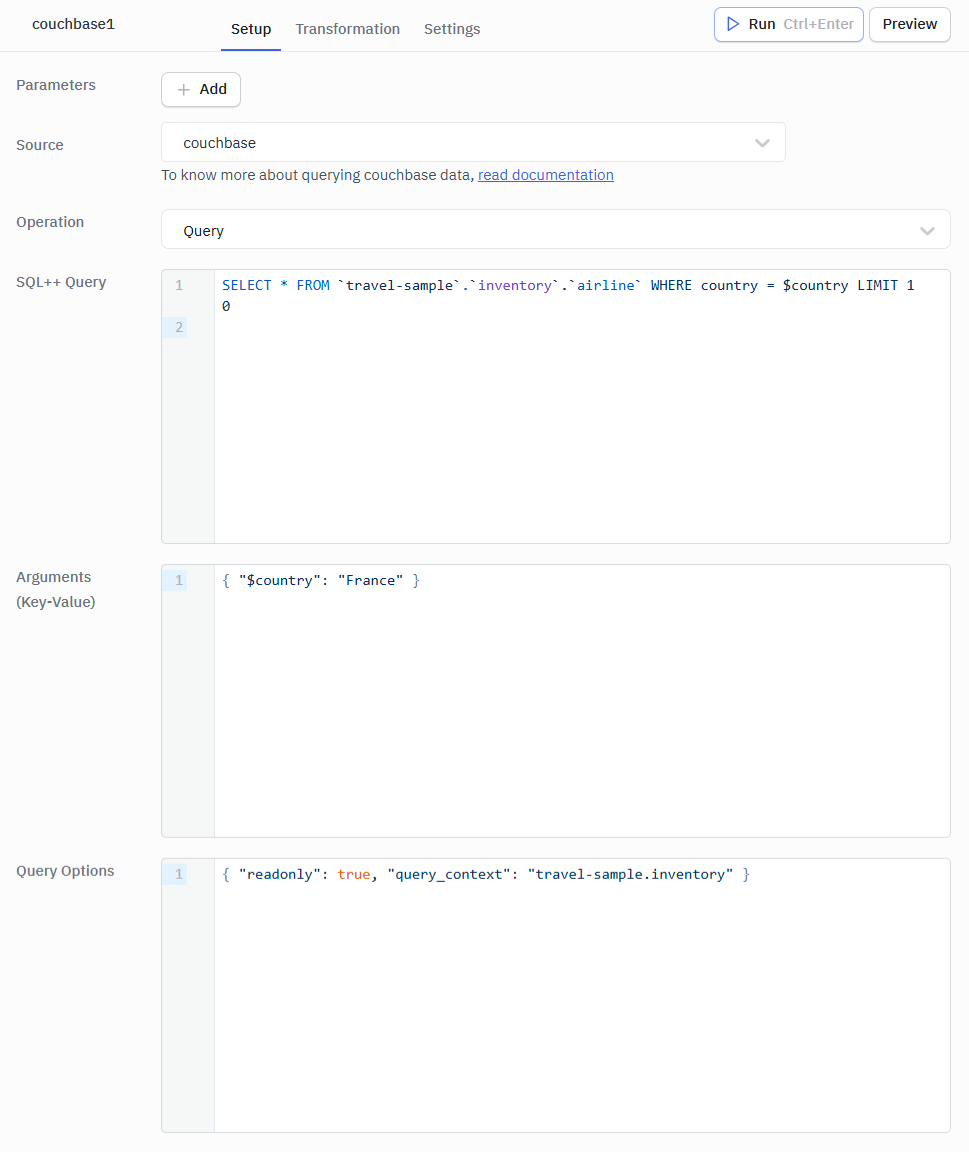
Example Response
{
  "results": [
    {
      "airline": {
        "id": 137,
        "type": "airline",
        "name": "Air France",
        "iata": "AF",
        "icao": "AFR",
        "callsign": "AIRFRANS",
        "country": "France"
      }
    }
  ],
  "status": "success",
  "metrics": {
    "elapsedTime": "15.2ms",
    "executionTime": "14.8ms",
    "resultCount": 1,
    "resultSize": 234
  }
}
FTS Search
This operation performs Full-Text Search queries against a Couchbase FTS index.
Required Parameters
- Bucket: The name of the bucket to search in
- Scope: The scope name
- Index Name: The name of the FTS index to search against
- Search Query: The FTS search query as a JSON object
Example Search Query
{
  "query": {
    "match": "hotel",
    "field": "name"
  }
}
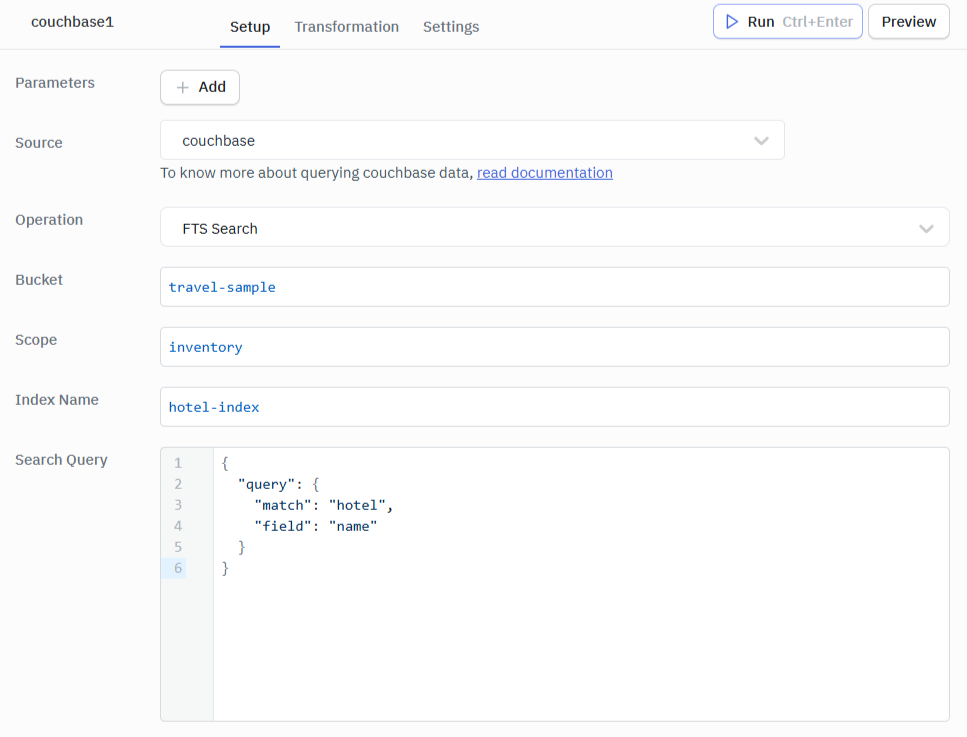
Example Response
{
  "status": {
    "total": 1,
    "failed": 0,
    "successful": 1
  },
  "request": {
    "query": {
      "match": "hotel",
      "field": "name"
    }
  },
  "hits": [
    {
      "index": "hotel-index",
      "id": "hotel_123",
      "score": 0.8567,
      "fields": {
        "name": "Grand Hotel",
        "city": "Paris",
        "country": "France"
      }
    }
  ],
  "total_hits": 1,
  "max_score": 0.8567,
  "took": 12
}