Using MultiPart-Form-Data
ToolJet provides built-in support for uploading files to REST APIs using the multipart/form-data request format. This format is required when transmitting binary data—such as images, documents, or compressed files—along with form fields in a single HTTP request.
ToolJet manages request headers and boundary conditions internally, removing the need for manual configuration. This document explains how to configure REST API queries to send files using multipart/form-data and how file data is processed during request execution.
Supported File Types
ToolJet supports the following file types when using multipart/form-data in REST API queries:
- Image Files
- PDF Files
- ZIP Files and also
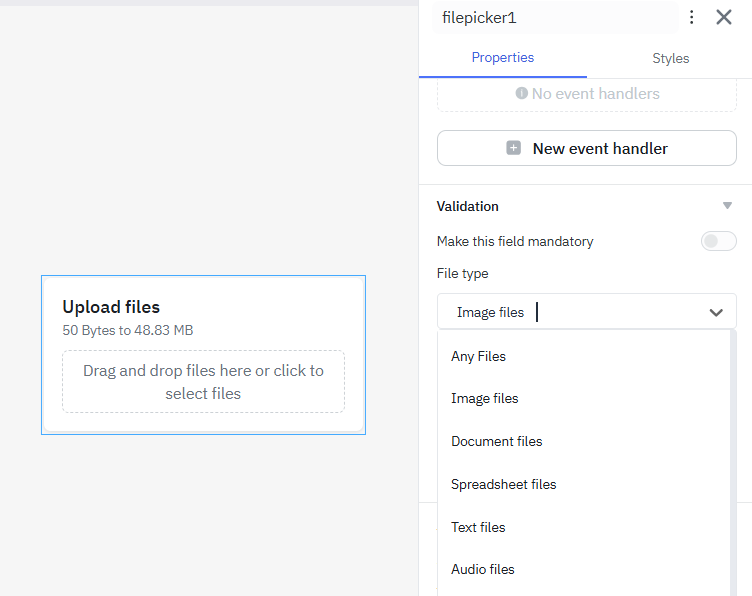
- All file types when
accept="*"is configured in the File Picker widget ( that includes image, pdf, zip etc.,).
Content-Types
REST APIs commonly accept request bodies in different Content-Type formats, such as:
text/xmltext/plaintext/htmlapplication/jsonapplication/x-www-form-urlencodedmultipart/form-data
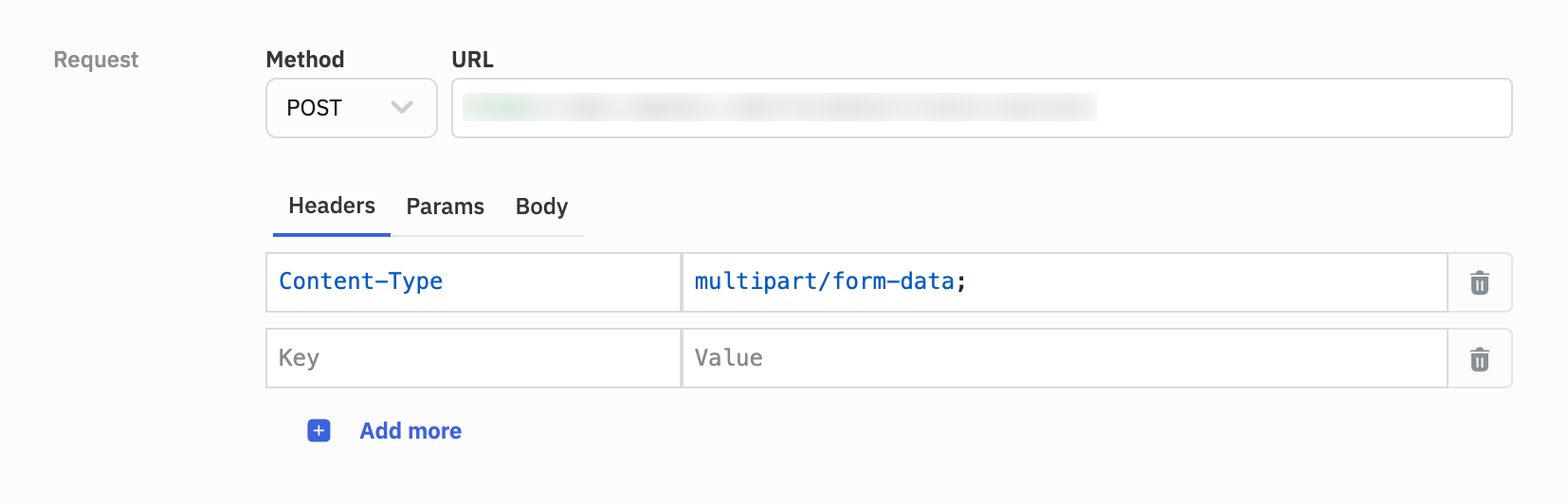
Note: No need to manually set the Content-Type header when sending multipart requests. ToolJet automatically appends the correct boundary values required by the server.
Configuring a REST API Query for multipart/form-data
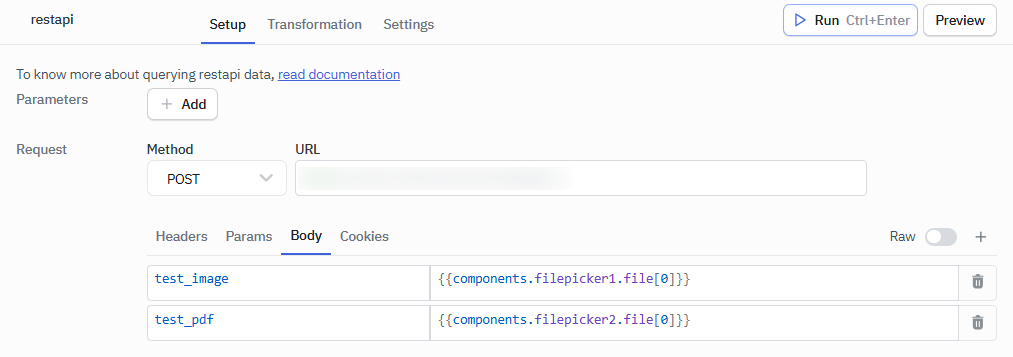
Each key-value pair in the Form Data section represents a separate part of the multipart request.
Note: When sending files using multipart/form-data, the request Content-Type header must be set to multipart/form-data, including the required boundary parameter. In ToolJet, this header is automatically generated when the request body is configured as Form Data.
In toolJet, File data is provided to REST API queries through the File Picker widget. Each selected file is represented as a file object and can be referenced directly in the Form Data body.
| Form Data Key | Value |
|---|---|
test_image | {{components.filepicker1.file[0]}} |
test_pdf | {{components.filepicker2.file[0]}} |
In this example:
- Each File Picker widget provides one file
- The first file is accessed using
file[0] - Each file is sent as an individual multipart section
Sending Multiple Files
In your ToolJet app, When multiple files are included in the request:
- Each file is added as a separate Form Data field
- ToolJet creates individual multipart sections for each file
- Boundary markers are automatically generated to separate file data
- Users can also use the option to select multiple files at once, which are then sent together in a single multipart request.
How multipart/form-data Is Processed
- ToolJet divides the request body into multiple parts, where each part represents a file or form field, and automatically applies boundary markers to ensure the server can correctly parse and process the data.
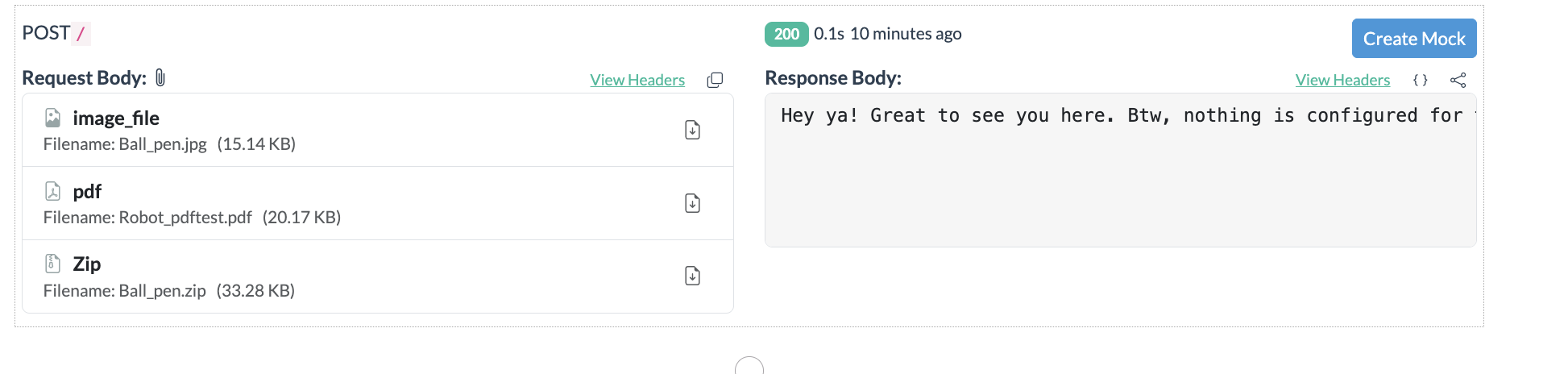
- Multipart requests can be validated using API inspection or testing tools, where each uploaded file appears as a separate attachment with its filename and size, confirming that the request was formatted correctly.