Pass Query Parameters in Custom Components
In this guide, you'll learn how to trigger a query with dynamic parameters from inside a Custom Component.
We'll use a simple example: fetching a specific Todo item by passing its id as a parameter.
-
Create the Query
First, create a REST API query and rename it togetIndividualTodoand add a parameter namedid. Set the method to GET and enter the following URL under the URL property:https://jsonplaceholder.typicode.com/todos/{{parameters.id}}Here,
{{parameters.id}}allows the query to receive a dynamic id value when triggered.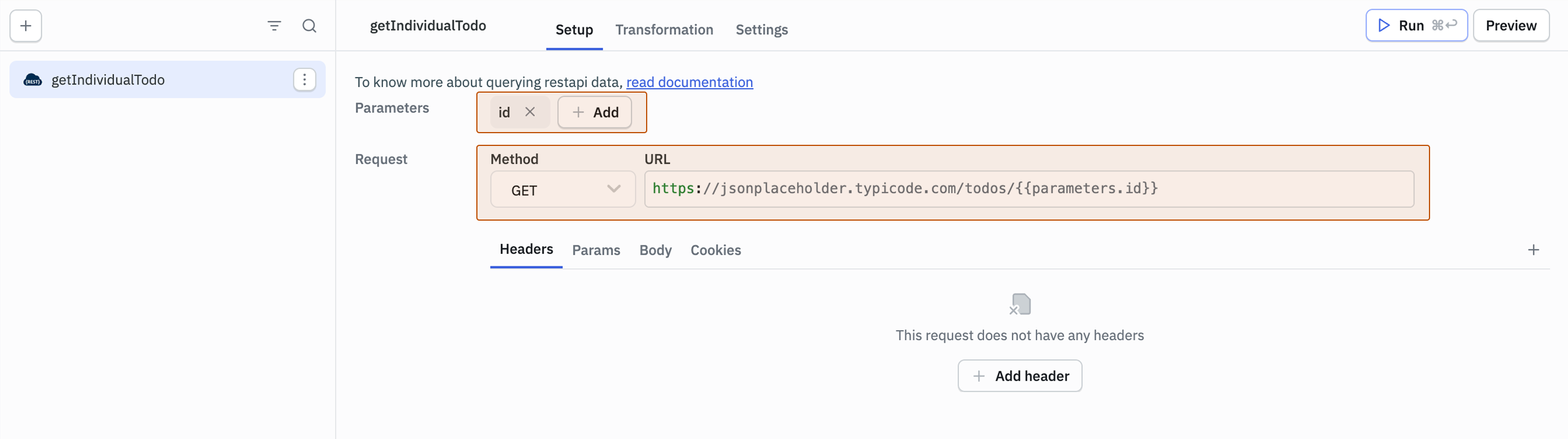
-
Add a Custom Component
Drag and drop a Custom Component onto the canvas. Set the Data property as:{{
{ title: 'Todos', buttonText: 'Get Todo', queryData: queries.getIndividualTodo.data}
}}This passes the title, button text, and query data to the Custom Component.
-
Add the Component Code
Paste the following into the Code property:
import React, { useState, useEffect } from 'https://cdn.skypack.dev/react';
import ReactDOM from 'https://cdn.skypack.dev/react-dom';
import { Button, Container, TextField, Typography } from 'https://cdn.skypack.dev/@material-ui/core';

const MyCustomComponent = ({ data, updateData, runQuery }) => {
  const [todoId, setTodoId] = useState(1);

  const fetchTodo = async () => {
    try {
      const { data: todo } = await runQuery('getIndividualTodo', { id: todoId });
      if (todo) updateData({ ...data, queryData: todo });
    } catch (error) {
      console.error("Error fetching todo:", error);
    }
  };

  return (
    <Container>
      <Typography variant="h4">{data.title}</Typography>
      <TextField
        label="Todo ID"
        value={todoId}
        onChange={(e) => setTodoId(e.target.value)}
        variant="outlined"
        margin="normal"
        fullWidth
      />
      <Button color="primary" variant="outlined" onClick={fetchTodo}>
        Fetch Todo
      </Button>
      {data.queryData?.title && (
        <div>
          <p>ID: <b>{data.queryData.id}</b></p>
          <p>Title: <b>{data.queryData.title}</b></p>
          <p>Completed: <b>{data.queryData.completed ? "Yes" : "No"}</b></p>
        </div>
      )}
    </Container>
  );
};

const ConnectedComponent = Tooljet.connectComponent(MyCustomComponent);

ReactDOM.render(<ConnectedComponent />, document.body);
In
runQuery('getIndividualTodo', { id: todoId }), the value oftodoIdis sent to the query asidvia parameters. That value replaces{{parameters.id}}in the query URL when the query runs, allowing the Todo ID to be passed dynamically.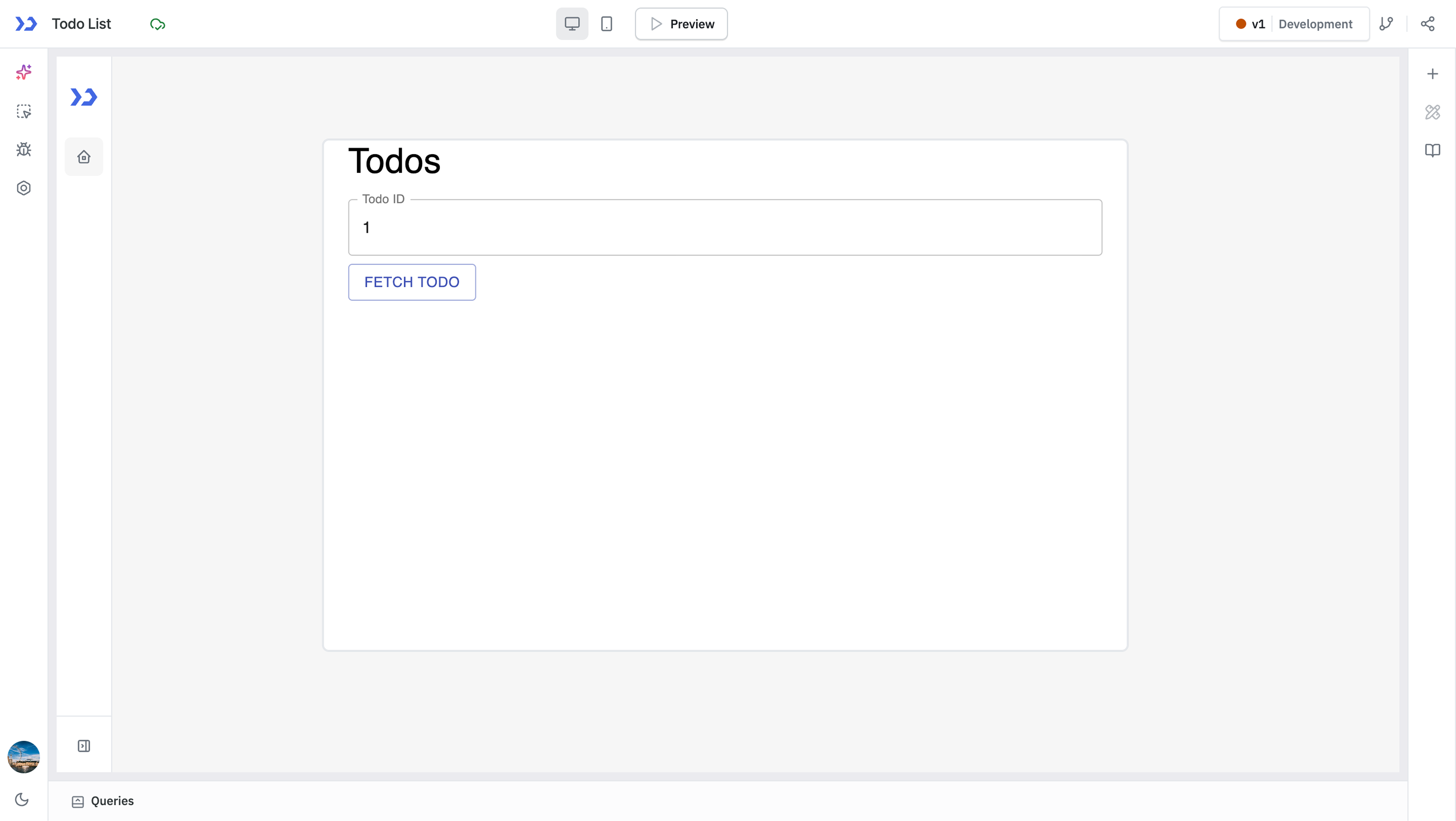
-
Fetch the Todo
Now, when you click the Fetch Todo button, the getIndividualTodo query will run with the Todo ID passed as a parameter and return the details of the Todo.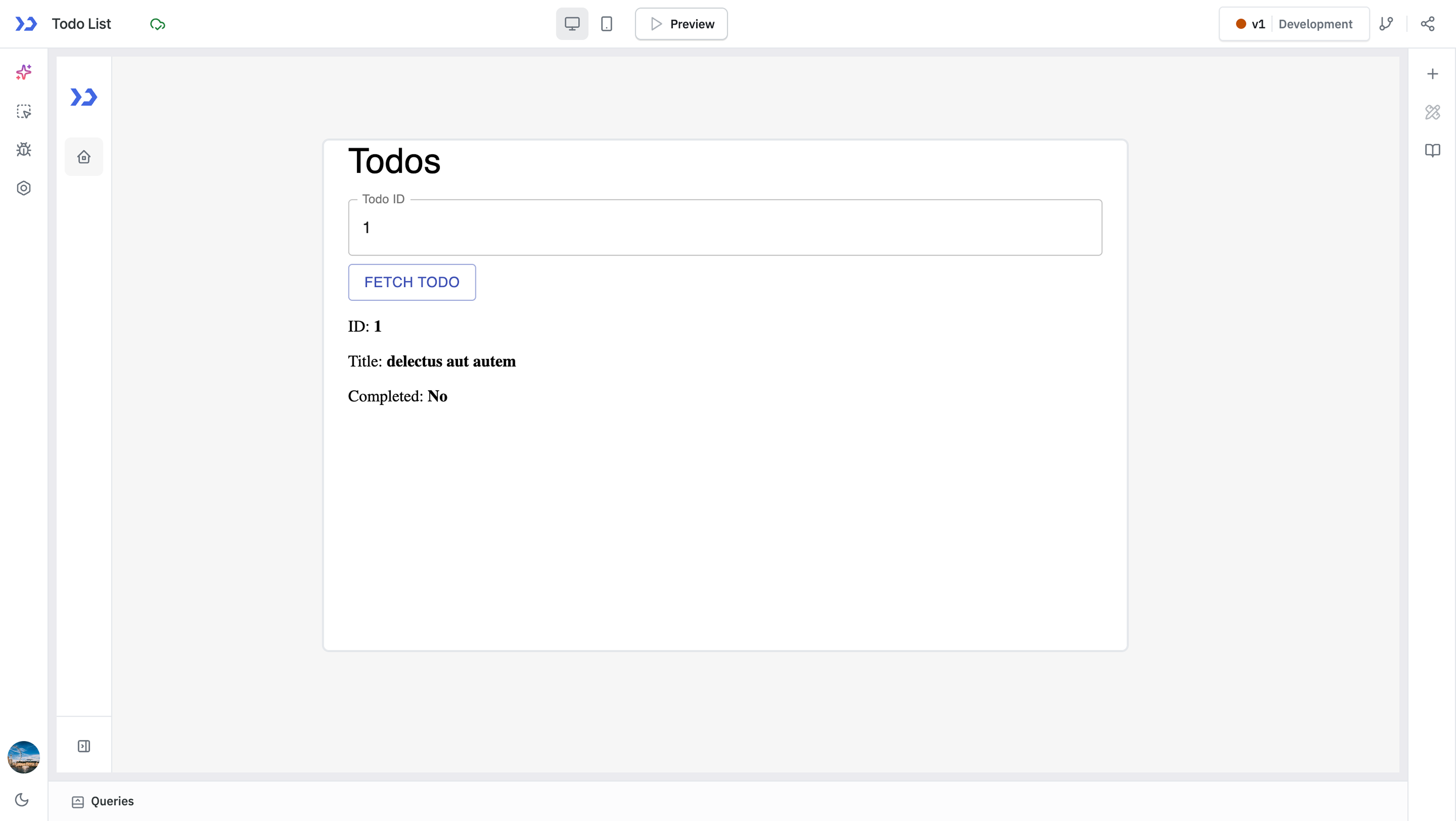
In a typical JavaScript query, parameters are passed in a manner similar to a standard function call. For example, you can specify the parameters for the query using queries.getIndividualTodo.run({ id: 2 })