Elasticsearch
ToolJet allows you to connect to your Elasticsearch cluster to perform data read/write operations and execute various queries.
Connection
To connect to an Elasticsearch data source in ToolJet, you can either click the + Add new data source button on the query panel or navigate to the Data Sources page in the ToolJet dashboard.
Please make sure the Host/IP of the database is accessible from your VPC if you have self-hosted ToolJet. If you are using ToolJet cloud, please whitelist our IP.
To connect to your Elasticsearch cluster, the following details are required:
- Host
- Port
- Username
- Password
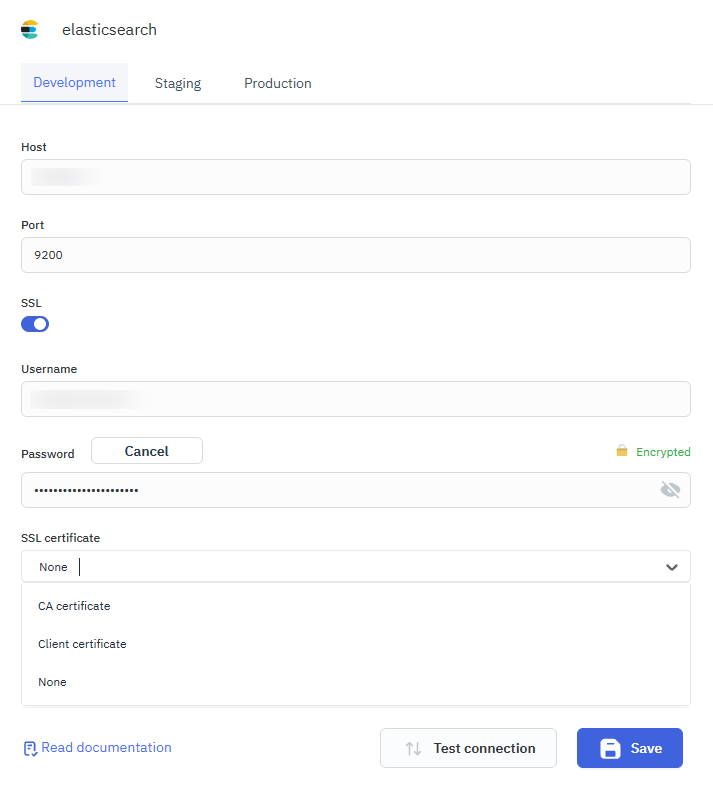
ToolJet also supports SSL certificate-based connections:
- CA certificate
- Client certificate
Querying Elasticsearch
- Click the + Add button in the query manager at the bottom of the editor and select the Elasticsearch data source added earlier.
- Choose the operation you want to perform on your Elasticsearch cluster.
Query results can be transformed using transformations. Refer to our transformations documentation for more details: link
Supported Operations
ToolJet supports the following Elasticsearch operations:
- Search
- Index a Document
- Get a Document
- Update a Document
- Delete a Document
- Bulk Operation
- Count Documents
- Check Document Existence
- Multi Get
- Scroll Search
- Clear Scroll
- Get Cat Indices
- Get Cluster Health
Search
This operation executes a search query and returns matching search hits. For more details, see the Elasticsearch search guide here.
Required Parameter
- Index: The name of the index to search in.
- Query: The search query in JSON format.
Optional Parameter
- Scroll: Scroll time.
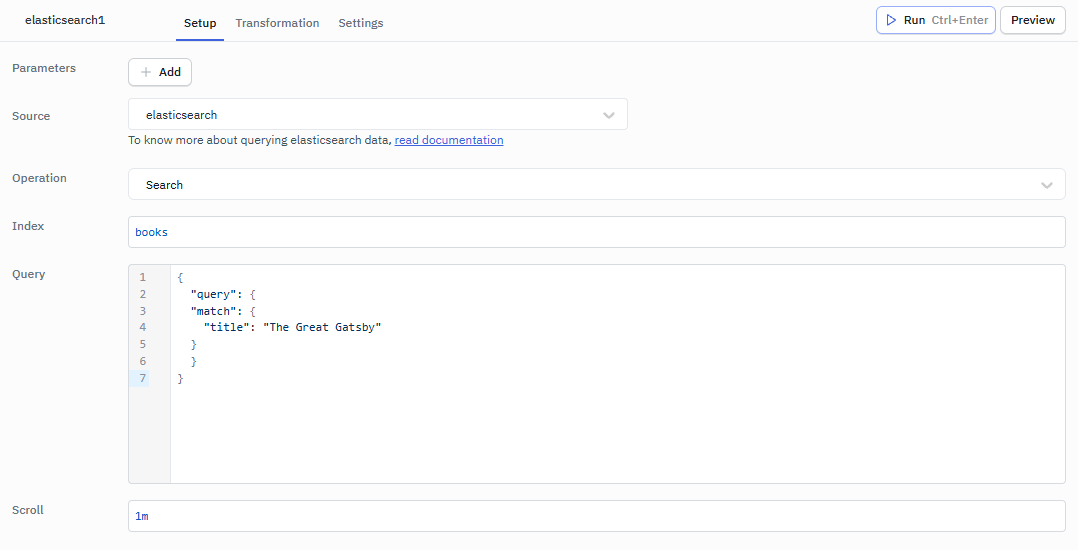
Example:
Index: books
Query: { "query": { "match": { "title": "The Great Gatsby" } }, "size": 20 }
Scroll: 1m # Can be in the format of 1m, 1h, 1d.
Index a Document
This operation adds a JSON document to the specified index or data stream. For more details, see the Elasticsearch index guide here.
Required Parameter
- Index: The name of the index to add the document to
- Body: The document body in JSON format
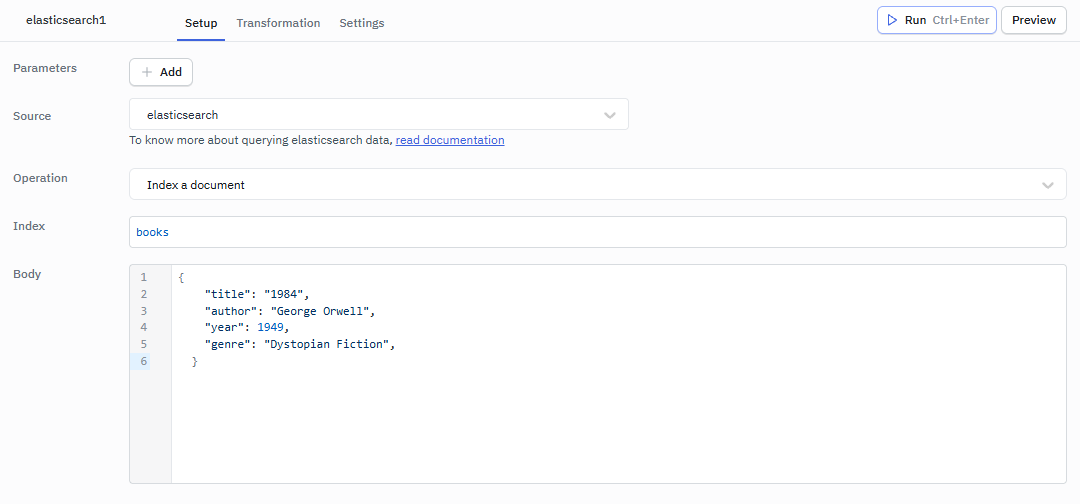
Example:
Index: books
Body:
  {
    "title": "1984",
    "author": "George Orwell",
    "year": 1949,
    "genre": "Dystopian Fiction",
  }
Get a Document
This operation retrieves the specified JSON document from the index. For more details, see the Elasticsearch get guide here.
Required Parameter
- Index: The name of the index to get the document from
- Id: The ID of the document to retrieve
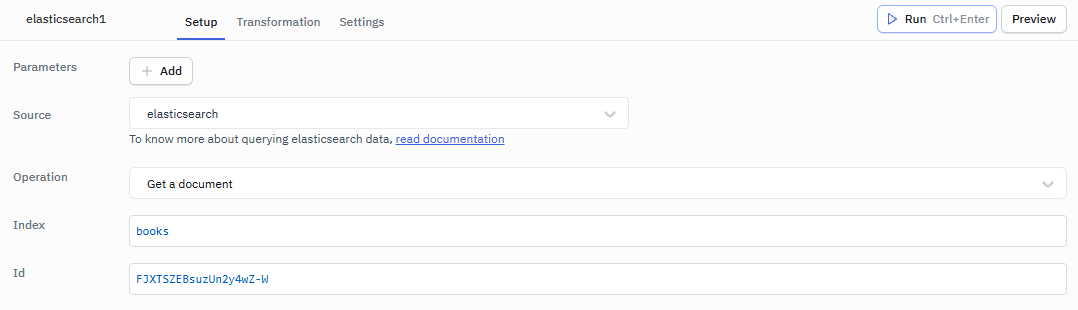
Example:
Index: books
Id: FJXTSZEBsuzUn2y4wZ-W
Update a Document
This operation updates a document using the specified script. For more details, see the Elasticsearch update guide here.
Required Parameter
- Index: The name of the index containing the document
- Id: The ID of the document to update
- Body: The update script or partial document in JSON format
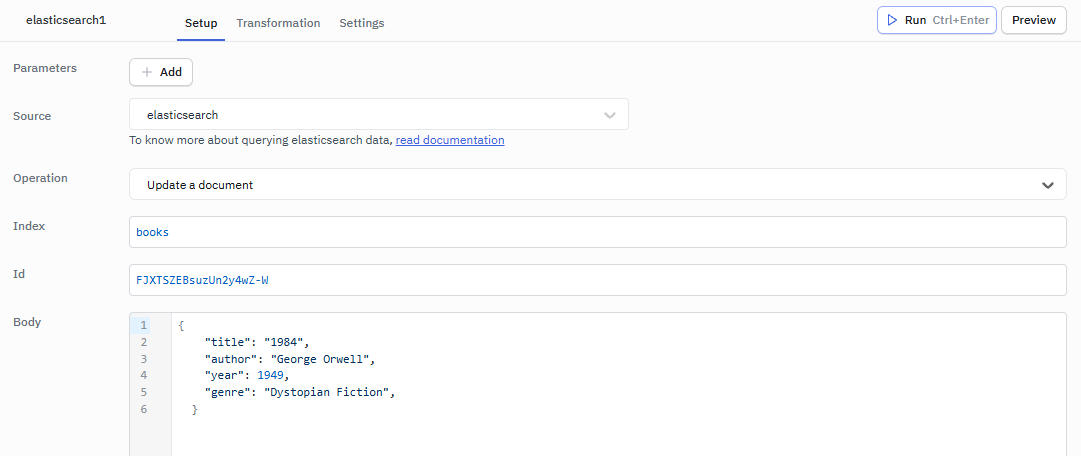
Example:
Index: books
Id: FJXTSZEBsuzUn2y4wZ-W
Body:
{
  "doc": {
    "title": "1984",
    "author": "George Orwell",
    "year": 1949,
    "genre": "Fiction"
  }
}
Delete a Document
This operation removes a JSON document from the specified index. For more details, see the Elasticsearch delete guide here.
Required Parameter
- Index: The name of the index containing the document
- Id: The ID of the document to delete
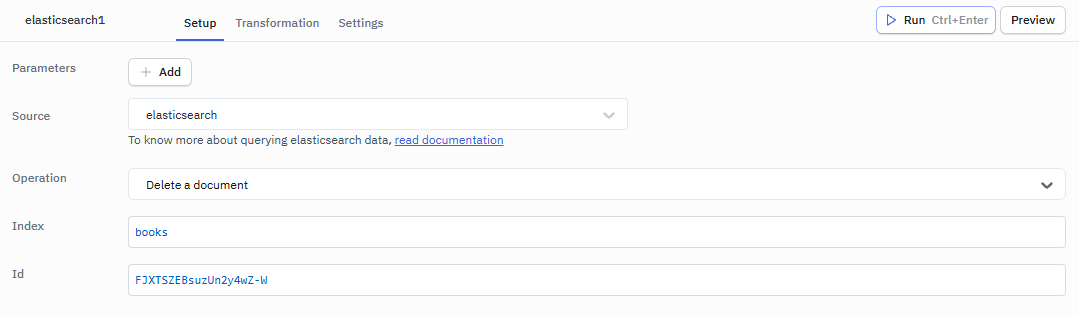
Example:
Index: books
Id: FJXTSZEBsuzUn2y4wZ-W
Bulk Operation
This operation performs multiple index/update/delete operations in a single API call. For more details, see the Elasticsearch bulk guide here.
Required Parameter
- Operations: The bulk operations to perform in JSON format
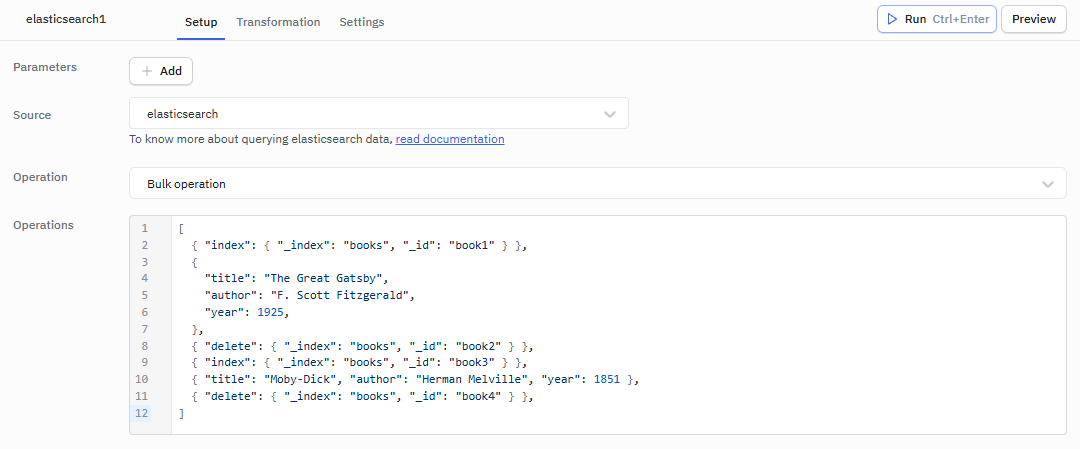
Example:
[
  { "index": { "_index": "books", "_id": "book1" } },
  {
    "title": "The Great Gatsby",
    "author": "F. Scott Fitzgerald",
    "year": 1925,
  },
  { "delete": { "_index": "books", "_id": "book2" } },
  { "index": { "_index": "books", "_id": "book3" } },
  { "title": "Moby-Dick", "author": "Herman Melville", "year": 1851 },
  { "delete": { "_index": "books", "_id": "book4" } },
]
Count Documents
This operation returns the number of matches for a search query. For more details, see the Elasticsearch count guide here.
Required Parameter
- Index: The name of the index to count documents in.
Optional Parameter
- Query: The query to filter documents in JSON format
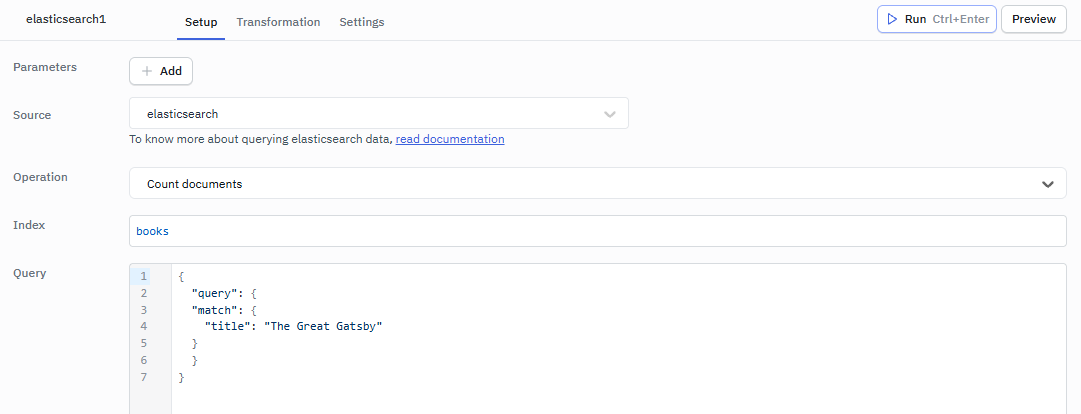
Example:
{ "query": { "range": { "timestamp": { "gte": 1901 } } } }
Check Document Existence
This operation checks if a document exists in an index. For more details, see the Elasticsearch exists guide here.
Required Parameter:
- Index: The name of the index to check for document existence
- Id: The ID of the document to check
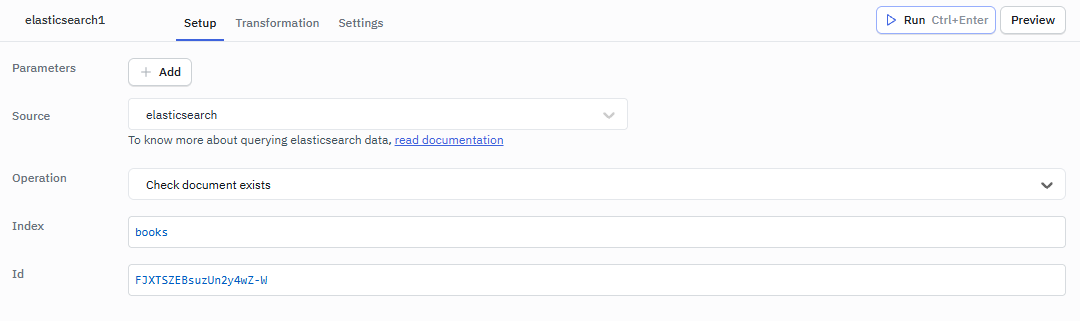
Example:
Index: books
Id: FJXTSZEBsuzUn2y4wZ-W
Multi Get
This operation retrieves multiple documents in a single request. For more details, see the Elasticsearch multi-get guide here.
Required Parameter
- Operations: The multi-get operations to perform in JSON format
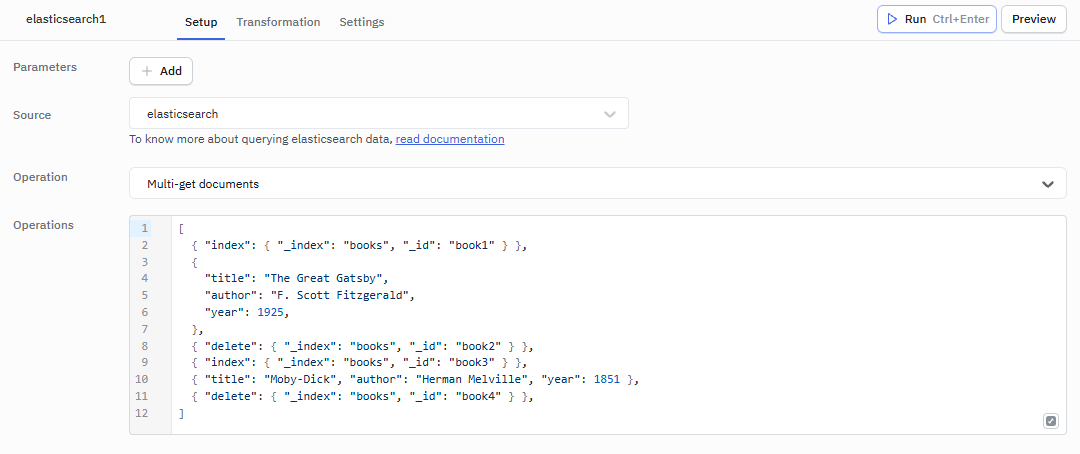
Example:
{
  "docs":
    [
      { "_index": "books", "_id": "book124" },
      { "_index": "books", "_id": "book125" },
    ],
}
Scroll Search
This operation retrieves large numbers of results from a single search request. For more details, see the Elasticsearch scroll guide here.
Required Parameter
- Scroll ID: The scroll ID for the search
- Scroll: The scroll time
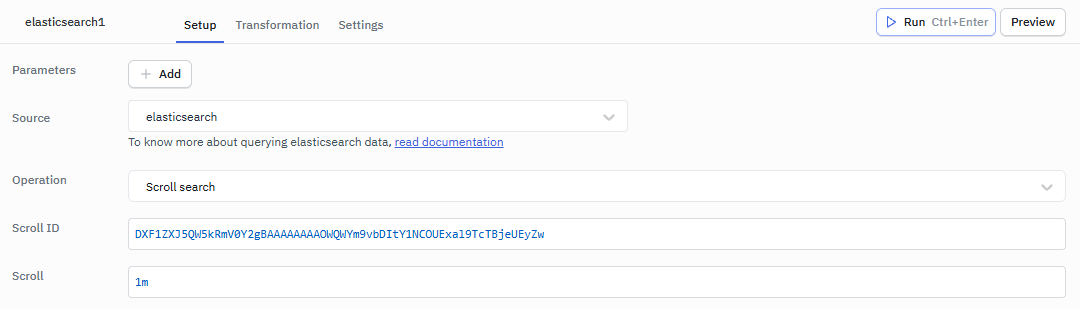
Example:
Scroll ID: DXF1ZXJ5QW5kRmV0Y2gBAAAAAAAAOWQWYm9vbDItY1NCOUExal9TcTBjeUEyZw
Scroll: 60m
Clear Scroll
This operation clears the search context for a scroll. For more details, see the Elasticsearch clear scroll guide here.
Required Parameter
- Scroll ID: The scroll ID to clear
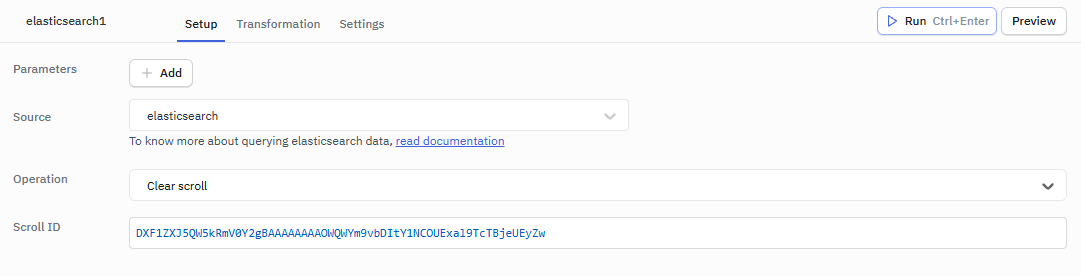
Example:
Scroll ID: DXF1ZXJ5QW5kRmV0Y2gBAAAAAAAAOWQWYm9vbDItY1NCOUExal9TcTBjeUEyZw
Get Cat Indices
This operation provides a compact, column-aligned view of indices in a cluster. For more details, see the Elasticsearch cat indices guide here.

Response Example
{
  "body": [
    {
      "health": "yellow",
      "status": "open",
      "index": "1",
      "uuid": "JQOzqxK7Rdar7ROOlqXwkA",
      "pri": "1",
      "rep": "1",
      "docs.count": "2",
      "docs.deleted": "0",
      "store.size": "9.2kb",
      "pri.store.size": "9.2kb"
    },
    {
      "health": "yellow",
      "status": "open",
      "index": "recipes",
      "uuid": "eNGdAsG4TMWvs9f0eLERlQ",
      "pri": "1",
      "rep": "1",
      "docs.count": "20",
      "docs.deleted": "0",
      "store.size": "30kb",
      "pri.store.size": "30kb"
    },
    {
      "health": "yellow",
      "status": "open",
      "index": "read_me",
      "uuid": "EbE4V-5RRE2y-_P4z_auVQ",
      "pri": "1",
      "rep": "1",
      "docs.count": "1",
      "docs.deleted": "0",
      "store.size": "5.1kb",
      "pri.store.size": "5.1kb"
    }
  ],
  "statusCode": 200,
  "headers": {
    "x-elastic-product": "Elasticsearch",
    "content-type": "application/json",
    "content-length": "558"
  },
  "meta": {
    "context": null,
    "request": {
      "params": {
        "method": "GET",
        "path": "/_cat/indices",
        "body": null,
        "querystring": "format=json",
        "headers": {
          "user-agent": "opensearch-js/1.2.0 (linux 6.5.0-1021-aws-x64; Node.js v22.15.1)"
        },
        "timeout": 30000
      },
      "options": {},
      "id": 1
    },
    "name": "opensearch-js",
    "connection": {
      "url": "http://xx.2xx.183.199:9200/",
      "id": "http://xx.2xx.183.199:9200/",
      "headers": {},
      "deadCount": 0,
      "resurrectTimeout": 0,
      "_openRequests": 0,
      "status": "alive",
      "roles": {
        "master": true,
        "data": true,
        "ingest": true
      }
    },
    "attempts": 0,
    "aborted": false
  }
}
Get Cluster Health
This operation retrieves the status of the cluster’s health. For more details, see the Elasticsearch cluster health guide here.

Response Example
{
  "body": {
    "cluster_name": "docker-cluster",
    "status": "yellow",
    "timed_out": false,
    "number_of_nodes": 1,
    "number_of_data_nodes": 1,
    "active_primary_shards": 10,
    "active_shards": 10,
    "relocating_shards": 0,
    "initializing_shards": 0,
    "unassigned_shards": 3,
    "delayed_unassigned_shards": 0,
    "number_of_pending_tasks": 0,
    "number_of_in_flight_fetch": 0,
    "task_max_waiting_in_queue_millis": 0,
    "active_shards_percent_as_number": 76.92307692307693
  },
  "statusCode": 200,
  "headers": {
    "x-elastic-product": "Elasticsearch",
    "content-type": "application/json",
    "content-length": "405"
  },
  "meta": {
    "context": null,
    "request": {
      "params": {
        "method": "GET",
        "path": "/_cluster/health",
        "body": null,
        "querystring": "",
        "headers": {
          "user-agent": "opensearch-js/1.2.0 (linux 6.5.0-1021-aws-x64; Node.js v22.15.1)"
        },
        "timeout": 30000
      },
      "options": {},
      "id": 1
    },
    "name": "opensearch-js",
    "connection": {
      "url": "http://xx.2xx.183.199:9200/",
      "id": "http://xx.2xx.183.199:9200/",
      "headers": {},
      "deadCount": 0,
      "resurrectTimeout": 0,
      "_openRequests": 0,
      "status": "alive",
      "roles": {
        "master": true,
        "data": true,
        "ingest": true
      }
    },
    "attempts": 0,
    "aborted": false
  }
}