OpenAPI
OpenAPI is a specification for designing and documenting RESTful APIs. Using OpenAPI data source, ToolJet can generate REST API operations from OpenAPI Specs.
Connection
Connections are created based on OpenAPI specifications. The available authentication methods currently supported are Basic Auth, API Key, Bearer Token, and OAuth 2.0. It is also possible to use specifications that require multiple authentications. Learn more here.
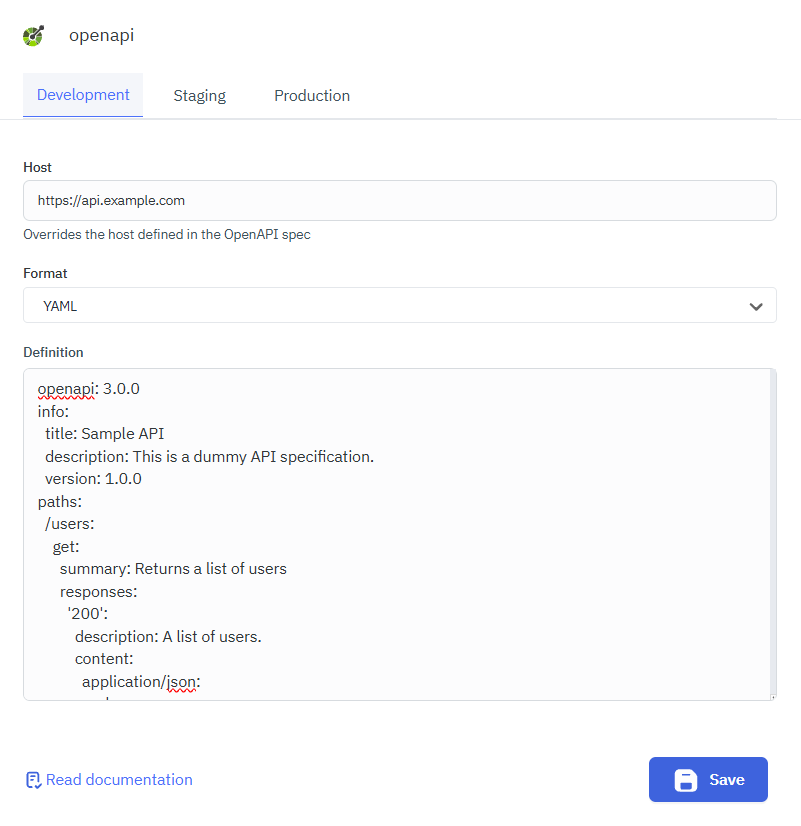
OpenAPI data source accepts specifications in JSON or YAML format only. Select the format in Format (JSON or YAML) and paste the spec in Definition. ToolJet validates the spec and lists its security schemes in the Authentication dropdown, each shown as the scheme name followed by its type. The fields that appear depend on the scheme you select:
- HTTP basic: Username and Password.
- HTTP bearer: Token.
- API key: A field for the key, labeled with the scheme name. ToolJet sends it in the header, query string, or cookie that the spec defines.
- OAuth 2.0: Only the
authorizationCodeandclientCredentialsflows are supported. ToolJet pre-fills Access token URL and Scope(s) from the spec, and Authorization URL for theauthorizationCodeflow. If the spec defines both flows, use Grant type to choose between Authorization code and Client credentials. Both grant types also show Access token URL custom headers, Client ID, Client secret, and Client authentication. Authorization code adds Add access token to, Header prefix, Custom authentication parameters, and Custom query parameters. Client credentials adds Audience.
If a security requirement in the spec combines several API key schemes, the dropdown lists it under the first scheme's name and shows a field for each key. ToolJet sends all of them with every request.
You can also configure different hosts for different environments from the configuration page. The host configured here takes precedence over the host defined in the query or the specs itself.
You can toggle on Authentication required for all users in the configuration. When enabled, users will be redirected to the OAuth consent screen the first time a query from this data source is triggered in the application. This ensures each user connects their own OpenAPI account securely.
Querying OpenAPI
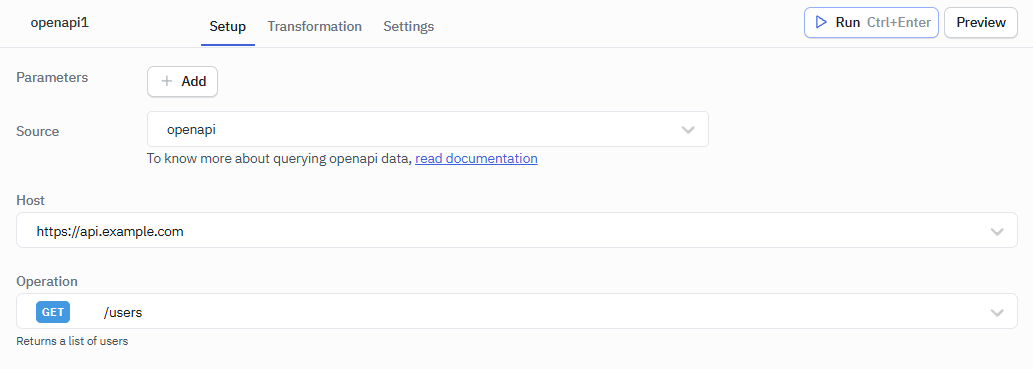
- Click on + Add button of the query manager at the bottom panel of the editor.
- Select the OpenAPI data source added in previous step.
- Select the desired operation.
- Click on the Preview button to preview the output or Click on the Run button to trigger the query.
Note: Operations will be automatically generated from the specifications, and each operation will be distinct from others.
Fields
- Host
- Operation