Run Query at Specified Intervals
This guide explains how to configure queries to run at fixed time intervals in ToolJet using Run JavaScript (RunJS) queries. By leveraging JavaScript timing functions, queries can be executed periodically to automate data retrieval or trigger background operations at defined intervals. This approach enables consistent and controlled data updates without requiring manual user interaction.
Create a New Application
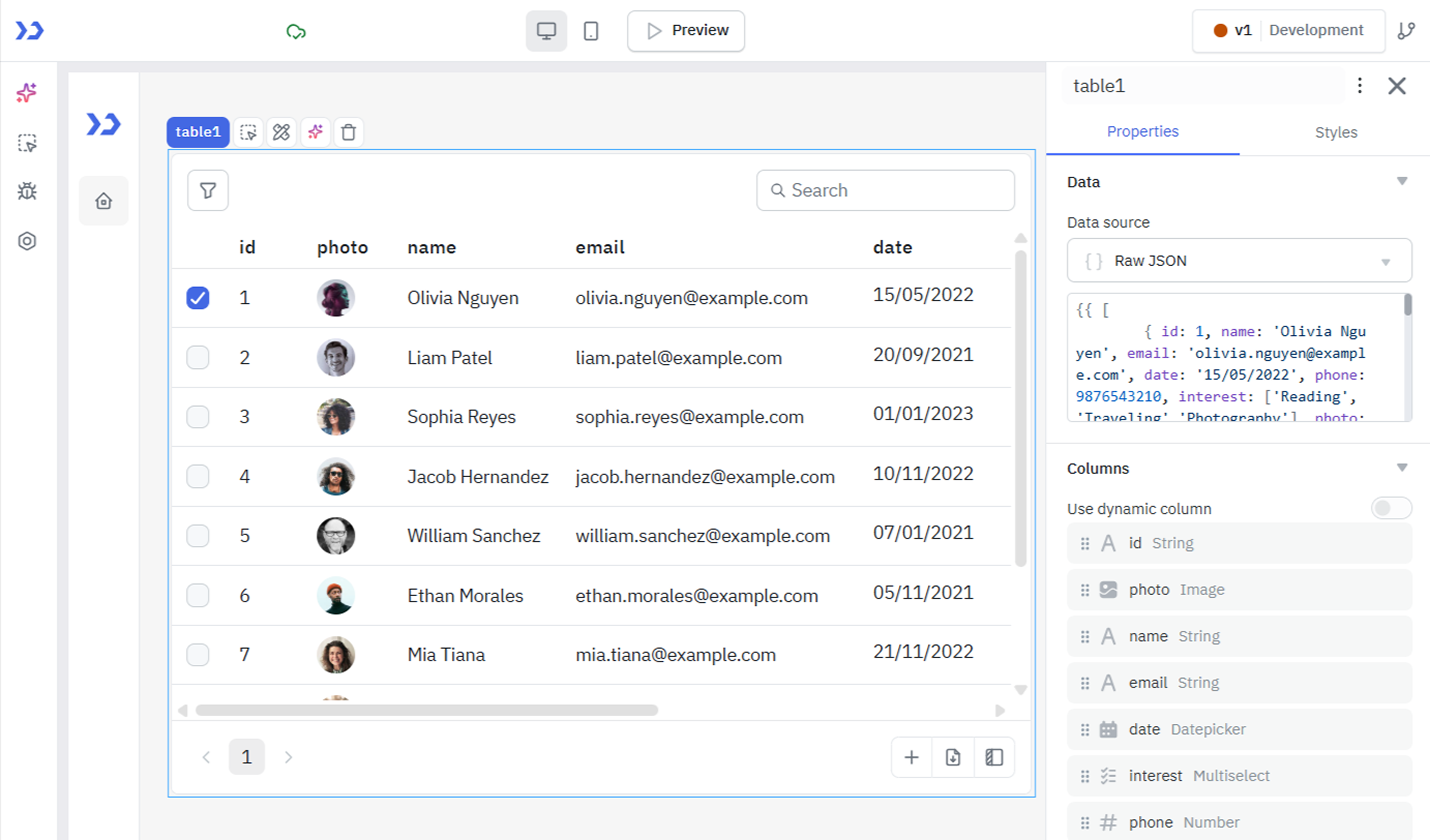
Begin by creating a new application in the ToolJet dashboard. Once the app builder opens, Drag a table component onto the canvas. This component will display the data fetched from the REST API query.
Set Up a REST API Query
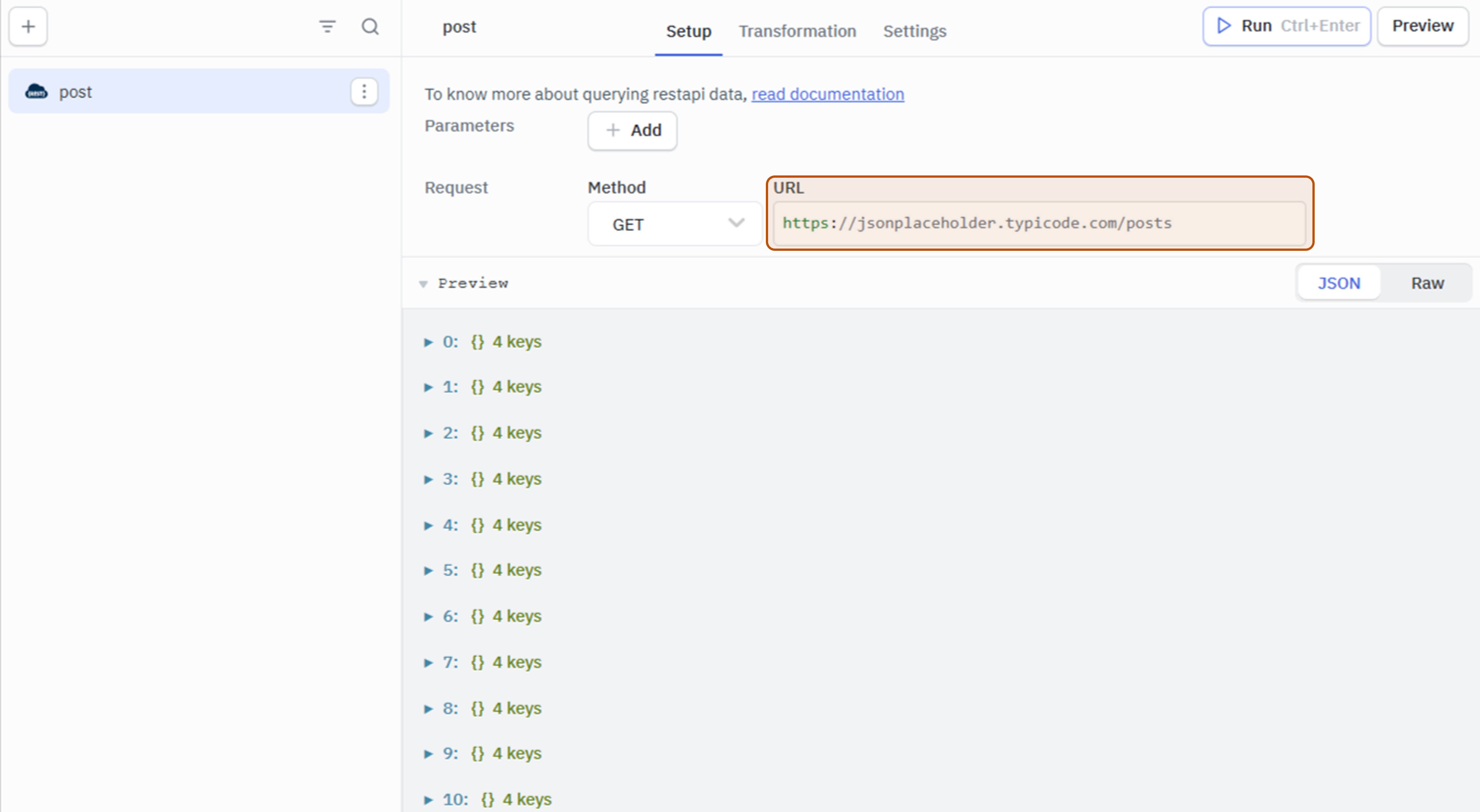
From the query panel, create a new REST API query. Utilize mock REST API data by choosing the 'GET' method and specifying the endpoint (e.g., https://jsonplaceholder.typicode.com/posts). Name the query 'post' and Run the query to ensure that the data is fetched successfully.
Configure Table Properties
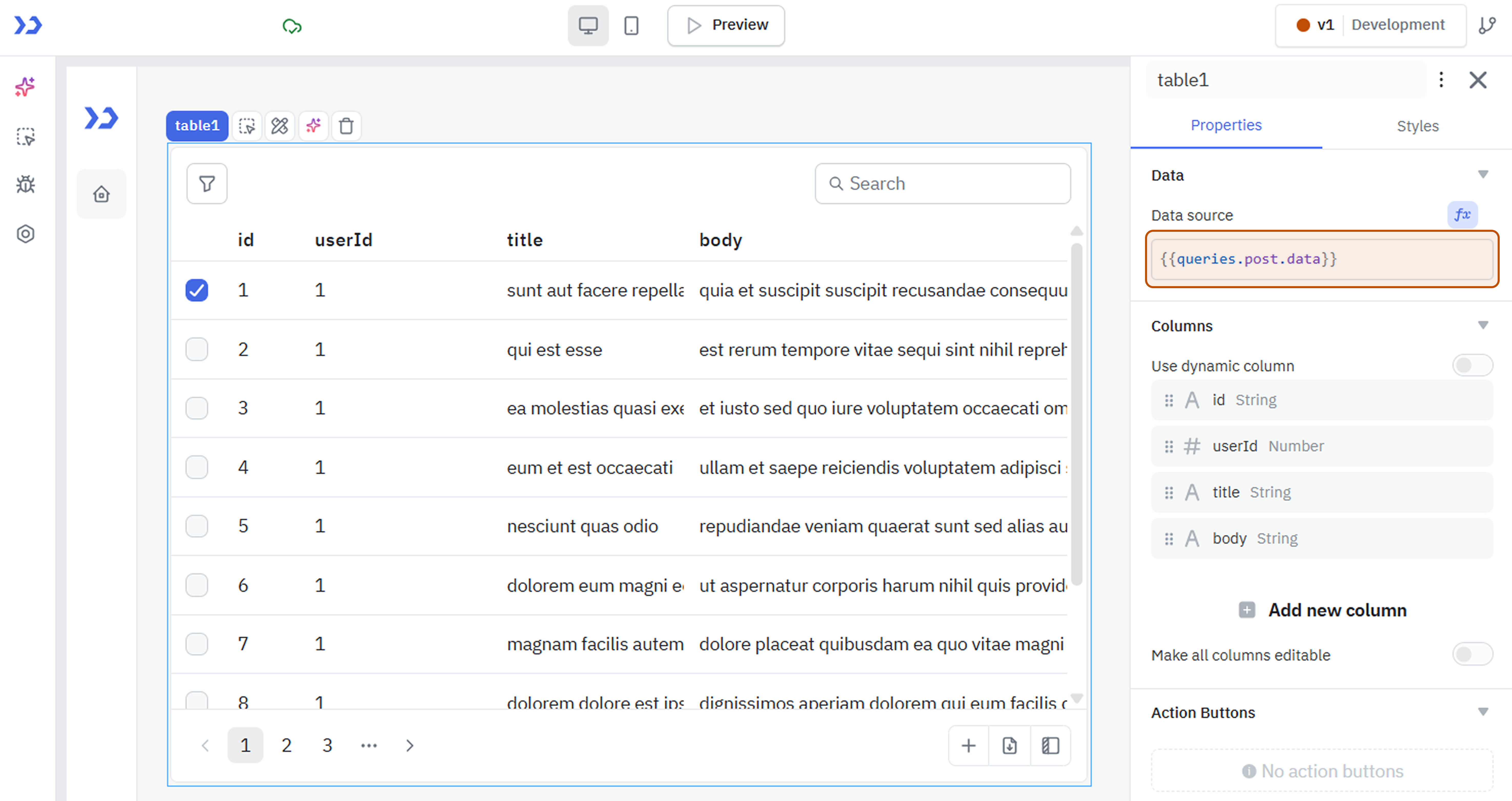
In the Table properties, link the query data to the table by setting the 'table data' property to {{queries.post.data}}. This establishes the connection between the REST API query and the table component.
Implement the RunJS Query
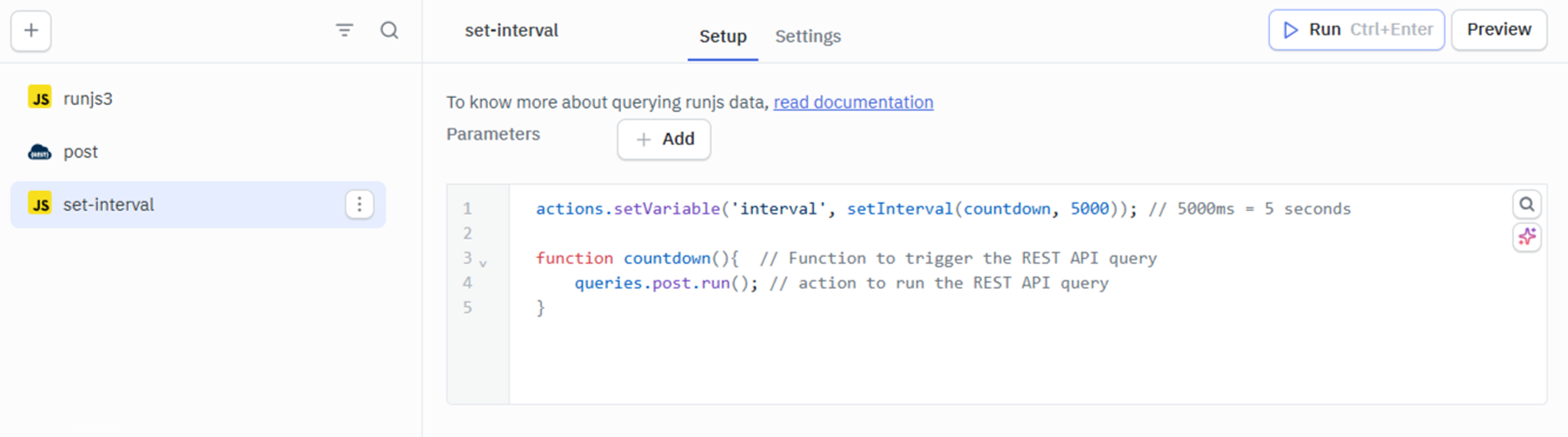
Create a RunJS query to set up intervals for triggering the REST API query. Use the following script:
actions.setVariable('interval', setInterval(countdown, 5000)); // 5000ms = 5 seconds

function countdown(){  // Function to trigger the REST API query
    queries.post.run(); // action to run the REST API query
}
Adjust the interval duration according to your needs. Optionally, utilize async and await for multiple actions within the countdown function.
actions.setVariable('interval',setInterval(countdown, 5000));
async function countdown(){
  await queries.restapi1.run()
  await queries.restapi2.run()
  await actions.showAlert('info','This is an information')
}
Advanced Configuration
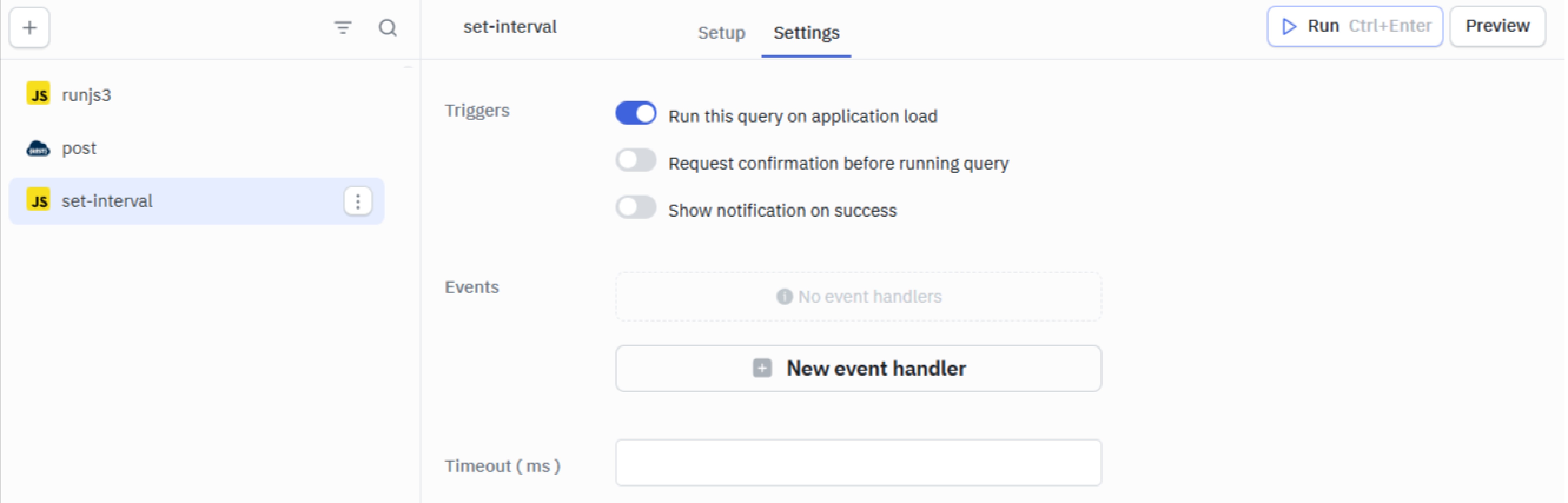
From the Settings section of the RunJS query, enable Run query on page load. This ensures that the query is triggered when the application is loaded. Rename the query as 'setInterval' to complete the configuration.
Prevent Indefinite Triggering
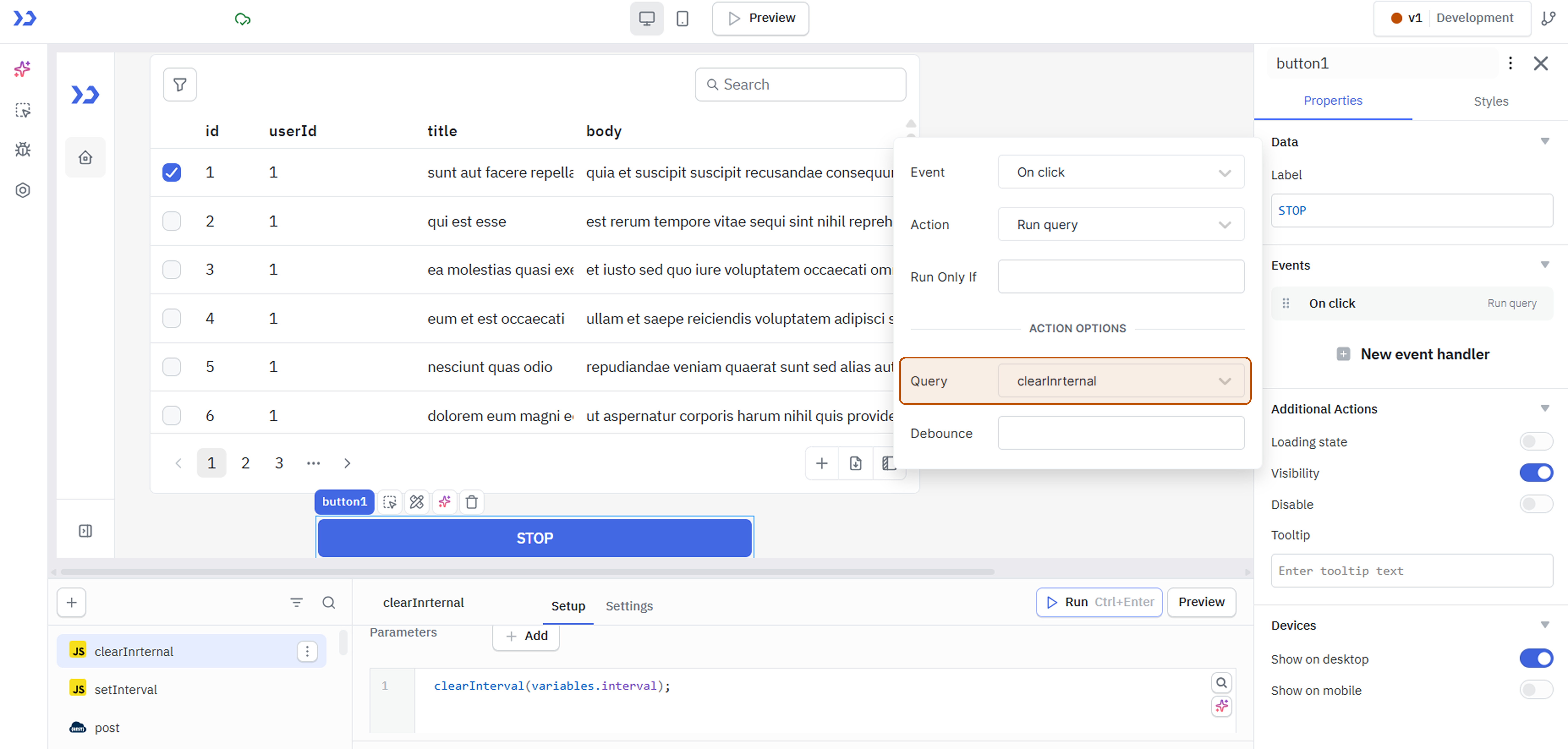
Create another RunJS query named 'clearInrternal' to stop the query from triggering indefinitely. Use the clearInterval() method to clear the interval. This method retrieves the value from the variable set in the 'setInterval' query.
clearInterval(variables.interval);
Add a Button
Drag a button on the canvas to act as a user-triggered stop mechanism. Attach an event handler to execute the 'clear' query when the button is clicked.
By following these steps, your ToolJet application will dynamically fetch data at specified intervals, providing an efficient and automated user experience.
Performance Considerations
- Avoid very short intervals (e.g., < 1s)
- Be cautious when triggering API-heavy queries
- Prefer manual triggers for high-cost operations