JavaScript Node
The JavaScript node allows you to run custom server-side JavaScript within your workflow. It can be used to:
- Transform Data
- Run Complex Calculations
- Fine Tune Response
- Implement Business Logic
This node executes securely on the server, so it can handle data manipulation at scale, prepare or enrich data for downstream nodes, or create custom responses for external services.
Note: The code must include a return statement to pass results to subsequent nodes.
Example 1: Fine-Tuning Your Response Using JavaScript
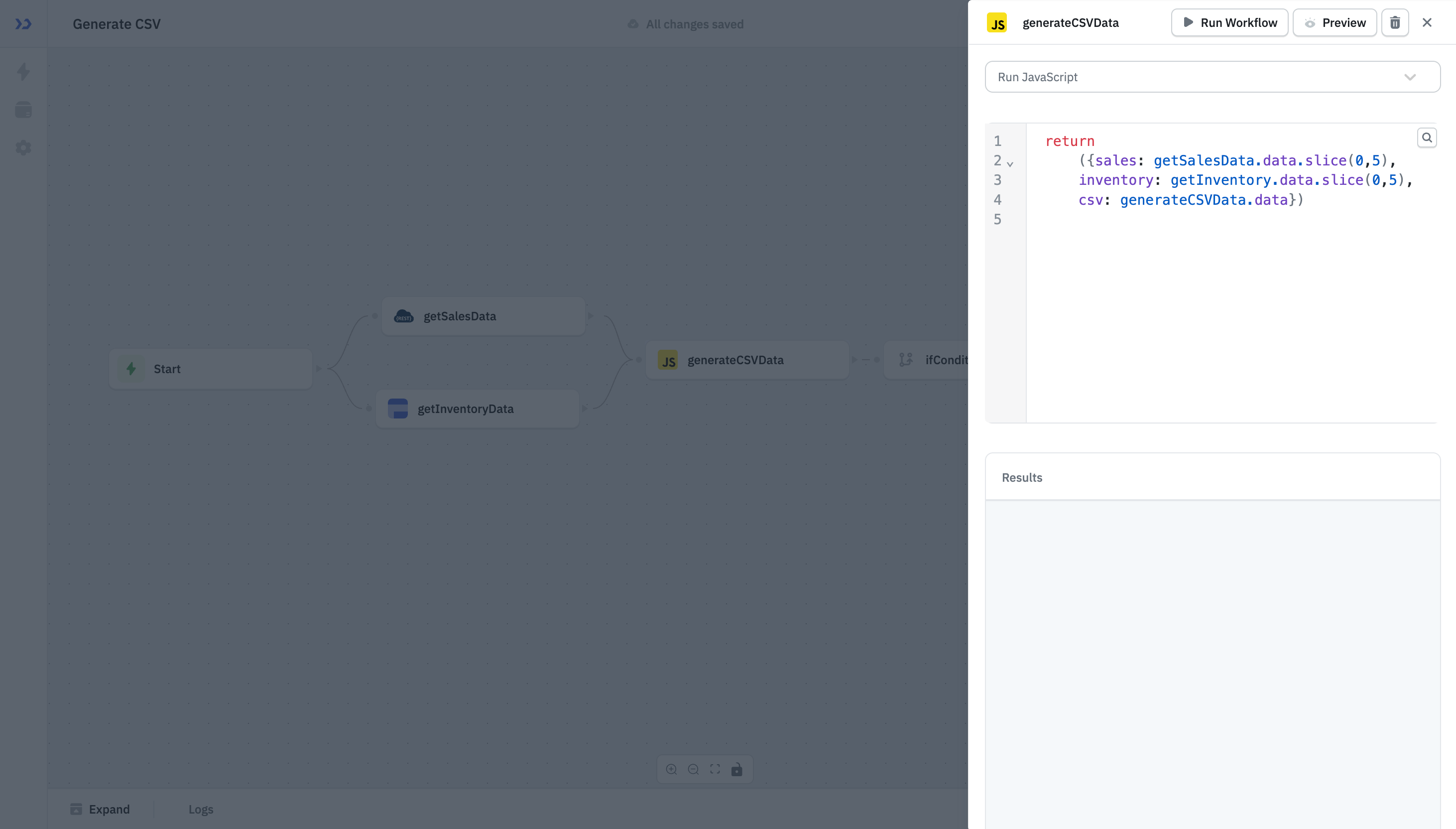
Refine your response by manipulating the data using JavaScript functions. For example, the slice function can be used to select a subset of data:
return
    ({sales: getSalesData.data.slice(0,5),
    inventory: getInventory.data.slice(0,5),
    csv: generateCSVData.data})
Example 2: Auto Assign Ticket Priority
Consider a workflow that automatically assigns a priority tag to a ticket based on the message length.
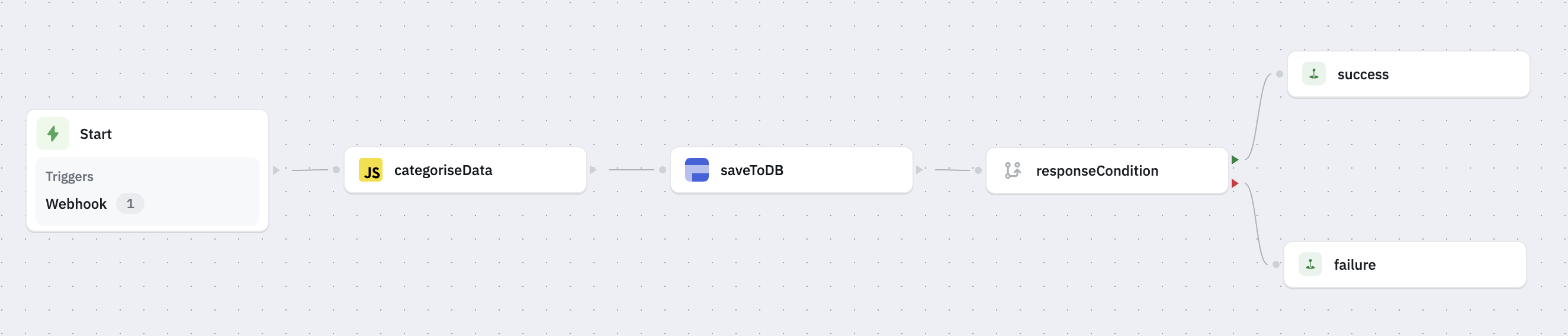
For this example, the data that the workflow receives is in the following format:
{
    "subject": "Login issue",
    "message": "I am unable to access my dashboard since yesterday.",
    "email": "[email protected]"
}
Categorising Tasks Using a JavaScript Node.
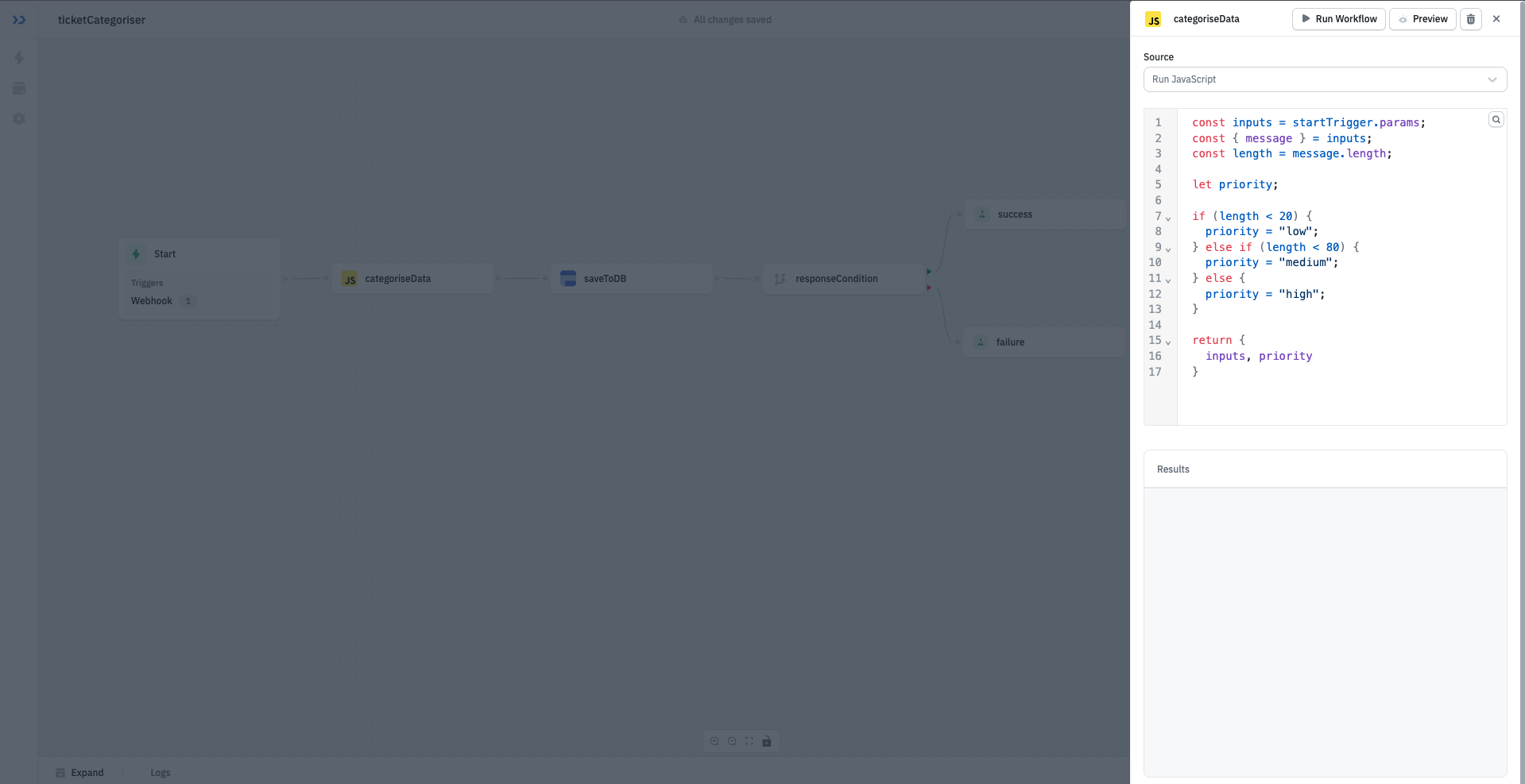
Add the following code to the JavaScript node. This code checks for the message length and returns the original parameters along with a priority based on message length.
const inputs = startTrigger.params;
const { message } = inputs;
const length = message.length;

let priority;

if (length < 20) {
    priority = "low";
} else if (length < 80) {
    priority = "medium";
} else {
    priority = "high";
}

return {
    inputs, priority
}
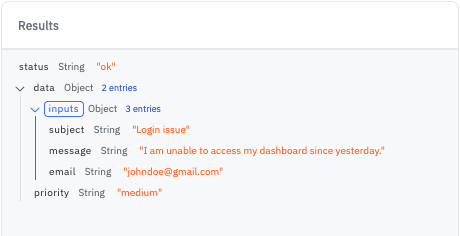
Output
The output will be an object containing the input field and the priority.