Microsoft Entra ID
Microsoft Entra ID can be configured as the Identity Provider for SAML, which is an authentication protocol that securely verifies user identities through a trusted provider. This document explains how to obtain the required credentials from the Azure Developer Portal. Refer to the SAML Setup guide to configure SAML in your application.
Generating Metadata
-
Sign in to Azure Developer Portal. Navigate to Enterprise applications and create a new application.
-
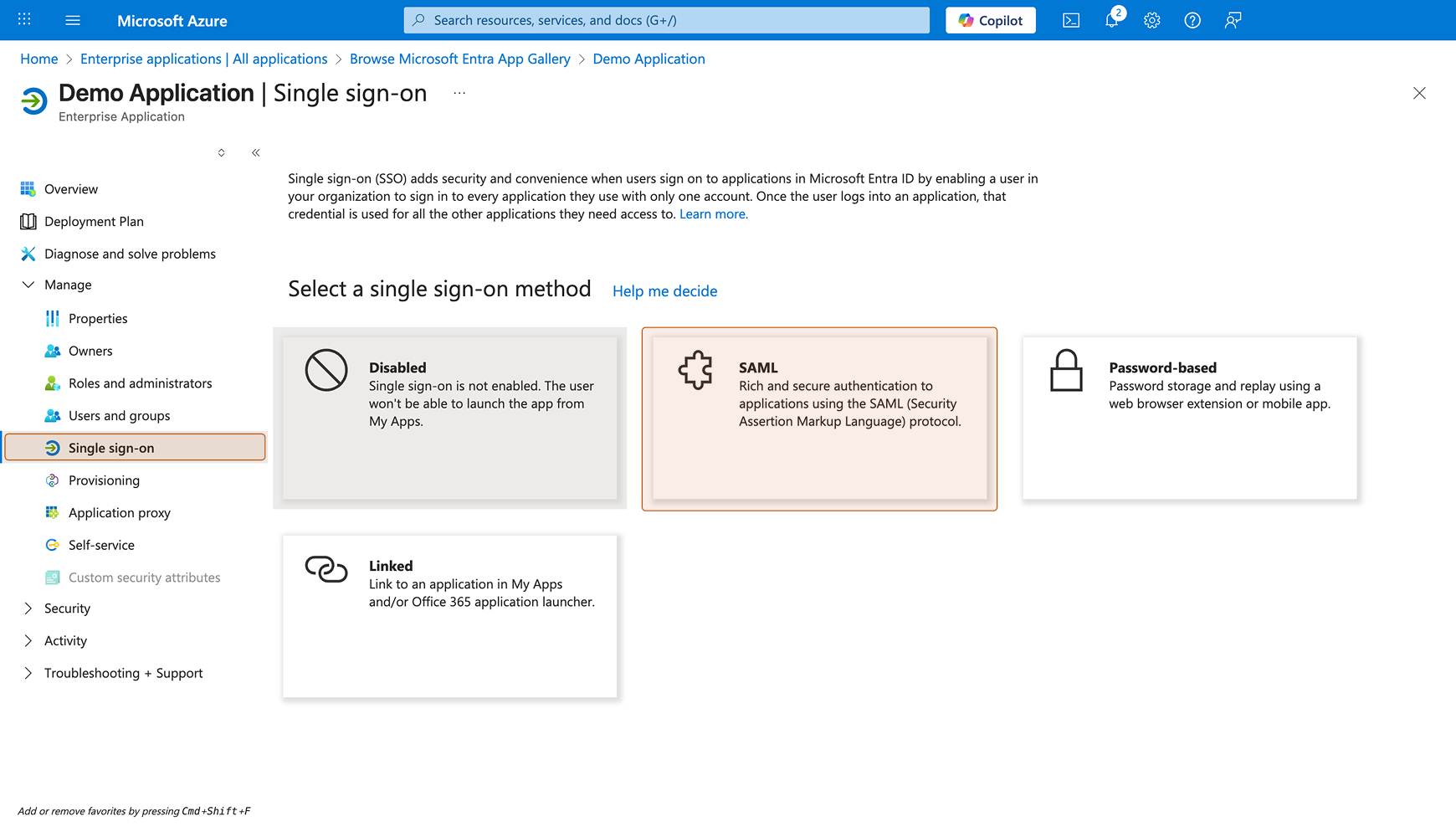
Open the application and go to Manage > Single sign-on > SAML.
-
Under SAML Certificates, copy the App Federation Metadata URL. Open this URL in a new tab and copy the XML content.
-
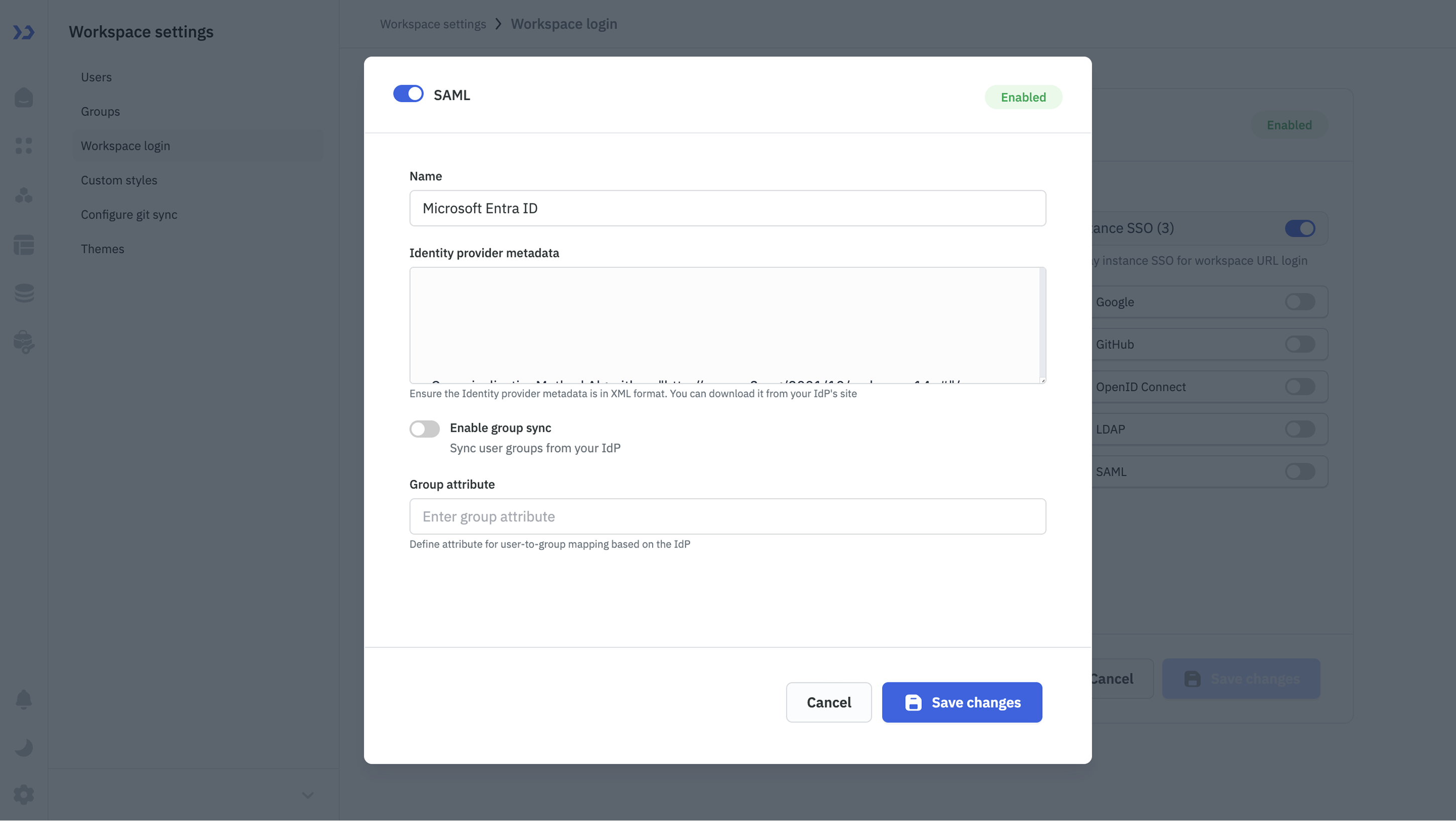
In ToolJet, navigate to Workspace settings > Workspace login > SAML. Paste the XML into Identity provider metadata and click Save changes. Copy the generated Redirect URL.
-
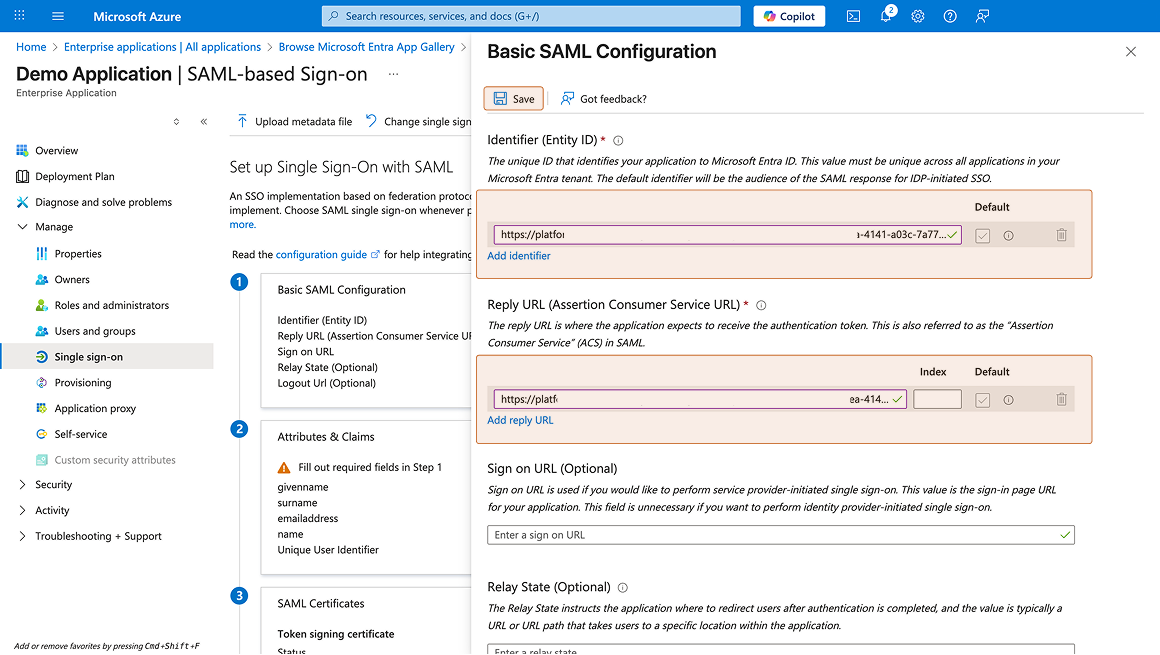
Return to the Azure Developer Portal. Go to Manage > Single sign-on, edit Basic SAML Configuration, and paste the Redirect URL into both Identifier (Entity ID) and Reply URL (Assertion Consumer Service URL). Click Save.
-
Edit Attributes & Claims and rename the emailaddress claim to email.
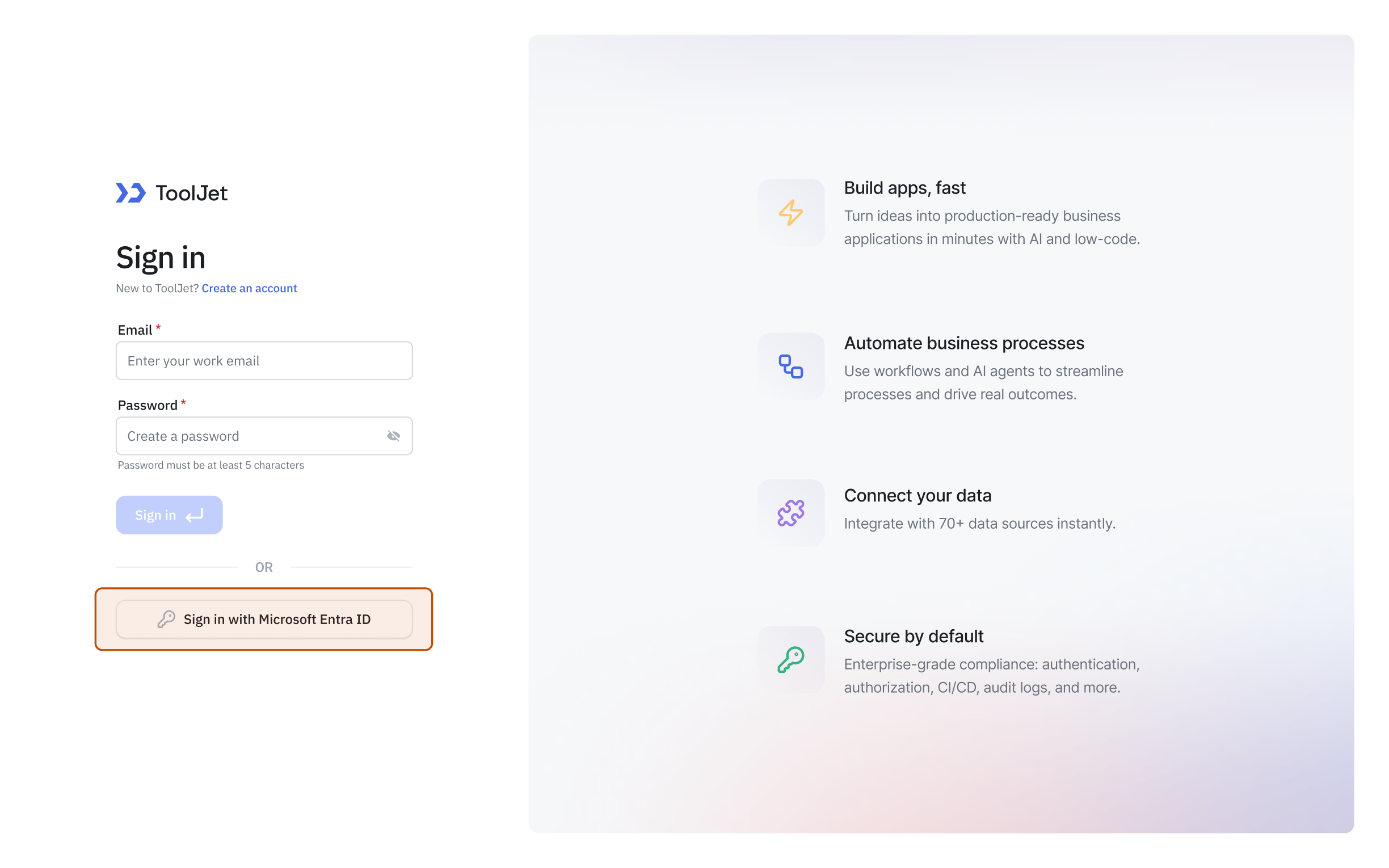
Once these steps are completed, users should be able to sign in to ToolJet using Microsoft Entra ID via SAML without any additional configuration.
Configure Group Sync using Microsoft Entra ID
Group Sync with Microsoft Entra ID via SAML is supported only on self-hosted ToolJet instances.
To configure, group sync with Microsoft Entra ID SAML, follow these steps:
- Set the following environment variable in your ToolJet deployment:
TJ_SAML_GROUP_MAPPINGS__<tooljet-workspace-slug> = '{"<azure-group-object-id>": "tooljet-group-name"}'
-
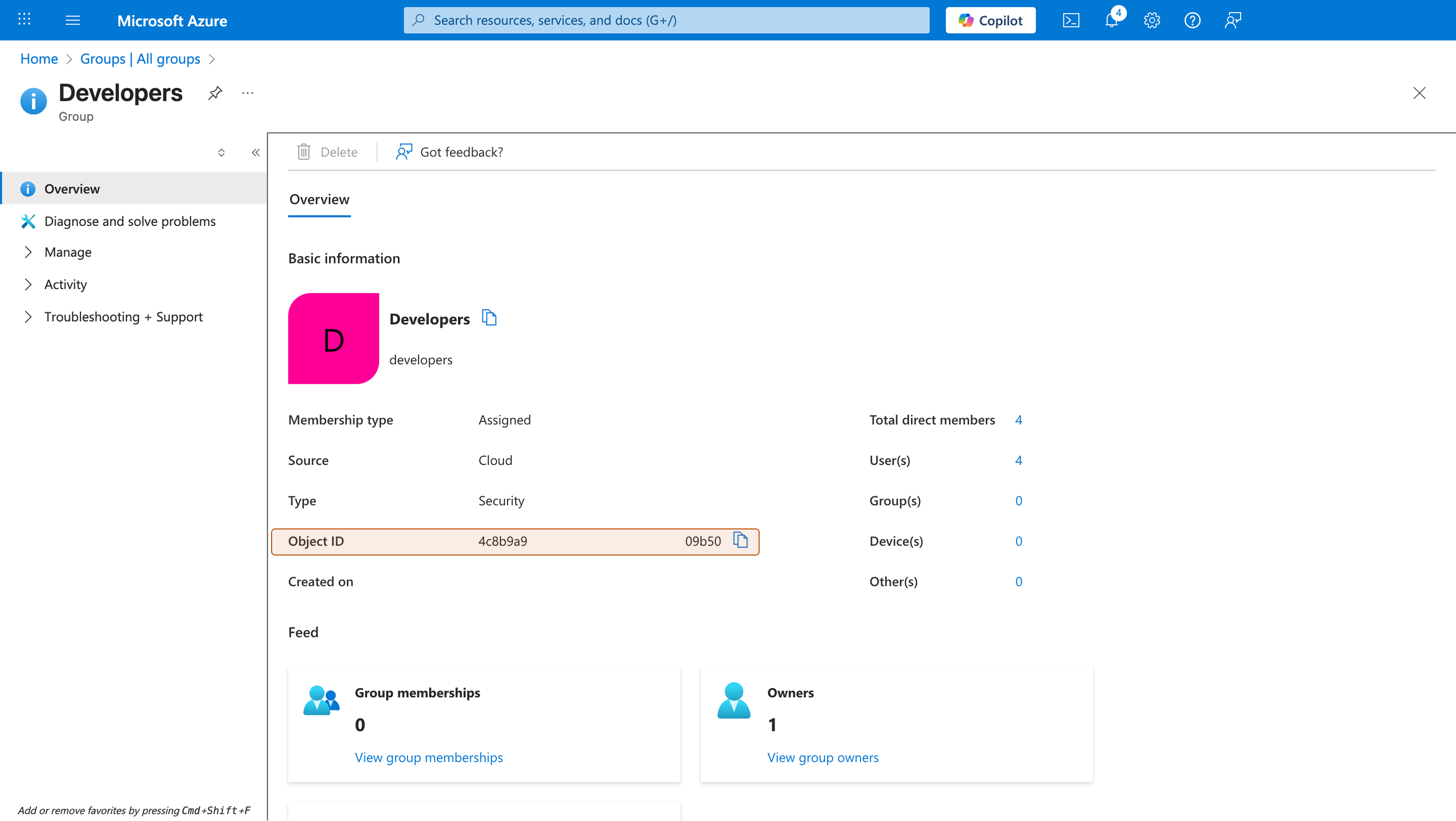
To obtain the Azure group Object ID, sign in to the Azure Developer Portal and navigate to Groups > All groups. Select the group you want to map and copy its Object ID.
-
Return to your application in the Azure Developer Portal. Go to Manage > Single sign-on, edit Attributes & Claims, and add a new Group Claim. Under Which groups associated with the user should be returned in the claim, select All groups or whichever group types you need. Set the Source attribute to Group ID. Click Save.
-
In your ToolJet application, go to Workspace settings > Workspace login > SAML and enable Group sync.
-
In the Group attribute field, enter
groups.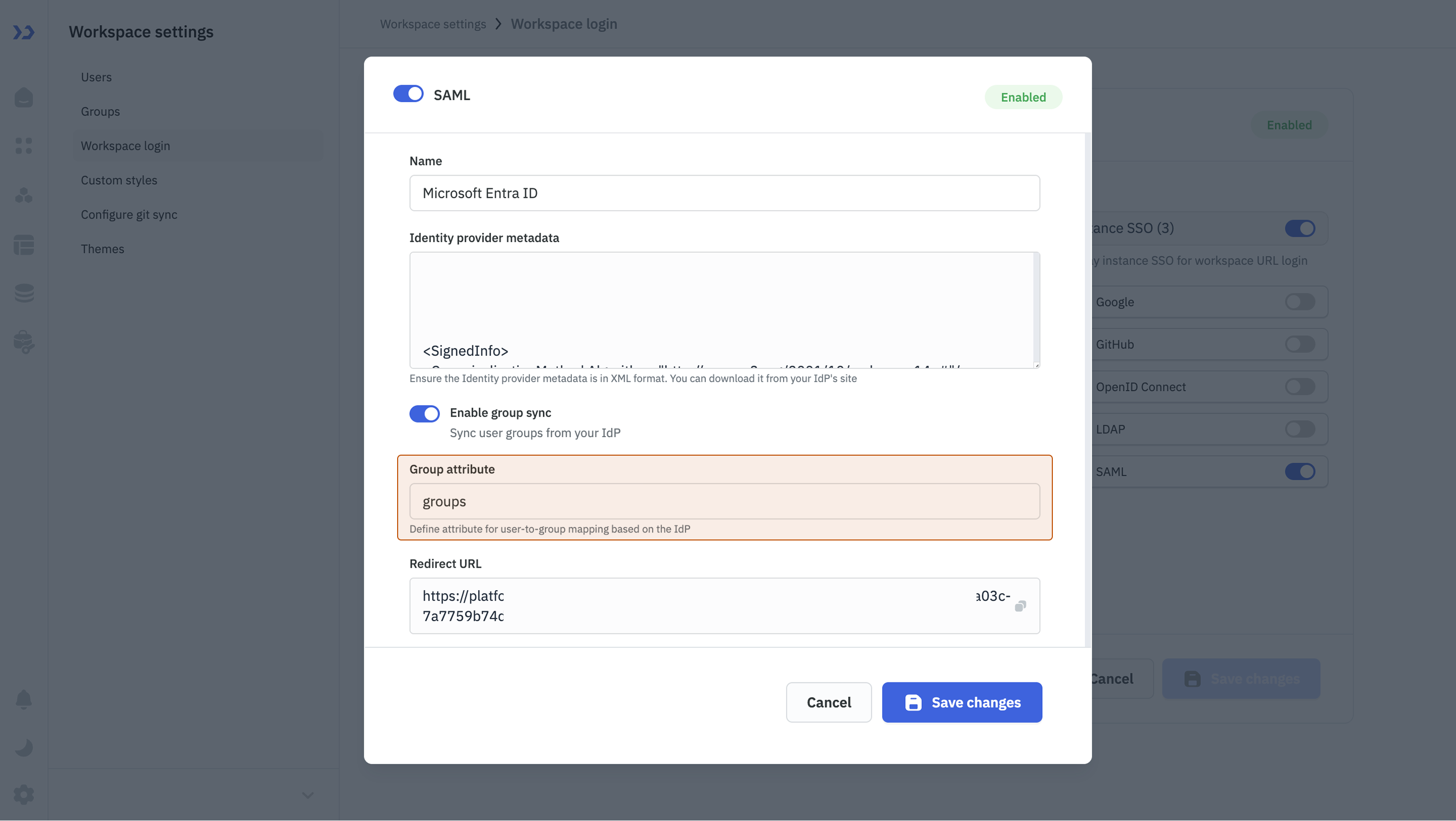
Once configured, ToolJet will automatically sync user groups from Microsoft Entra ID based on the defined mappings.