OpenRouter
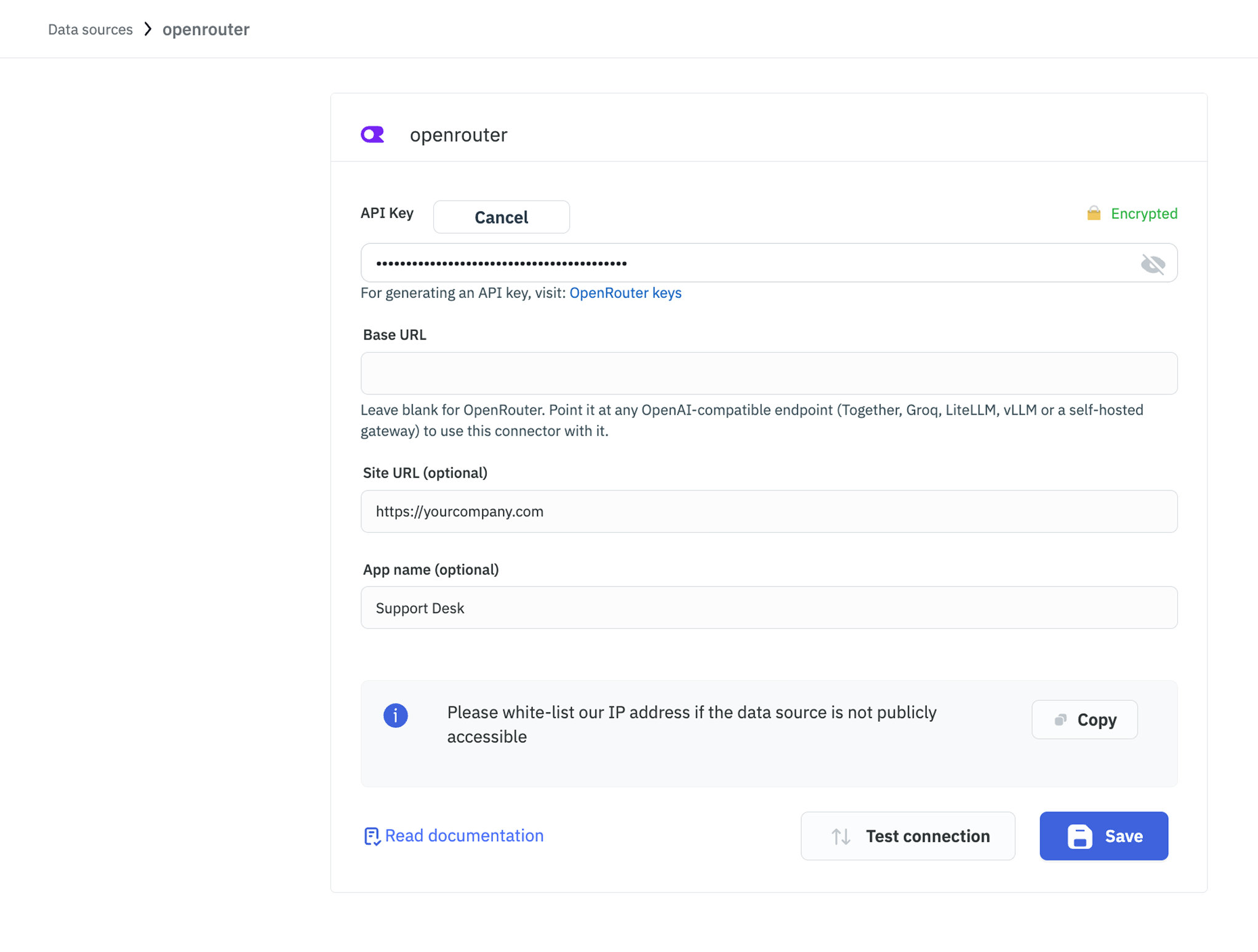
OpenRouter gives you one API key for hundreds of models across providers, so you can switch between them without adding a datasource and a key for each. Its API is OpenAI-compatible, which means this datasource also works against any other OpenAI-compatible endpoint, including one running inside your own network.
Before following this guide, it is assumed that you have already completed the process of Using Marketplace plugins.
Connection
| Field | Required | Description |
|---|---|---|
| API Key | Yes | Your key from openrouter.ai/keys, in the form sk-or-v1-.... Stored encrypted. |
| Base URL | No | Leave blank to use OpenRouter at https://openrouter.ai/api/v1. See below to point it elsewhere. |
| Site URL (optional) | No | Sent to OpenRouter as the referring site so it can attribute usage. |
| App name (optional) | No | Shown next to that usage on OpenRouter's dashboards, for example Support Desk. |
Using Another OpenAI-Compatible Endpoint
Because the request format is OpenAI's, setting Base URL points this datasource at any service that speaks the same API, such as Together, Groq, Fireworks, LiteLLM, vLLM, or a self-hosted gateway. Enter the endpoint's base URL and use its own API key. This is the way to use the datasource when prompts must not leave your network.
Model ids are set by whichever endpoint you connect to, so they change with it.
Supported Operations
Chat
Sends a prompt and returns the model's reply.
Required Parameters
- Model: The model id to use, for example
anthropic/claude-sonnet-4.5. This is free text because OpenRouter's catalogue changes often. The List models operation returns the current catalogue. - User prompt: The message to send.
Optional Parameters
- System prompt: Role and context for the model.
- Message history: Prior turns as an array of
{role, content}objects. Accepts either a binding that already returns an array or JSON text. ToolJet sends the system prompt first, then the history, then the user prompt. - Max tokens, Temperature, Top P: Leave any of these blank to use the model's own default. A blank field is omitted from the request rather than sent as
0. - Stop sequences: Comma separated, for example
END, ###. - JSON mode: Asks the model for a JSON object rather than prose.
- Fallback models: Comma separated model ids to try when your first choice is down, rate limited, or refuses the request.
- Provider data policy: Allow any provider by default, or Only providers that do not train on prompts to exclude any provider that trains on what you send. Use the second option when customer data passes through the query.
Every id in Fallback models must be a real model. OpenRouter rejects the entire request with a 400 if any one of them is unknown, rather than skipping it and moving on.
Returns
| Field | Description |
|---|---|
message | The reply text. This is what you usually bind to a component. |
finish_reason | Why the model stopped, for example stop or length. |
model | The model that actually answered, which is not always the one you asked for when fallbacks are set. |
provider | The provider that served the request. |
usage | Usage reported by the endpoint, such as token counts and cost. |
id | The generation id. |
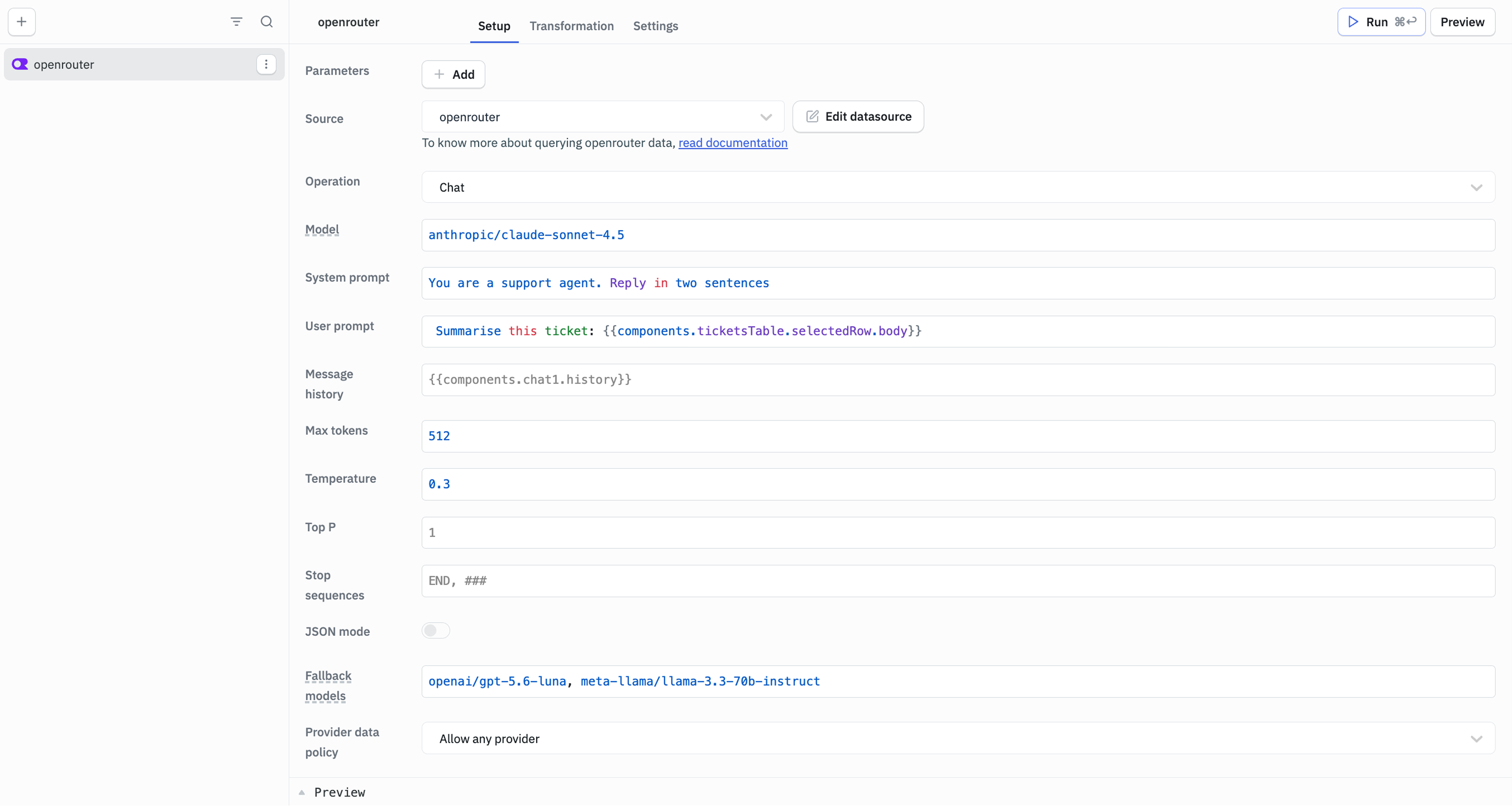
Example Values
Model
anthropic/claude-sonnet-4.5

System prompt
You are a support agent. Reply in two sentences

User prompt
Summarise this ticket: {{components.ticketsTable.selectedRow.body}}

Max tokens
512

Temperature
0.3

Fallback models
openai/gpt-5.6-luna, meta-llama/llama-3.3-70b-instruct

Provider data policy
Allow any provider
Generate Embedding
Turns text into a vector, for semantic search or for storing in a vector database.
Required Parameters
- Model: An embedding model id, for example
openai/text-embedding-3-small. - Input: The text to embed.
Optional Parameters
- Encoding format:
floatby default, orbase64.
Returns
| Field | Description |
|---|---|
embedding | The vector for a single input. |
embeddings | Every vector returned, as an array. With a single input this holds the same vector as embedding. |
model | The model that produced them, as the endpoint reports it. |
usage | Usage reported by the endpoint, such as token counts and cost. |
List Models
Returns the catalogue of models available on the connected endpoint. This operation takes no parameters.
Returns
| Field | Description |
|---|---|
models | An array of {id, name, context_length, pricing}. |
count | How many models were returned. |
Need Help?
- Reach out via our Slack Community
- Or email us at support@tooljet.com
- Found a bug? Please report it via GitHub Issues