Jira
ToolJet allows you to connect to your Jira instance to perform various operations such as managing issues, users, worklogs, and boards.
Before following this guide, it is assumed that you have already completed the process of Using Marketplace plugins.
Connection
To connect to a Jira data source in ToolJet, you can either click the +Add new data source button on the query panel or navigate to the Data Sources page in the ToolJet dashboard.
To connect to your Jira instance, the following credentials are required:
- URL: Your Jira instance URL
- Email: Your Jira account email
- Token: Your Jira API token
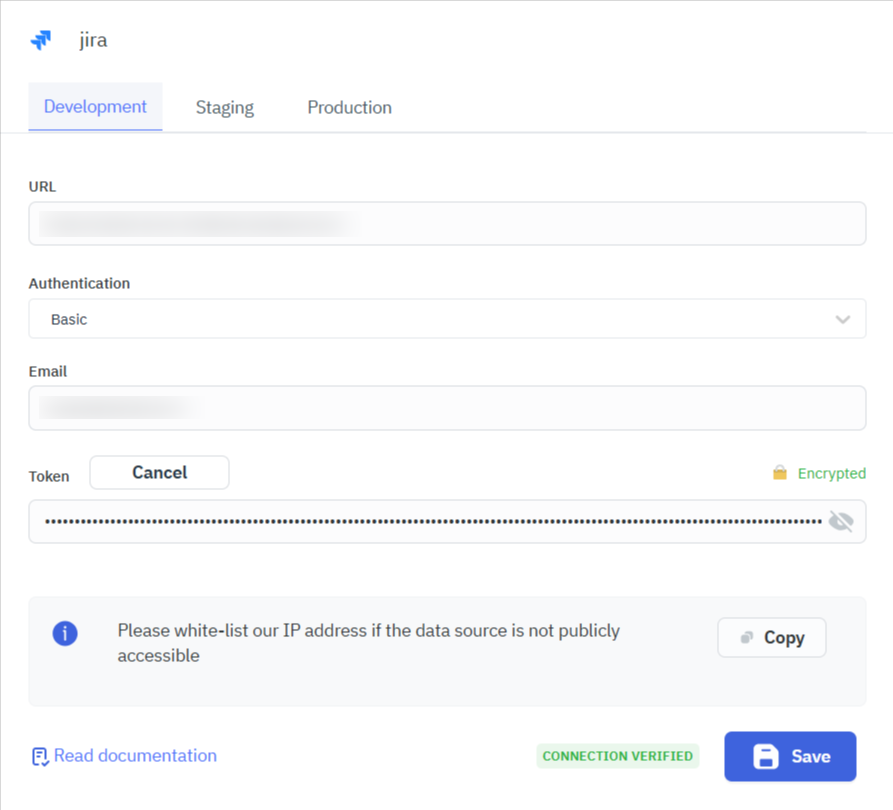
You can generate a personal access token from your Jira account Manage account > Security > API Tokens section.
Querying Jira
- Click the + button in the query manager at the bottom of the editor and select the Jira data source added earlier.
- Choose the resource and operation you want to perform on your Jira instance.
Query results can be transformed using transformations. Refer to our transformations documentation for more details: link
Supported Resources and Operations
ToolJet supports the following Jira resources and operations:
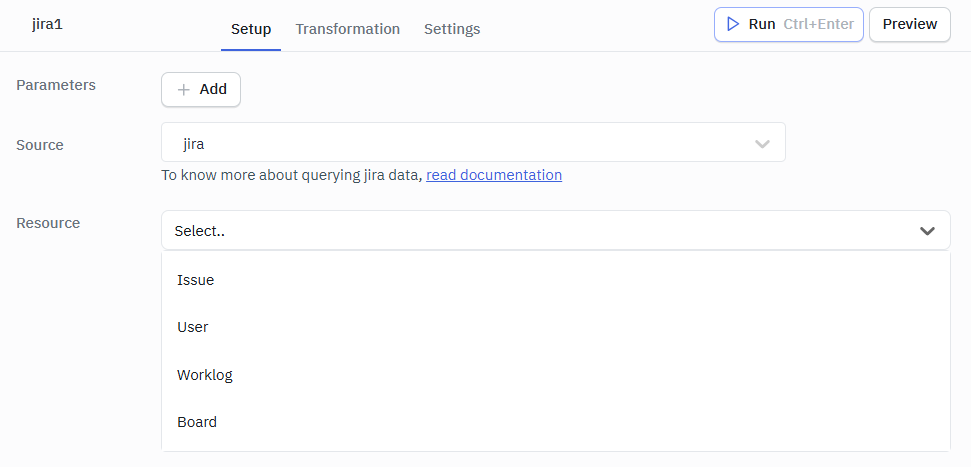
Issue
User
Worklog
Board
Issue
Get Issue
This operation retrieves details of a specific Jira issue.
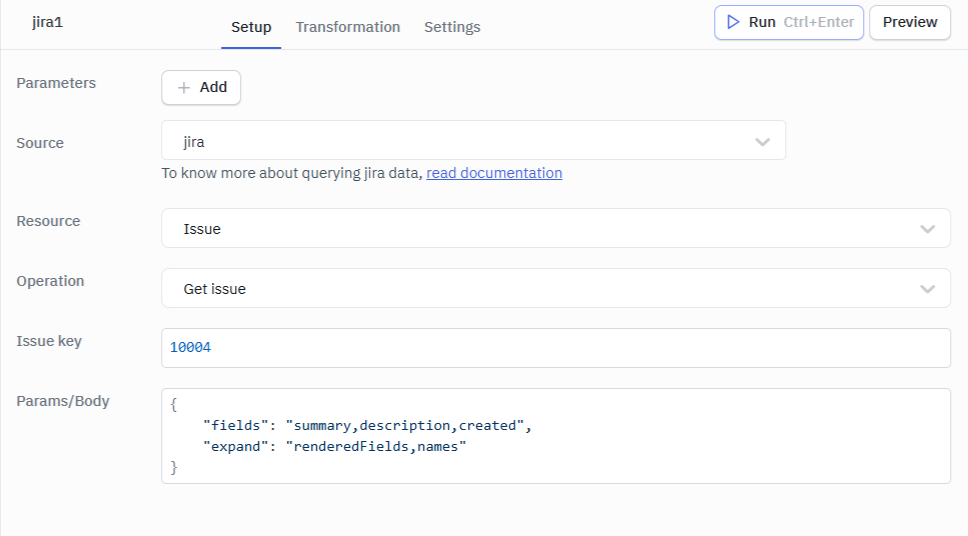
Required Parameters:
- Issue key: The key or id of the issue to retrieve.
- Params/Body: Additional parameters such as fields to retrieve, expand options, etc.
Sample Example:
Issue Key: 10004
Params/Body:
{
    "fields": "summary,description,created",
    "expand": "renderedFields,names"
}
Create Issue
This operation creates a new Jira issue.
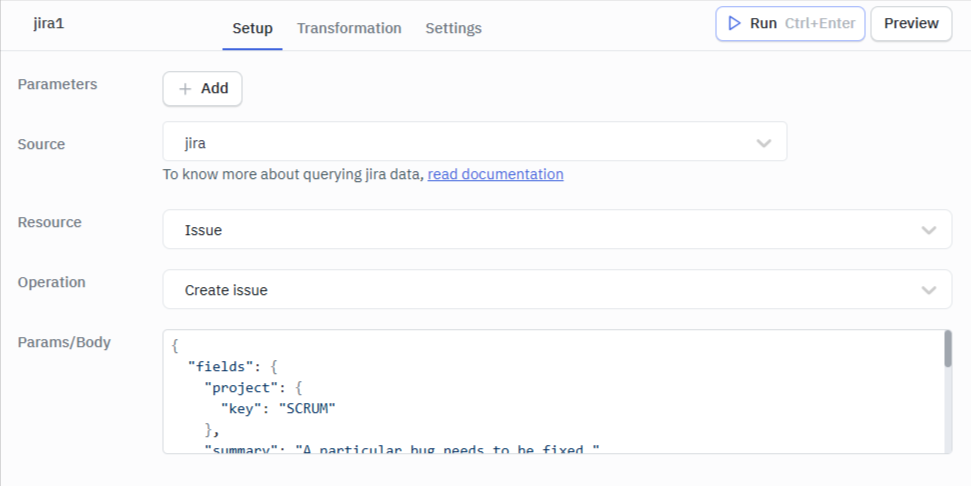
Required Parameter:
- Params/Body: The details of the issue to be created.
Sample Example:
Params/Body:
{
  "fields": {
    "project": {
      "key": "SCRUM"
    },
    "summary": "A particular bug needs to be fixed.",
    "description": "The XYZ feature is not working as expected.",
    "issuetype": {
      "name": "Bug"
    },
    "assignee": {
      "accountId": "712020:4581444c-054e-41d8-90ed-6d1d849557f7"
    },
    "labels": [
      "bug",
      "urgent"
    ]
  }
}
Delete Issue
This operation deletes a specific Jira issue.
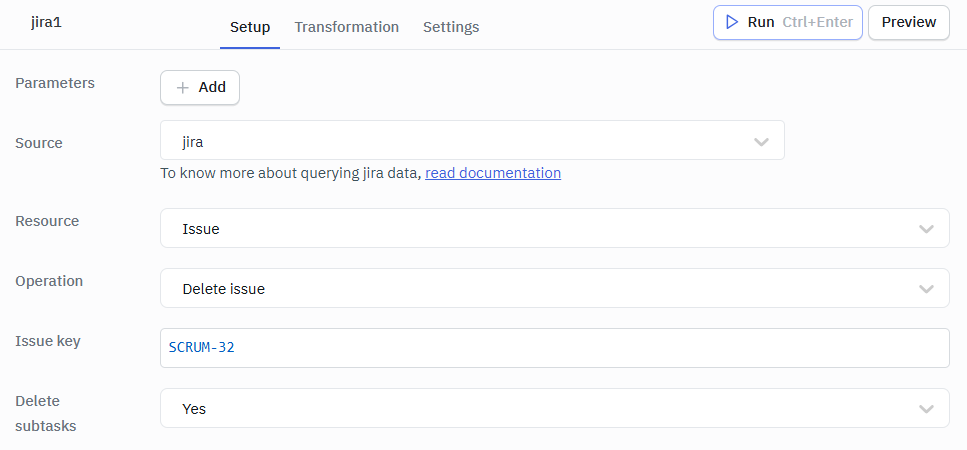
Required Parameter:
- Issue key: The key or id of the issue to delete.
Optional Parameter:
- Delete subtasks: Whether to delete the issue's subtasks.
Sample Example:
Issue Key: SCRUM-32
Delete Subtasks: Yes // Can be Yes or No
Assign Issue
This operation assigns a Jira issue to a specific user.
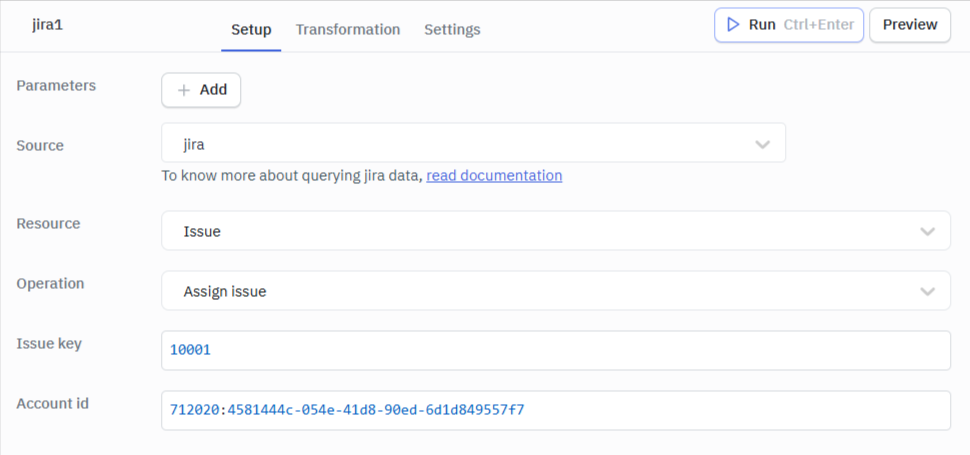
Required Parameters:
- Issue key: The key or id of the issue to assign.
- Account id: The account ID of the user to assign the issue to.
Sample Example:
Issue Key: 10001
Account id: 712020:4581444c-054e-41d8-90ed-6d1d849557f7
Edit Issue
This operation modifies an existing Jira issue.
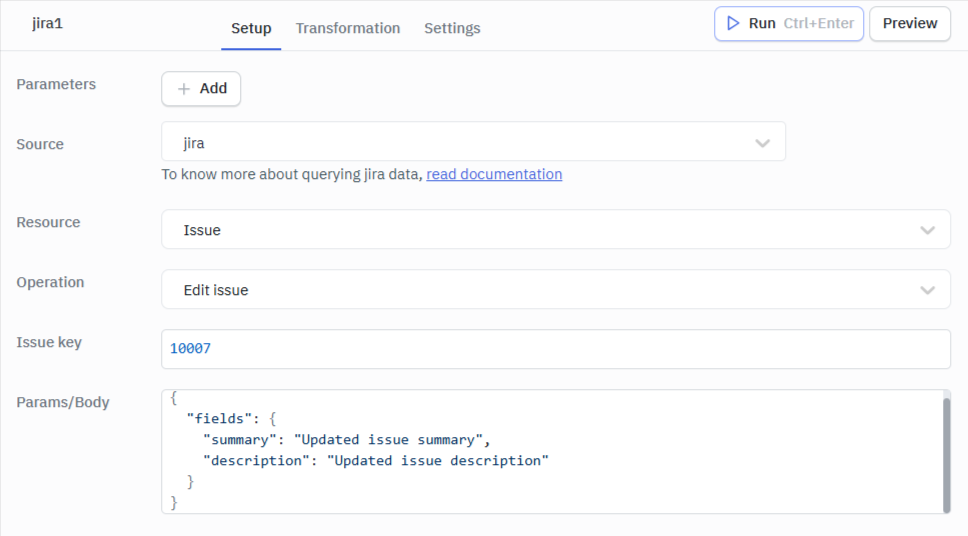
Required Parameters:
- Issue key: The key or id of the issue to edit.
- Params/Body: The fields to update and their new values.
Sample Example:
Issue Key: 10007
Params/Body:
{
  "fields": {
    "summary": "Updated issue summary",
    "description": "Updated issue description"
  }
}
User
Get User
This operation retrieves details of a specific Jira user.
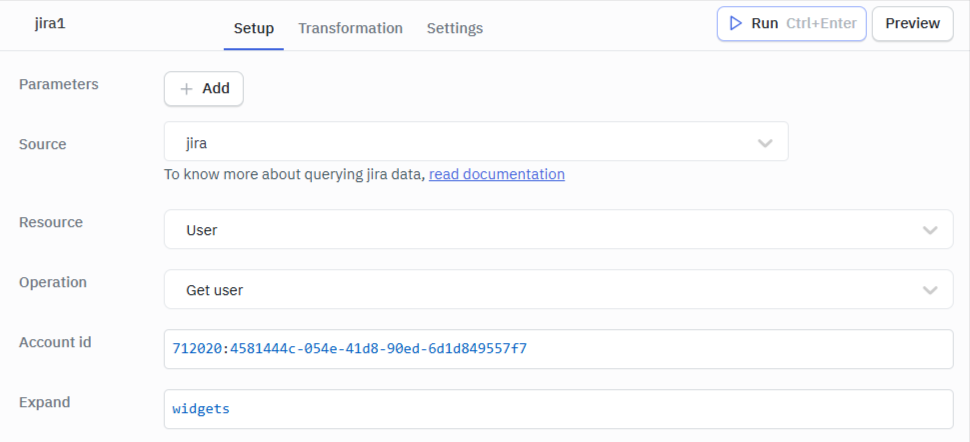
Required Parameter:
- Account id: The account ID of the user to retrieve.
Optional Parameter:
- Expand: Additional user details to include in the response.
Sample Example:
Account id: 5b10a2844c20165700ede21g
Expand: groups,applicationRoles
Find Users by Query
This operation searches for users based on a query.
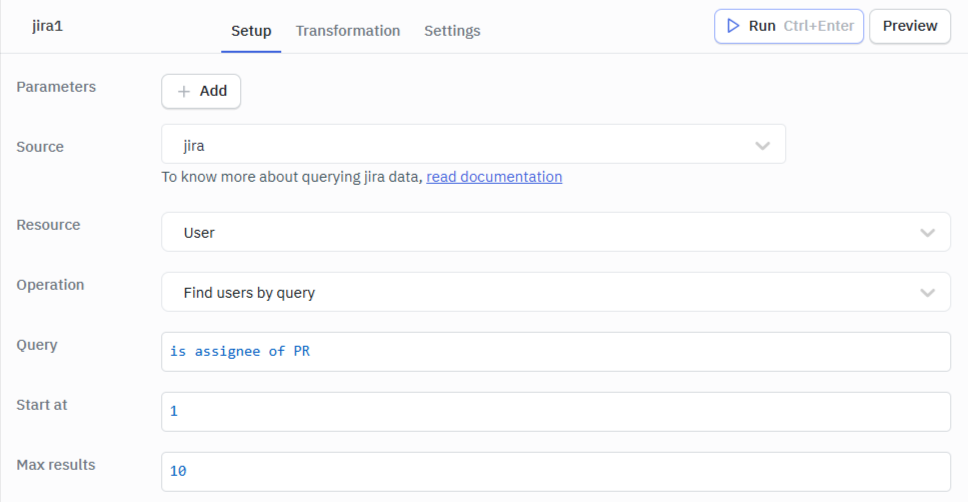
Required Parameter:
- Query: The search query in Jira Query Language (JQL) format.
Optional Parameters:
- Start at: The index of the first user to return.
- Max results: The maximum number of users to return.
Sample Example:
Query: is assignee of PROJ
Start at: 1
Max results: 10
Assignable Users
This operation finds users that can be assigned to issues.
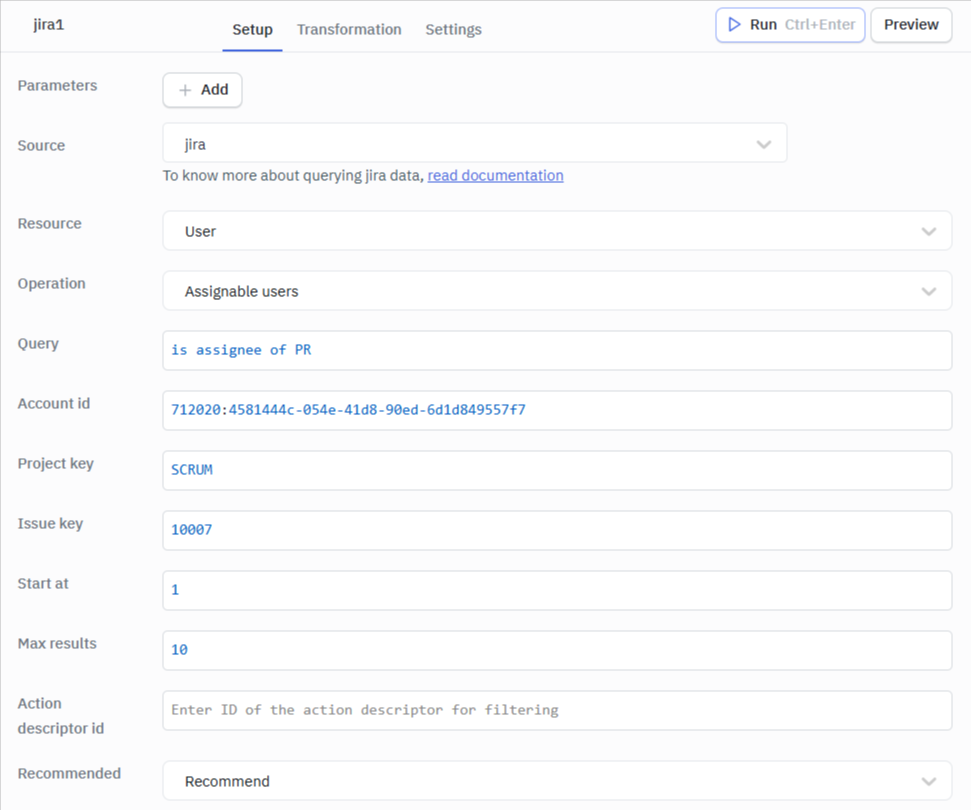
Required Parameters:
- Query: The search query in Jira Query Language (JQL) format.
- Account id: The account ID of the user to find assignable users for.
- Project key: The key or id of the project to find assignable users for.
- Issue key: The key or id of the issue to find assignable users for.
Optional Parameters:
- Start at: The index of the first user to return.
- Max results: The maximum number of users to return.
- Action descriptor id: The action descriptor ID to find assignable users for.
- Recommended: Whether to return recommended users.
Note: Query and Account id are mutually exclusive parameters. You can only use one of them.
Sample Example:
Query: Mark // Search for users with "Mark" in their name, username, or email
Account id: 5b10a2844c20165700ede21g
Project key: PROJ
Issue key: SCRUM-1
Start at: 1
Max results: 10
Action descriptor id: 12345
Recommended: Yes
Worklog
Get Issue Worklogs
This operation retrieves the worklogs for a specific issue.
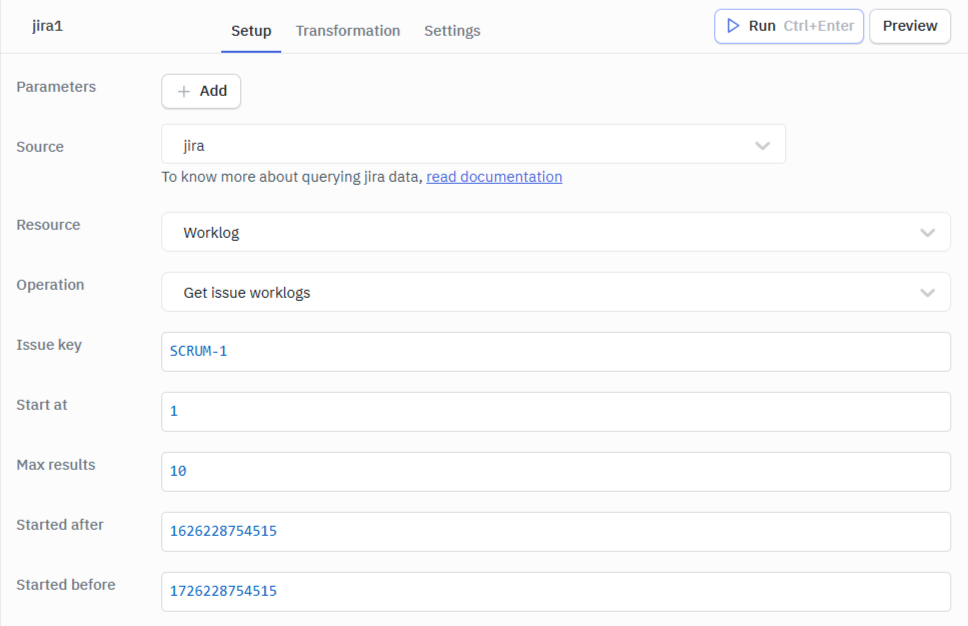
Required Parameter:
- Issue key: The key or id of the issue to get worklogs for.
Optional Parameters:
- Start at: The index of the first worklog to return.
- Max results: The maximum number of worklogs to return.
- Started after: The date and time to start retrieving worklogs from.
- Started before: The date and time to stop retrieving worklogs.
Sample Example:
Issue Key: SCRUM-1
Start at: 1
Max results: 10
Started after: 1626228754515
Started before: 1726228754515
Add Worklog
This operation adds a new worklog entry to an issue.
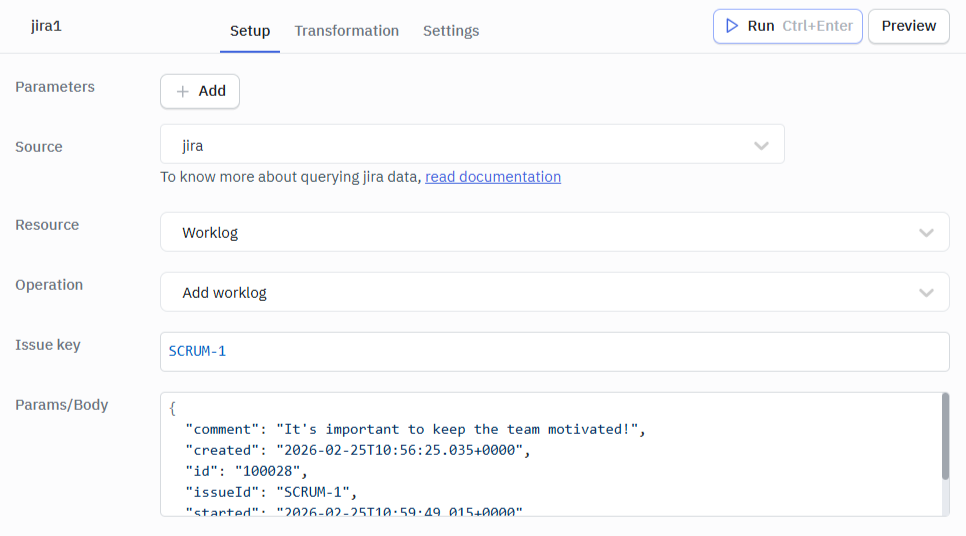
Required Parameters:
- Issue key: The key or id of the issue to add the worklog to.
- Params/Body: The details of the worklog entry.
Example:
Issue Key: SCRUM-1
Params/Body:
{
  "comment": "It's important to keep the team motivated!",
  "created": "2026-02-25T10:56:25.035+0000",
  "id": "100028",
  "issueId": "SCRUM-1",
  "started": "2026-02-25T10:59:49.015+0000",
  "timeSpent": "2h 47m"
}
Delete Worklog
This operation deletes a specific worklog entry from an issue.
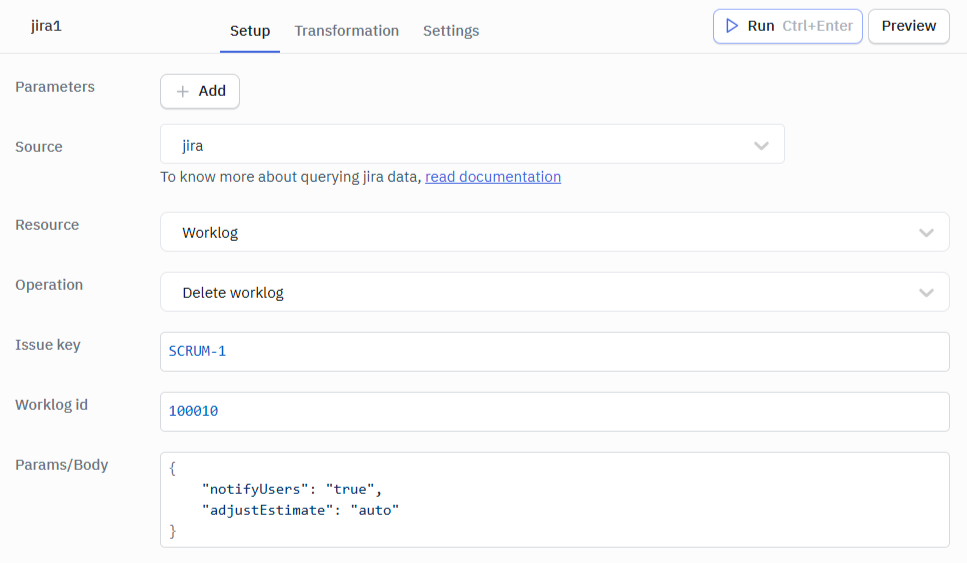
Required Parameters:
- Issue key: The key or id of the issue containing the worklog.
- Worklog id: The ID of the worklog to delete.
Optional Parameter:
- Params/Body: Additional parameters such as notify users, adjust estimate, etc.
Example:
Issue Key: SCRUM-1
Worklog id: 100010
Params/Body:
{
    "notifyUsers": "true",
    "adjustEstimate": "auto"
}
Board
Get Issues for Backlog
This operation retrieves issues from a board's backlog.
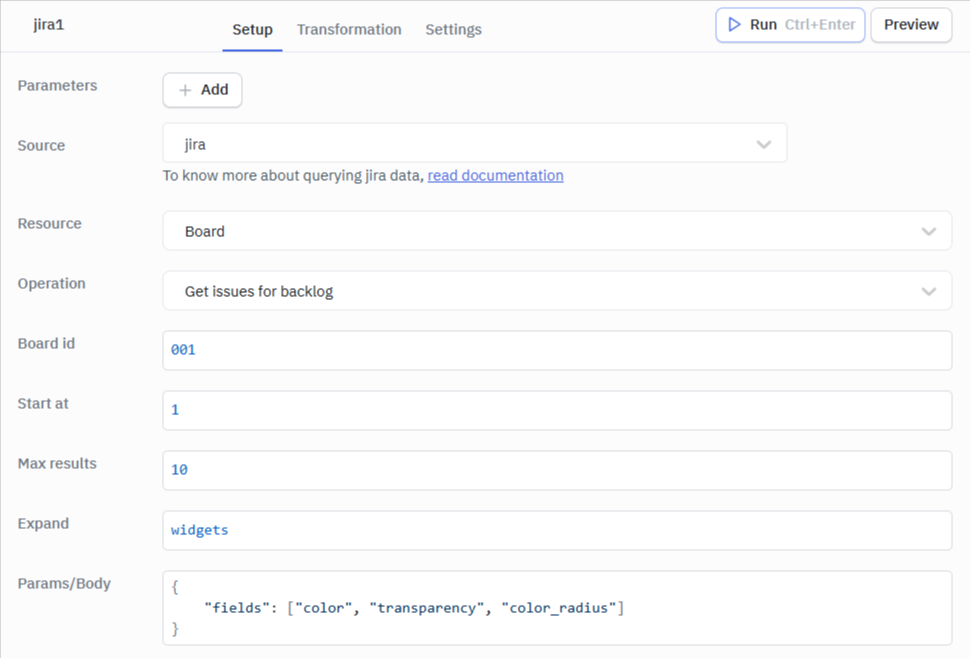
Required Parameter:
- Board id: The ID of the board to get backlog issues from.
Optional Parameters:
- Start at: The index of the first issue to return.
- Max results: The maximum number of issues to return.
- Expand: Additional issue details to include in the response.
- Params/Body: Additional parameters such as fields to retrieve, expand options, etc.
Example:
Board id: 001
Start at: 1
Max results: 10
Expand: widget
Params/Body:
{
    "fields": ["color", "transparency", "color_radius"]
}
Get All Boards
This operation retrieves all boards visible to the user.
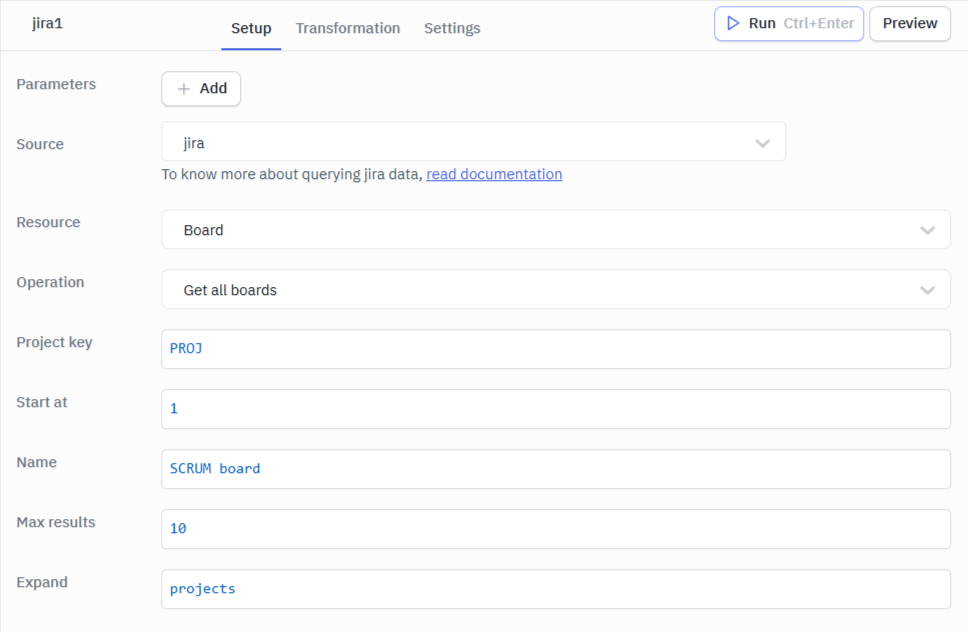
Required Parameter:
- Project key: Limit the boards to a specific project.
Optional Parameters:
- Start at: The index of the first board to return.
- Name: The name of the board to search for.
- Max results: The maximum number of boards to return.
- Expand: Additional board details to include in the response.
Example:
Project key: PROJ
Start at: 1
Name: SCRUM board
Max results: 10
Expand: projects
Get Issues for Board
This operation retrieves all issues from a specific board.
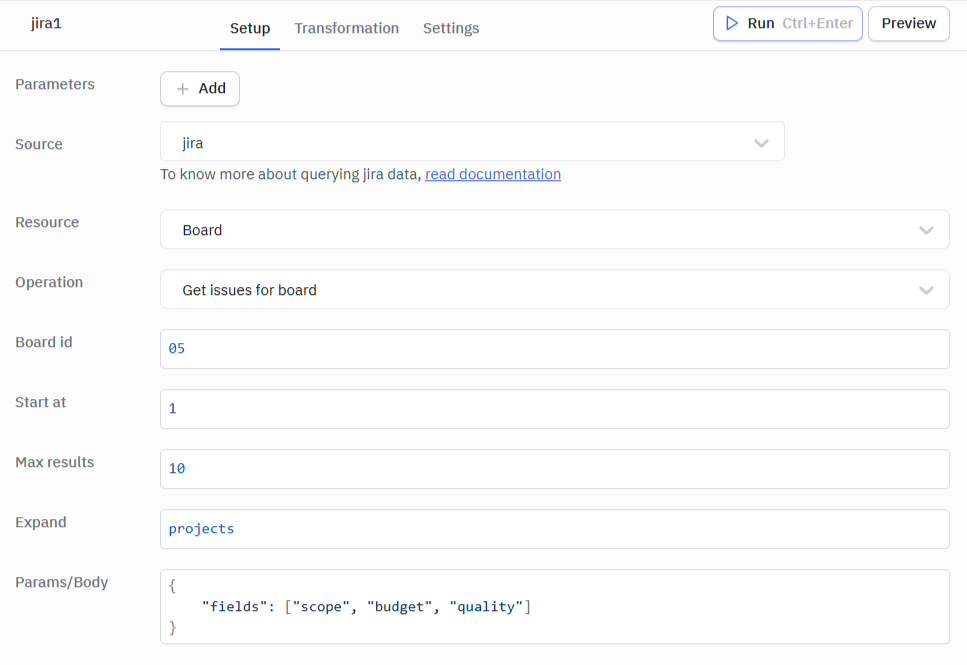
Required Parameter:
- Board id: The ID of the board to get issues from.
Optional Parameters:
- Start at: The index of the first issue to return.
- Max results: The maximum number of issues to return.
- Expand: Additional issue details to include in the response.
- Params/Body: Additional parameters such as fields to retrieve, expand options, etc.
Example:
Board id: 05
Start at: 1
Max results: 10
Expand: projects
Params/Body:
{
    "fields": ["scope", "budget", "quality"]
}