Microsoft Graph
By integrating Microsoft Graph with ToolJet, you can interact with Microsoft 365 services such as Outlook Mail, Calendar, Users, Teams, OneDrive, SharePoint, and OneNote.
Before following this guide, it is assumed that you have already completed the process of Using Marketplace plugins.
Connection
To connect ToolJet with Microsoft Graph, you’ll need the following credentials:
- Tenant
- Access Token URL
- OAuth type (ToolJet Cloud only)
- Client ID
- Client Secret
Follow this Microsoft guide to register an app and generate the required credentials.
The data source requests the https://graph.microsoft.com/.default and offline_access scopes, so what a query can access is decided by the API permissions granted to your app registration in Azure, not by the ToolJet connection form. Add the Microsoft Graph delegated permissions for the entities you use, for example:
- SharePoint:
Sites.Read.Allfor read operations, andSites.ReadWrite.Allfor operations that create, update, upload or delete. - OneNote:
Notes.Readto read,Notes.Createto create notebooks, sections and pages, andNotes.ReadWriteto update page content or delete pages.Notes.Read.AllandNotes.ReadWrite.Allgive access to all notebooks the signed-in user can access.

You can enable the Authentication required for all users toggle in the configuration panel. When enabled, each user will be redirected to the OAuth consent screen the first time a query from this data source is triggered in your application. This ensures that every user connects with their own Microsoft account securely.
After completing the OAuth flow, the query must be triggered again to fetch data from Microsoft Graph.
OAuth Type
On ToolJet Cloud, the OAuth type dropdown sets which Microsoft app ToolJet uses for the OAuth flow:
| Option | What it does |
|---|---|
| ToolJet app | Uses ToolJet's own Microsoft app. The Client ID and Client secret fields are hidden, so you don't need to register an app in Azure. |
| Custom app | Uses your own Azure app registration. Enter its Client ID and Client secret, and add the Redirect URI shown in the form to the app registration. |
New data sources default to Custom app. On self-hosted ToolJet, the dropdown isn't shown and the data source always uses Custom app, so Client ID and Client secret are required.
Supported Entities
Outlook
Messages
| Method | Endpoint | Description |
|---|---|---|
| GET | /me/messages | List messages in the user's mailbox. |
| POST | /me/messages | Create a new draft message. |
| GET | /me/messages/{message-id} | Get a specific message by ID. |
| PATCH | /me/messages/{message-id} | Update a message. |
| DELETE | /me/messages/{message-id} | Delete a message. |
| POST | /me/messages/{message-id}/forward | Forward an existing message. |
| POST | /me/messages/{message-id}/createForward | Create a forward draft. |
| POST | /me/messages/{message-id}/reply | Reply to a message. |
| POST | /me/messages/{message-id}/createReply | Create a reply draft. |
| POST | /me/messages/{message-id}/replyAll | Reply all to a message. |
| POST | /me/messages/{message-id}/createReplyAll | Create a reply-all draft. |
| POST | /me/messages/{message-id}/send | Send a draft message. |
| POST | /me/messages/{message-id}/move | Move a message. |
| POST | /me/messages/{message-id}/copy | Copy a message. |
| POST | /me/sendMail | Send mail without creating a draft. |
Mail Folders
| Method | Endpoint | Description |
|---|---|---|
| GET | /me/mailFolders | List mail folders. |
| POST | /me/mailFolders | Create a mail folder. |
| GET | /me/mailFolders/{mailFolder-id} | Get specific mail folder. |
| PATCH | /me/mailFolders/{mailFolder-id} | Update a mail folder. |
| DELETE | /me/mailFolders/{mailFolder-id} | Delete a mail folder. |
| GET | /me/mailFolders/{mailFolder-id}/messages | List messages inside a folder. |
| GET | /me/mailFolders/Inbox/messages/delta | Track changes to inbox messages. |
| GET | /me/mailFolders/{mailFolder-id}/messages/delta | Track changes to a folder's messages. |
| GET | /me/mailFolders/delta | Track changes to all folders. |
Categories and Rooms
| Method | API Endpoint | Description |
|---|---|---|
| GET | /me/outlook/masterCategories | List master categories |
| POST | /me/outlook/masterCategories | Create a new category |
| GET | /me/outlook/masterCategories/{outlookCategory-id} | Get a specific category |
| PATCH | /me/outlook/masterCategories/{outlookCategory-id} | Update a category |
| DELETE | /me/outlook/masterCategories/{outlookCategory-id} | Delete a category |
| GET | /me/findRooms | List available rooms |
| GET | /me/findRooms(RoomList='{roomList-emailAddress}') | Find rooms by room list |
| GET | /me/findRoomLists | List room lists |
Calendar
Default Calendar
| Method | API Endpoint | Description |
|---|---|---|
| GET | /me/calendar | Get default calendar |
| PATCH | /me/calendar | Update default calendar |
| GET | /me/calendar/events | List events from default calendar |
| POST | /me/calendar/events | Create an event in default calendar |
| GET | /me/calendar/calendarPermissions | List calendar permissions |
| POST | /me/calendar/calendarPermissions | Grant permissions to default calendar |
| GET | /me/calendar/calendarPermissions/{permissionId} | Get specific calendar permission |
| PATCH | /me/calendar/calendarPermissions/{permissionId} | Update calendar permission |
| DELETE | /me/calendar/calendarPermissions/{permissionId} | Delete calendar permission |
| POST | /me/calendar/getSchedule | Get free/busy schedule info |
User Calendars and Groups
| Method | API Endpoint | Description |
|---|---|---|
| GET | /user/{userId}/calendar | Get default calendar of a specific user |
| GET | /me/calendars | List user calendars |
| POST | /me/calendars | Create a new calendar |
| GET | /me/calendars/{calendarId} | Get a specific calendar |
| PATCH | /me/calendars/{calendarId} | Update a calendar |
| DELETE | /me/calendars/{calendarId} | Delete a calendar |
| GET | /me/calendars/{calendarId}/events | List events in a specific calendar |
| POST | /me/calendars/{calendarId}/events | Create event in a specific calendar |
| GET | /me/calendarGroups | List calendar groups |
| POST | /me/calendarGroups | Create a calendar group |
| GET | /me/calendarGroups/{groupId}/calendars | Get calendars in a group |
| POST | /me/calendarGroups/{groupId}/calendars | Add calendar to a group |
Events
| Method | API Endpoint | Description |
|---|---|---|
| GET | /me/events/{eventId} | Get an event by ID |
| PATCH | /me/events/{eventId} | Update an event |
| DELETE | /me/events/{eventId} | Delete an event |
| GET | /me/events/{eventId}/instances | List instances of a recurring event |
| GET | /me/events/{eventId}/attachments | List attachments of an event |
| POST | /me/events/{eventId}/attachments | Add attachments to an event |
| GET | /me/calendarView | Get calendar view of events |
| POST | /me/findMeetingTimes | Find meeting times |
Users
User Management
| Method | API Endpoint | Description |
|---|---|---|
| GET | /users | List all users |
| POST | /users | Create a user |
| GET | /users/{user-id} | Get a specific user |
| PATCH | /users/{user-id} | Update a specific user |
| DELETE | /users/{user-id} | Delete a specific user |
Profile
| Method | API Endpoint | Description |
|---|---|---|
| GET | /me | Get profile of signed-in user |
| PATCH | /me | Update profile of signed-in user |
Teams
Teams and Chats
| Method | API Endpoint | Description |
|---|---|---|
| GET | /teams | List teams |
| POST | /teams | Create a team |
| GET | /chats | List chats |
| POST | /chats | Create a chat |
| GET | /me/joinedTeams | List teams the user has joined |
Chat Operations
| Method | API Endpoint | Description |
|---|---|---|
| GET | /chats/{chat-id} | Get a chat |
| PATCH | /chats/{chat-id} | Update a chat |
| DELETE | /chats/{chat-id} | Delete a chat |
| GET | /chats/{chat-id}/members | List members in a chat |
| POST | /chats/{chat-id}/members | Add members to a chat |
| POST | /chats/{chat-id}/members/add | Add members (alternate endpoint) |
| GET | /chats/{chat-id}/members/{conversationMember-id} | Get chat member details |
| PATCH | /chats/{chat-id}/members/{conversationMember-id} | Update chat member |
| DELETE | /chats/{chat-id}/members/{conversationMember-id} | Remove chat member |
| GET | /chats/{chat-id}/messages | List messages in a chat |
| POST | /chats/{chat-id}/messages | Send message in a chat |
| GET | /chats/{chat-id}/messages/{chatMessage-id} | Get a specific chat message |
| PATCH | /chats/{chat-id}/messages/{chatMessage-id} | Update a chat message |
| DELETE | /chats/{chat-id}/messages/{chatMessage-id} | Delete a chat message |
| GET | /chats/getAllMessages | Get all messages across chats |
Team Operation
| Method | API Endpoint | Description |
|---|---|---|
| GET | /teams/{team-id} | Get a team |
| PATCH | /teams/{team-id} | Update a team |
| DELETE | /teams/{team-id} | Delete a team |
| POST | /teams/{team-id}/archive | Archive a team |
| POST | /teams/{team-id}/unarchive | Unarchive a team |
| GET | /teams/{team-id}/members | List team members |
| POST | /teams/{team-id}/members | Add team members |
| POST | /teams/{team-id}/members/add | Add members (alternate endpoint) |
Channels and Messages
| Method | API Endpoint | Description |
|---|---|---|
| GET | /teams/{team-id}/allChannels | List all channels in a team |
| GET | /teams/{team-id}/channels | List standard channels in a team |
| POST | /teams/{team-id}/channels | Create a channel in a team |
| GET | /teams/{team-id}/channels/{channel-id} | Get channel details |
| PATCH | /teams/{team-id}/channels/{channel-id} | Update a channel |
| DELETE | /teams/{team-id}/channels/{channel-id} | Delete a channel |
| GET | /teams/{team-id}/channels/{channel-id}/members | List members in a channel |
| POST | /teams/{team-id}/channels/{channel-id}/members | Add members to a channel |
| GET | /teams/{team-id}/channels/{channel-id}/messages | List messages in a channel |
| POST | /teams/{team-id}/channels/{channel-id}/messages | Send message in a channel |
| GET | /teams/{team-id}/channels/{channel-id}/messages/{chatMessage-id} | Get a specific channel message |
| PATCH | /teams/{team-id}/channels/{channel-id}/messages/{chatMessage-id} | Update a channel message |
| DELETE | /teams/{team-id}/channels/{channel-id}/messages/{chatMessage-id} | Delete a channel message |
| GET | /teams/{team-id}/allChannels/{channel-id} | Get specific channel under all channels |
OneDrive
Root and Shared Content
| Method | API Endpoint | Description |
|---|---|---|
| GET | /me/drive | Get the user's default drive |
| GET | /me/drive/root/children | List items in root folder |
| POST | /me/drive/root/children | Create a new file or folder in root |
| GET | /me/drive/recent | List recent files |
| GET | /me/drive/sharedWithMe | List files shared with the user |
| GET | /me/drive/root/search(q='{search-query}') | Search files by query |
Specific Drives and Items
| Method | API Endpoint | Description |
|---|---|---|
| GET | /drives/{drive-id}/root/children | List items in a specific drive's root |
| GET | /drives/{drive-id}/items/{item-id}/children | List children of a folder |
| POST | /drives/{drive-id}/items/{item-id}/children | Add item to folder |
| GET | /drives/{drive-id}/items/{item-id} | Get metadata for an item |
| PATCH | /drives/{drive-id}/items/{item-id} | Update metadata of an item |
| DELETE | /drives/{drive-id}/items/{item-id} | Delete an item |
| GET | /drives/{drive-id}/items/{item-id}/content | Download file content |
| PUT | /drives/{drive-id}/items/{item-id}/content | Upload file content |
| POST | /drives/{drive-id}/items/{item-id}/createLink | Create sharing link |
| GET | /drives/{drive-id}/items/{item-id}/permissions | Get item permissions |
Download file content returns the file as base64 rather than as raw content:
{
  "base64": "<base64-encoded file content>",
  "mimeType": "<MIME type from the response, for example application/pdf>",
  "size": <file size in bytes>
}
SharePoint
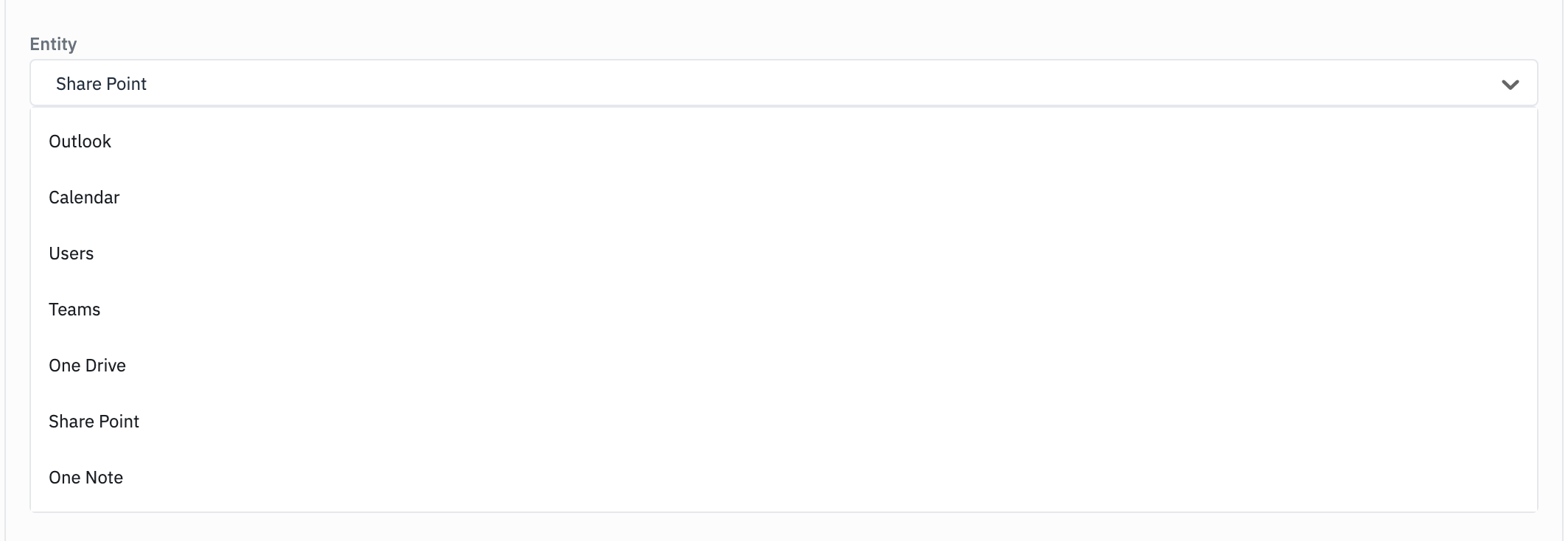
Select Share Point in the Entity dropdown to work with SharePoint sites, lists, list items, document libraries (drives), files and folders through Microsoft Graph.
This entity is part of the Microsoft Graph plugin. ToolJet also has a separate SharePoint marketplace plugin with its own connection and operations.
Sites
| Method | API Endpoint | Description | Parameters |
|---|---|---|---|
| GET | /sites | List sites | search, $filter, $select, $expand, $top, $skip |
| GET | /sites/{site-id} | Get site | site-id (required), $select, $expand |
| GET | /sites/{site-id}/analytics | Get site analytics | site-id (required) |
| GET | /sites/{site-id}/pages | List site pages | site-id (required), $filter, $select, $orderby, $top, $skip |
Lists and List Items
| Method | API Endpoint | Description | Parameters |
|---|---|---|---|
| GET | /sites/{site-id}/lists | List lists | site-id (required), $filter, $select, $expand, $top, $skip |
| POST | /sites/{site-id}/lists | Create list | site-id (required). Body: displayName (required), description, list |
| GET | /sites/{site-id}/lists/{list-id} | Get list | site-id, list-id (required), $select, $expand |
| PATCH | /sites/{site-id}/lists/{list-id} | Update list | site-id, list-id (required). Body: displayName, description |
| DELETE | /sites/{site-id}/lists/{list-id} | Delete list | site-id, list-id (required) |
| GET | /sites/{site-id}/lists/{list-id}/items | List list items | site-id, list-id (required), $filter, $select, $expand, $orderby, $top, $skip |
| POST | /sites/{site-id}/lists/{list-id}/items | Create list item | site-id, list-id (required). Body: fields (required) |
| GET | /sites/{site-id}/lists/{list-id}/items/{item-id} | Get list item | site-id, list-id, item-id (required), $select, $expand |
| PATCH | /sites/{site-id}/lists/{list-id}/items/{item-id} | Update list item | site-id, list-id, item-id (required). Body: fields (required) |
| DELETE | /sites/{site-id}/lists/{list-id}/items/{item-id} | Delete list item | site-id, list-id, item-id (required) |
Drives
| Method | API Endpoint | Description | Parameters |
|---|---|---|---|
| GET | /sites/root/drive | Get root site drive | $select |
| GET | /sites/{site-id}/drive | Get site drive | site-id (required), $select |
| GET | /sites/{site-id}/drives | List site drives | site-id (required), $select, $top, $skip |
| GET | /sites/{site-id}/drives/{drive-id} | Get site drive by ID | site-id, drive-id (required), $select |
Files and Folders
| Method | API Endpoint | Description | Parameters |
|---|---|---|---|
| GET | /drives/{drive-id}/items/{item-id}/children | List folder contents | drive-id, item-id (required), $select, $filter, $orderby, $top, $skip |
| GET | /drives/{drive-id}/items/{item-id} | Get file or folder metadata | drive-id, item-id (required), $select, $expand |
| DELETE | /drives/{drive-id}/items/{item-id} | Delete file or folder | drive-id, item-id (required) |
| PUT | /drives/{drive-id}/items/{parent-item-id}:/{filename}:/content | Upload file to folder | drive-id, parent-item-id, filename (required). Body: fileContent (required), mimeType |
| GET | /drives/{drive-id}/items/{item-id}/content | Download file | drive-id, item-id (required) |
Upload file to folder uploads a file into the folder parent-item-id with the name filename:
- fileContent: The file content, base64-encoded. A data URL prefix such as
data:application/pdf;base64,is removed automatically. - mimeType: The file's MIME type, for example
application/pdf,image/pngortext/plain. If left empty,application/octet-streamis used.
Download file returns the file as { "base64": "...", "mimeType": "...", "size": ... }, the same shape as the OneDrive download.
OneNote
Select One Note in the Entity dropdown to work with the signed-in user's OneNote notebooks, section groups, sections, pages and page resources. All endpoints are under /me/onenote.
Notebooks and Section Groups
| Method | API Endpoint | Description | Parameters |
|---|---|---|---|
| GET | /me/onenote/notebooks | List notebooks | OData parameters |
| POST | /me/onenote/notebooks | Create notebook | Body: displayName (required) |
| GET | /me/onenote/notebooks/{notebook-id} | Get notebook | notebook-id (required), $select, $expand |
| GET | /me/onenote/notebooks/{notebook-id}/sectionGroups | List notebook section groups | notebook-id (required), OData parameters |
| GET | /me/onenote/sectionGroups | List section groups | OData parameters |
Sections
| Method | API Endpoint | Description | Parameters |
|---|---|---|---|
| GET | /me/onenote/notebooks/{notebook-id}/sections | List notebook sections | notebook-id (required), OData parameters |
| POST | /me/onenote/notebooks/{notebook-id}/sections | Create section in notebook | notebook-id (required). Body: displayName (required) |
| GET | /me/onenote/sectionGroups/{sectionGroup-id}/sections | List section group sections | sectionGroup-id (required), OData parameters |
| POST | /me/onenote/sectionGroups/{sectionGroup-id}/sections | Create section in section group | sectionGroup-id (required). Body: displayName (required) |
| GET | /me/onenote/sections | List sections | OData parameters |
| GET | /me/onenote/sections/{section-id} | Get section | section-id (required), $select, $expand |
Pages and Resources
| Method | API Endpoint | Description | Parameters |
|---|---|---|---|
| GET | /me/onenote/sections/{section-id}/pages | List section pages | section-id (required), OData parameters, pagelevel |
| POST | /me/onenote/sections/{section-id}/pages | Create page | section-id (required). Body: htmlContent (required) |
| GET | /me/onenote/pages | List pages | OData parameters, pagelevel |
| GET | /me/onenote/pages/{page-id} | Get page | page-id (required), $select, $expand |
| DELETE | /me/onenote/pages/{page-id} | Delete page | page-id (required) |
| GET | /me/onenote/pages/{page-id}/content | Get page content | page-id (required), includeIDs, preAuthenticated |
| PATCH | /me/onenote/pages/{page-id}/content | Update page content | page-id (required). Body: commands (required) |
| GET | /me/onenote/pages/{page-id}/parentNotebook | Get page parent notebook | page-id (required), $select, $expand |
| GET | /me/onenote/pages/{page-id}/parentSection | Get page parent section | page-id (required), $select, $expand |
| GET | /me/onenote/resources/{resource-id}/content | Get resource content | resource-id (required) |
OData parameters are $filter, $select, $expand, $orderby, $top, $skip, $count and $search.
A notebook displayName can't contain ? * \ / : < > | ' " # %, and a section displayName can't contain ? * \ / : < > | & # ' " % ~. Neither can start or end with a space.
Some OneNote operations don't use a plain JSON request or response:
-
Create page: Put the page's OneNote HTML in the
htmlContentfield. ToolJet sends it to Microsoft Graph as atext/htmlbody. The HTML<title>becomes the page title. For example:<!DOCTYPE html><html><head><title>Sprint planning</title></head><body><p>Agenda</p><ul><li>Roadmap review</li></ul></body></html> -
Get page content: Returns the page HTML as a string. Set
includeIDstotrueto get thedata-idvalues you can use as targets in Update page content. -
Update page content: Put a JSON array of patch commands in the
commandsfield. Each command hastarget(required; adata-id, a generated ID, orbodyortitle),action(required;append,insert,prepend,replaceordelete),position(afterorbefore) andcontent(OneNote HTML, not used bydelete). Ifcommandsisn't an array, the query fails with OneNote page content updates expect "commands" to be a JSON array of patch commands. For example:[{ "target": "#para-id", "action": "insert", "position": "after", "content": "<p>Added by ToolJet</p>" }] -
Get resource content: Downloads an image or file embedded in a page and returns it as
{ "base64": "...", "mimeType": "...", "size": ... }.
Example Queries
Users
Operation : GET/ me
This operation retrieves the profile details of the currently authenticated user.

Operation : GET/ users
This operation retrieves a list of users from your Azure AD tenant.
