Azure Repos
ToolJet offers the capability to establish a connection with Azure Repos in order to read from and commit to Git repositories for source control and version management.
Before following this guide, it is assumed that you have already completed the process of Using Marketplace plugins.
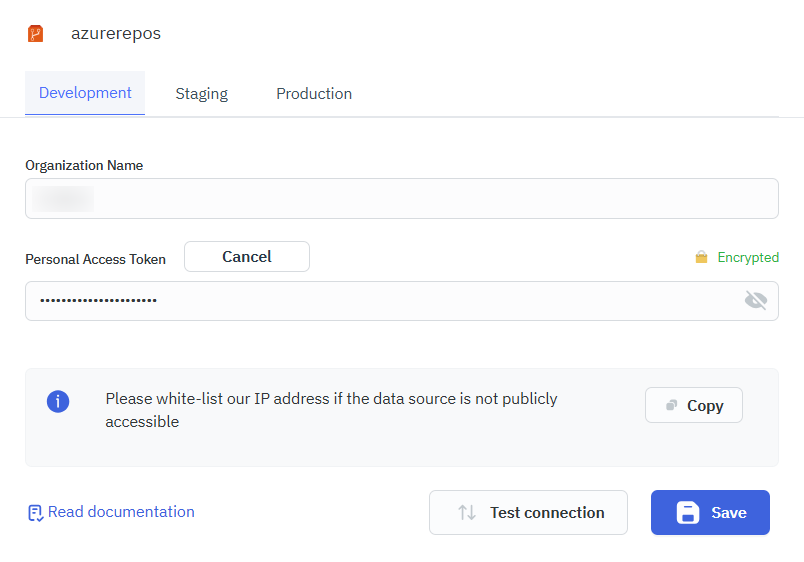
Connection
To connect with Azure Repos, you will need the Organization Name (e.g., https://dev.azure.com/your-organization) and a Personal Access Token (PAT). Generate a Personal Access Token(PAT) by navigating to User Settings, then selecting Personal Access Tokens. Ensure the token includes the necessary scopes based on the operations you want to perform.
Supported Operations
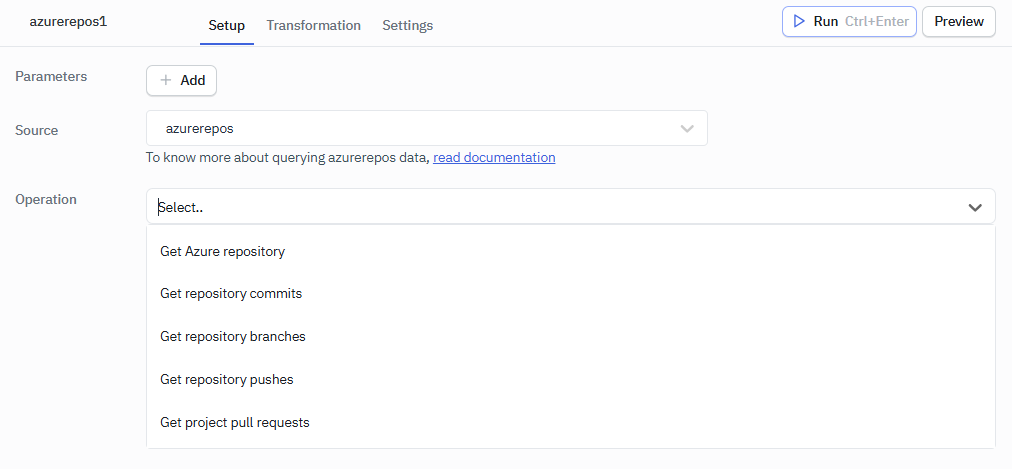
- Get Azure Repository
- Get Repository Commits
- Get Repository Branches
- Get Repository Pushes
- Get Project Pull Requests
Get Azure Repository
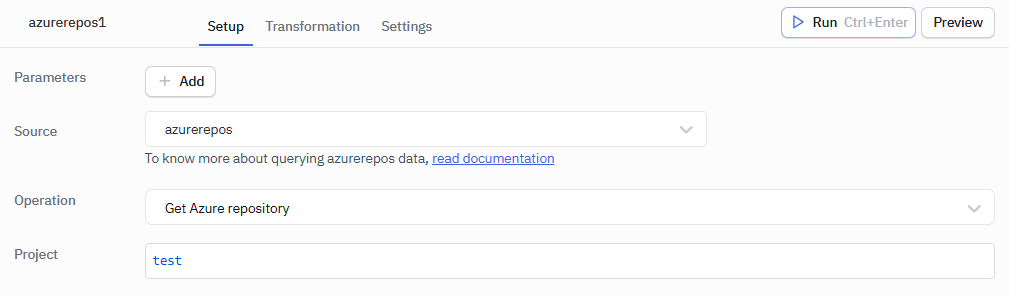
Lists the repositories in an Azure DevOps project, with the details of each repository.
Required Parameter
- Project
Example Values
Project: test
Get Repository Commits
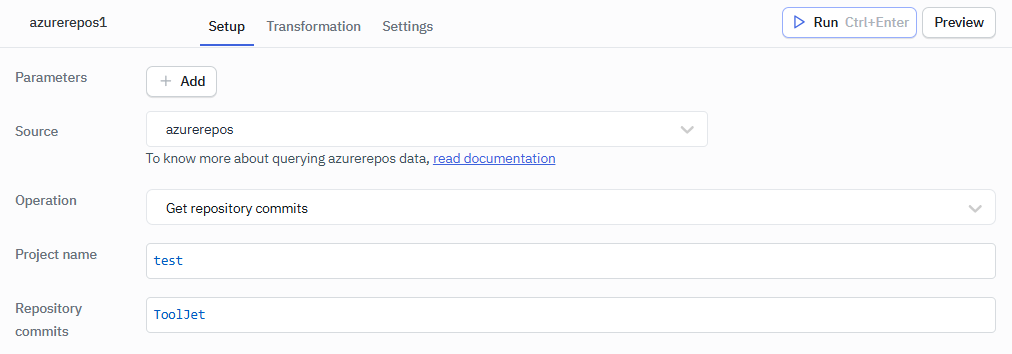
Fetches a list of commits made to a selected repository.
Required Parameters
- Project name - Name of the Azure DevOps project.
- Repository commits - Name or ID of the repository.
Example Values
Project name: test
Repository commits: ToolJet
Get Repository Branches
Lists all branches available in a specified Azure repository.
Required Parameters
- Project name - Name of the Azure DevOps project.
- Repository commits - Name or ID of the repository.
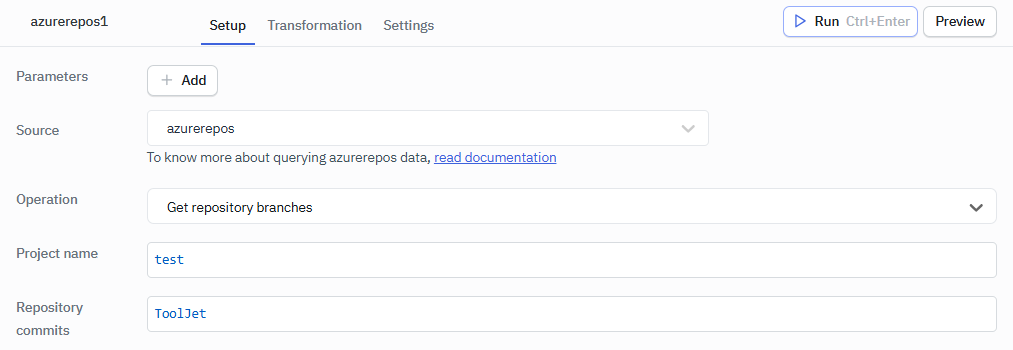
Example Values
Project: test
Repository commits: ToolJet
Get Repository Pushes
Retrieves information about recent pushes made to the repository.
Required Parameters
- Project name - Name of the Azure DevOps project.
- Repository commits - Name or ID of the repository.
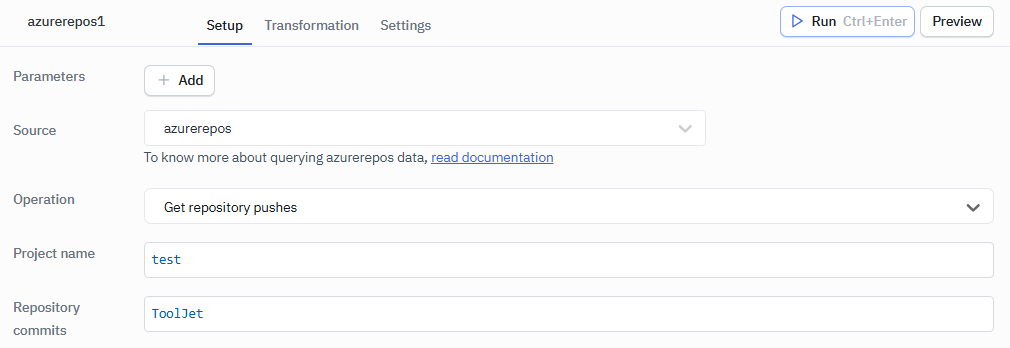
Example Values
Project: test
Repository commits: ToolJet
Get Project Pull Requests
Fetches pull requests across all repositories in the selected project.
Required Parameter
- Project pull requests - Name of the Azure DevOps project.
Optional Parameter
- Status - Filters pull requests by status: All, Active, Completed, or Abandoned.
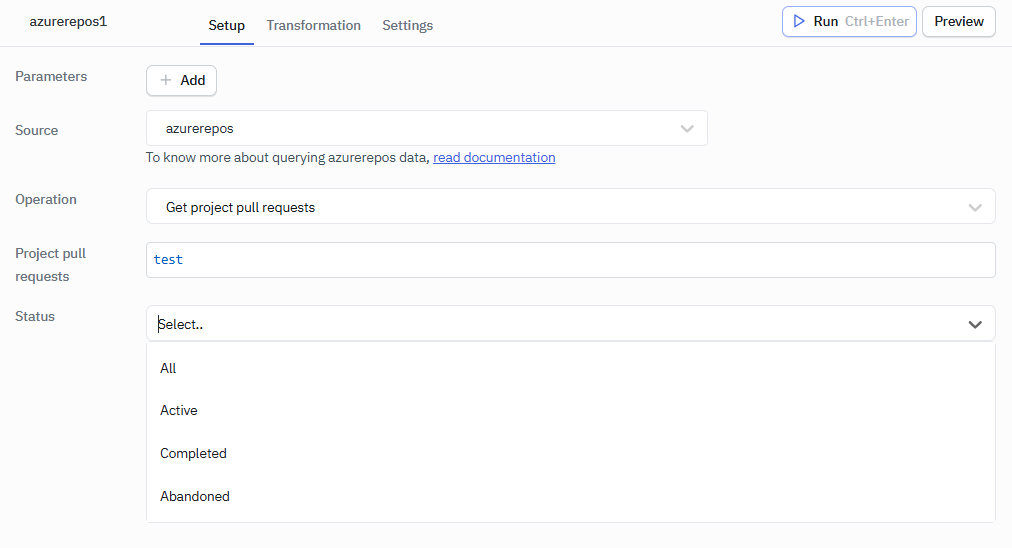
Example Values
Project pull requests: test