Infra Level Rollback
Infra level rollback allows you to revert your ToolJet deployment to a previous version at the infrastructure level. This is not recommended for general use and should only be considered when the current version has breaking changes or bugs that block usage.
Infra level rollback should only be used as a last resort, after consulting with the ToolJet team.
Rollback Steps
Step 1: Take a Snapshot of Your Database Instance
Before starting the upgrade, take a snapshot of your database instance so that it can be restored if a rollback is needed later. Also note down the version you are upgrading from, so you know exactly which version to roll back to if needed.
If your database is deployed as a container alongside ToolJet rather than as an external database, the snapshot and restore process will look different. Reach out to your infrastructure team for help with this.
- Navigate to RDS Console → Databases
- Select your database instance
- Click Actions → Take snapshot
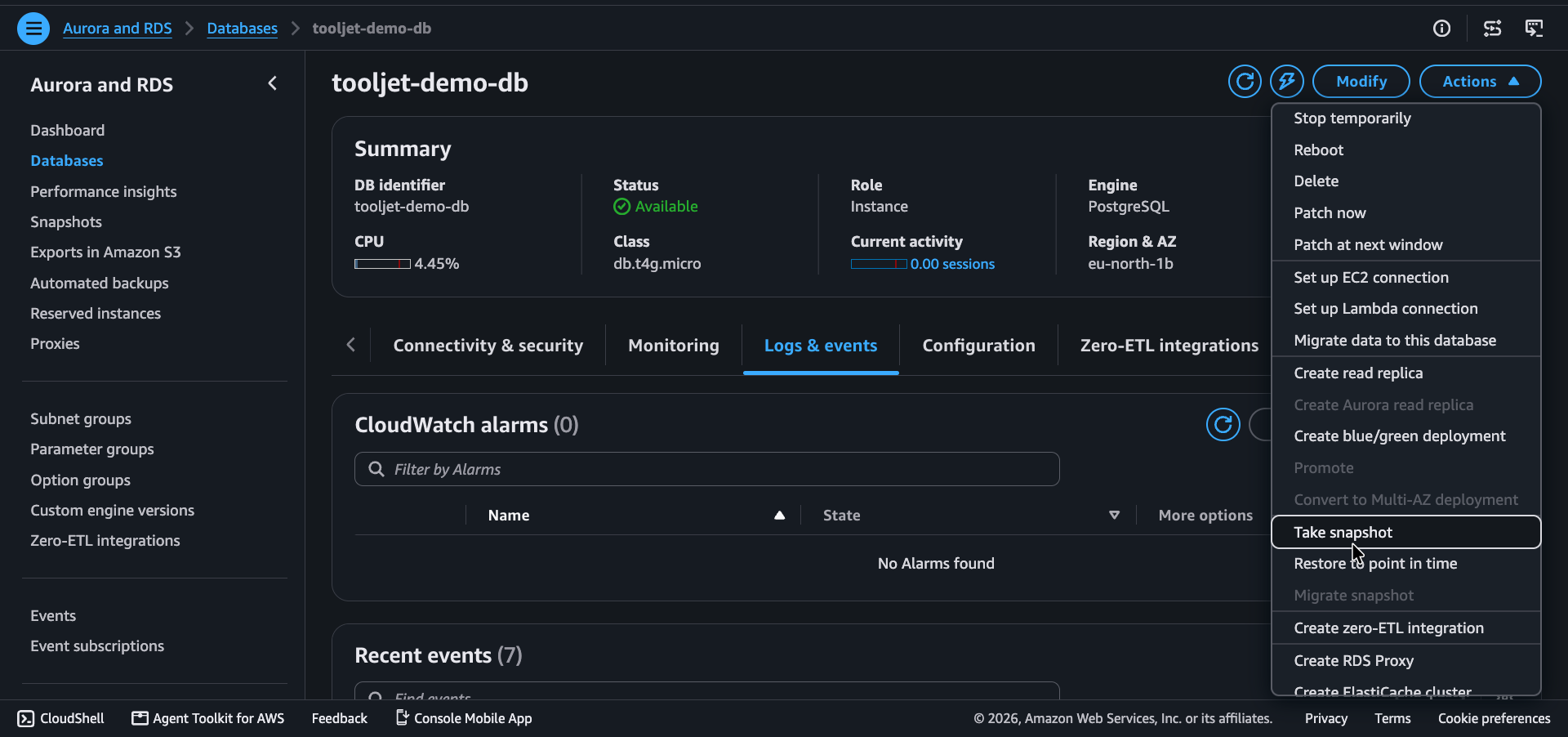
- Enter a snapshot name, for example:
pre-upgrade-snapshot-YYYYMMDD - Click Take snapshot
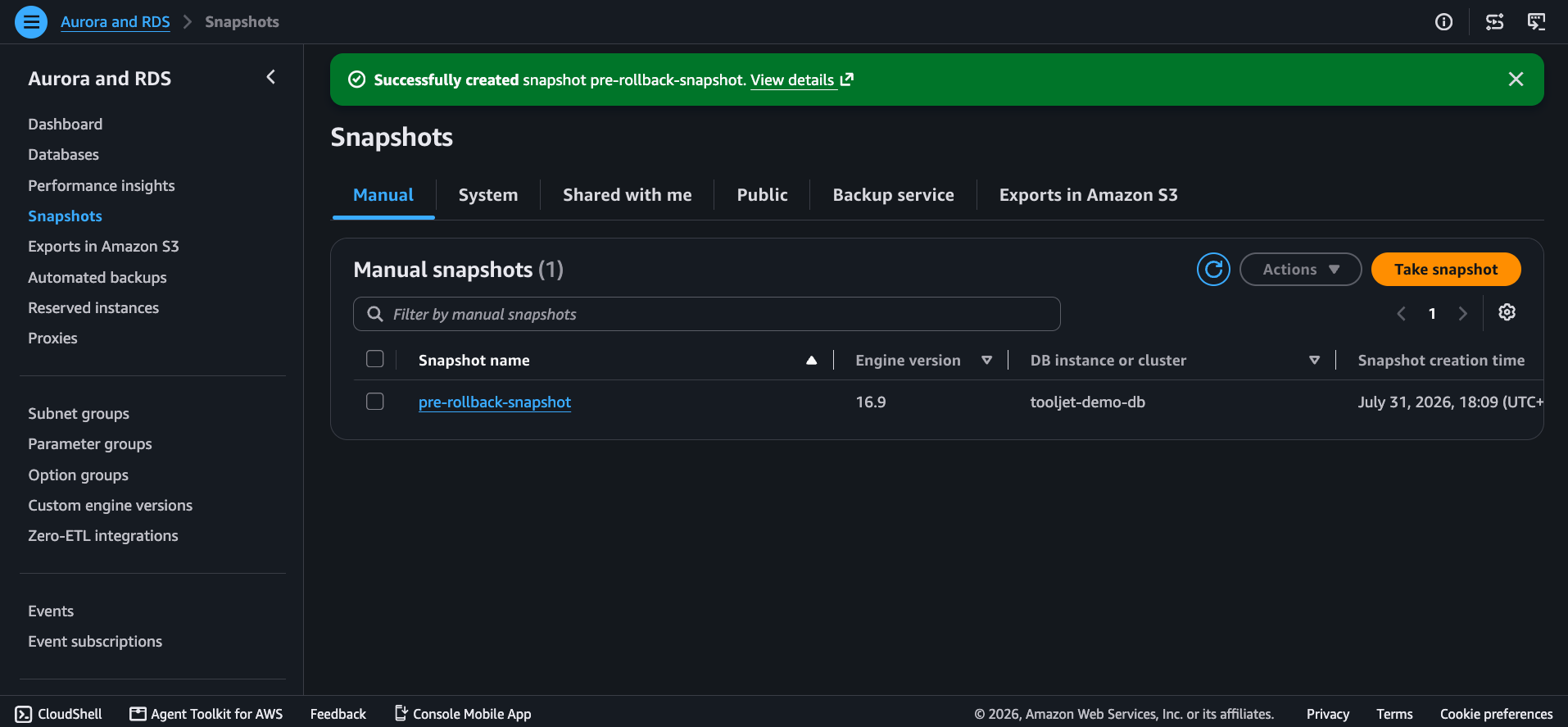
If PG_DB and TOOLJET_DB are hosted on separate instances, repeat this for each instance.
Step 2: Roll Back the ToolJet Deployment
- Docker Compose
- Kubernetes
- Open your
docker-compose.yamlfile and update theimagetag for thetooljet(andtooljet-worker-1, if present) service to the previous version, for example:image: tooljet/tooljet:v3.20.200-lts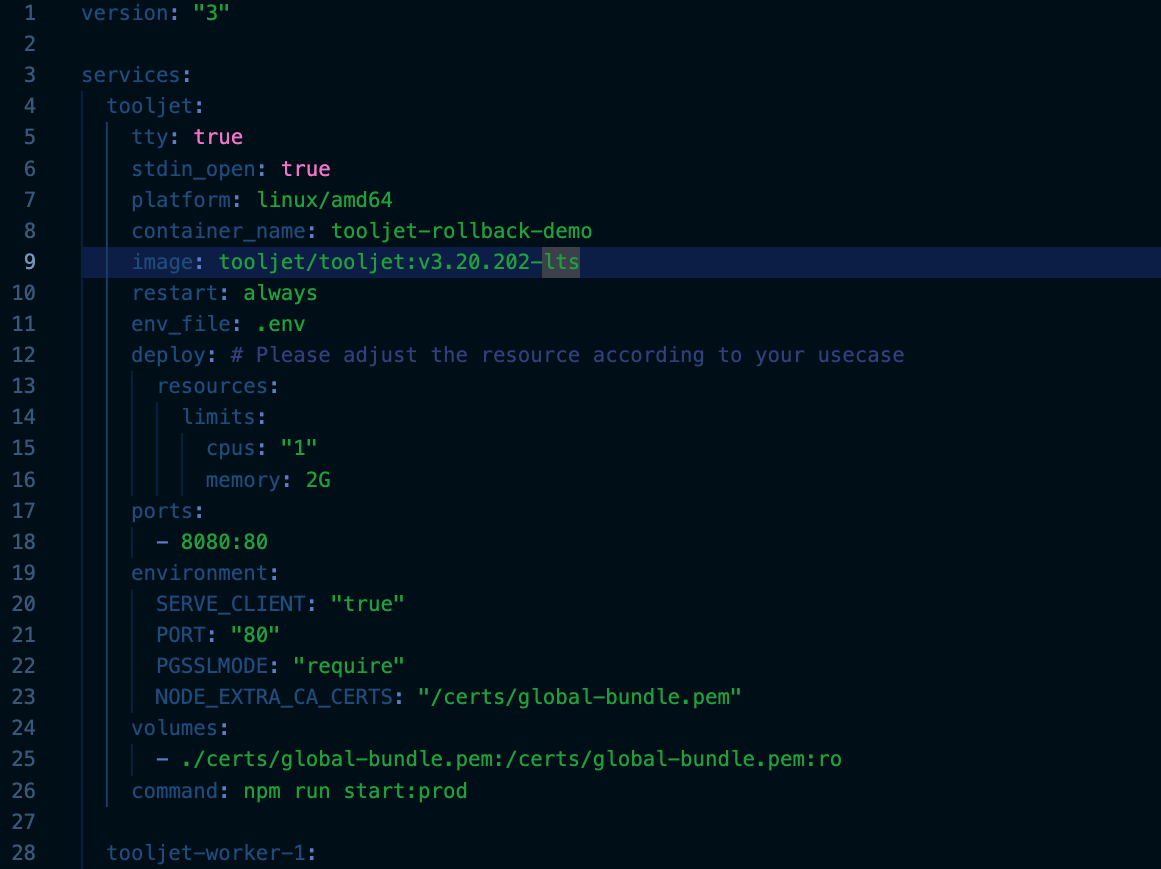
- Pull the older image:
docker-compose pull - Restart the deployment on the older version:
docker-compose up -d
- Update the
imagefield in your deployment manifest to the previous version's tag. - Apply the change:
kubectl apply -f deployment.yaml
Step 3: Restore the Database from the Snapshot
- Navigate to RDS Console → Snapshots
- Select the pre-upgrade snapshot
- Click Actions → Restore snapshot
- Configure the new instance settings and click Restore DB instance
- Once available, point your ToolJet deployment's database configuration to the restored instance
Need Help?
- Reach out via our Slack Community
- Or email us at support@tooljet.com
- Found a bug? Please report it via GitHub Issues