Push Unsynced Resources to Git
An unsynced resource is an application, module, or datasource that exists in ToolJet but has never been committed to Git. You will usually meet them right after connecting GitSync to a workspace that already had resources in it: everything built beforehand is still local, and Git has never seen it.
The ordinary Commit button does not help here, because it re-pushes resources Git already tracks. Unsynced resources have their own first-time flow.
Where ToolJet Flags Them
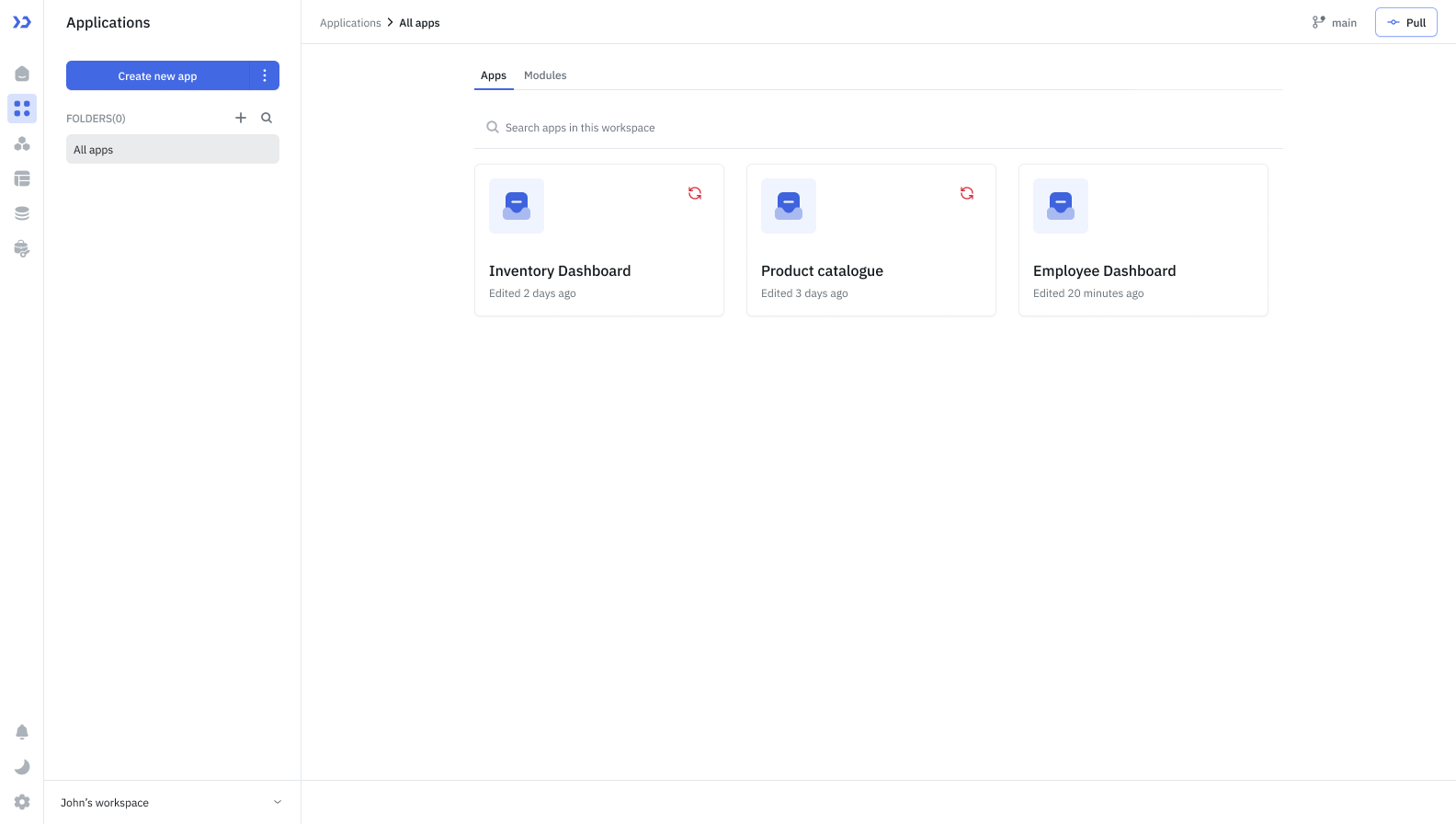
A red refresh icon marks a resource that has not reached Git yet. Hover it to confirm before pushing. Each entry point covers a different scope, which is worth checking before you click.
| Where you are | What you see | What it pushes |
|---|---|---|
| Applications or Modules page | A red refresh icon on the card | That one application or module |
| App Builder | A Sync button in the header | The application you have open |
| Data sources page | A red refresh icon on the row | That one datasource |
| Data sources page | A Sync button in the header | Every unsynced datasource at once |
The header Sync button on the Data sources page covers datasources only. An unsynced application is always pushed from its card or from the App Builder.
Workflows never appear as unsynced, because they are not synced to Git.
Push an Unsynced Resource
- Click the red refresh icon on the resource, or Sync in the header.
- Confirm which resource to push. On the Applications and Modules pages the dialog also lists your other unsynced resources, so you can switch to a different one without closing it.
- Push. The target is your branch, and the branch field is fixed because there is nowhere else to push.
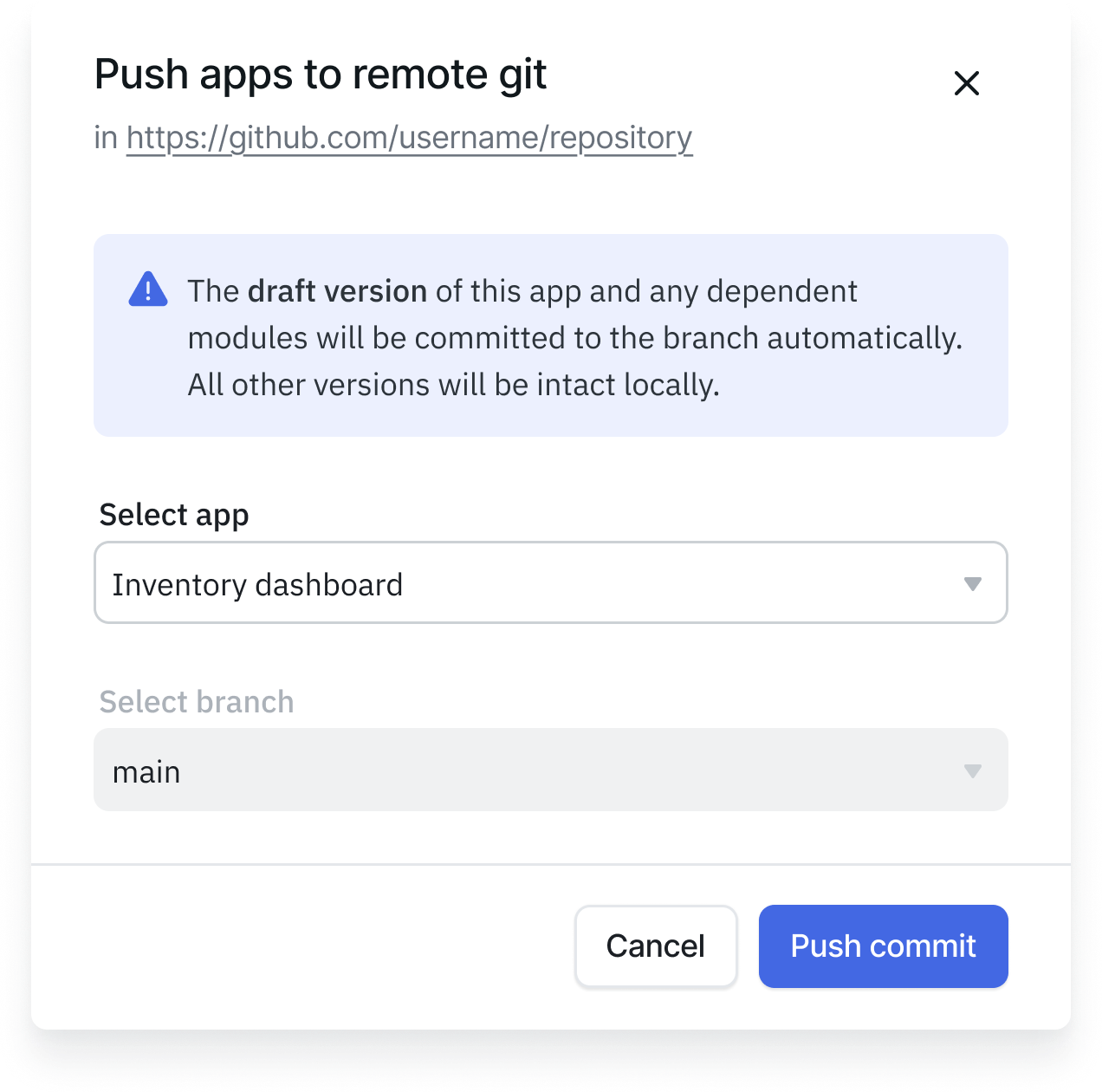
Once the push completes, the resource is in Git and ordinary Commit takes over from then on.
Version Requirements Before Pushing
Git uses exactly one draft version as the tip of the branch. ToolJet checks this before pushing an application or module, and blocks the push if the resource, or anything it depends on, does not meet it. A dialog names the condition and the resources affected.
| Condition | How to fix |
|---|---|
| The application or module has more than one draft version | Save all draft versions except one. If linked modules or applications also have multiple drafts, reduce those to one as well, and make sure the application is pinned to the module's remaining draft. |
| The application or module has no draft version | Create a new draft version. Create one for any linked modules or applications that are missing one, and pin the application to it. |
| A module used by this application is not ready | For each module listed, save all draft versions except one, or create one if it has none, then pin the application to that draft. |
| An application linked to this one is not ready | For each application listed, save all draft versions except one, or create one if it has none. |
Datasources have no versions, so this check does not apply to them.
Naming Conflicts
If the resource shares a name with something already in Git, the push stops and a conflict dialog opens. Nothing is written to Git until you resolve it. Refer to Resolving Conflicts.
Need Help?
- Reach out via our Slack Community
- Or email us at support@tooljet.com
- Found a bug? Please report it via GitHub Issues