React Builder
React Builder creates ToolJet applications as React and TypeScript projects. The code can be generated with ToolJet AI, edited in the browser, or developed locally with the ToolJet CLI. ToolJet hosts the application and provides authentication, access control, queries, environments and releases.
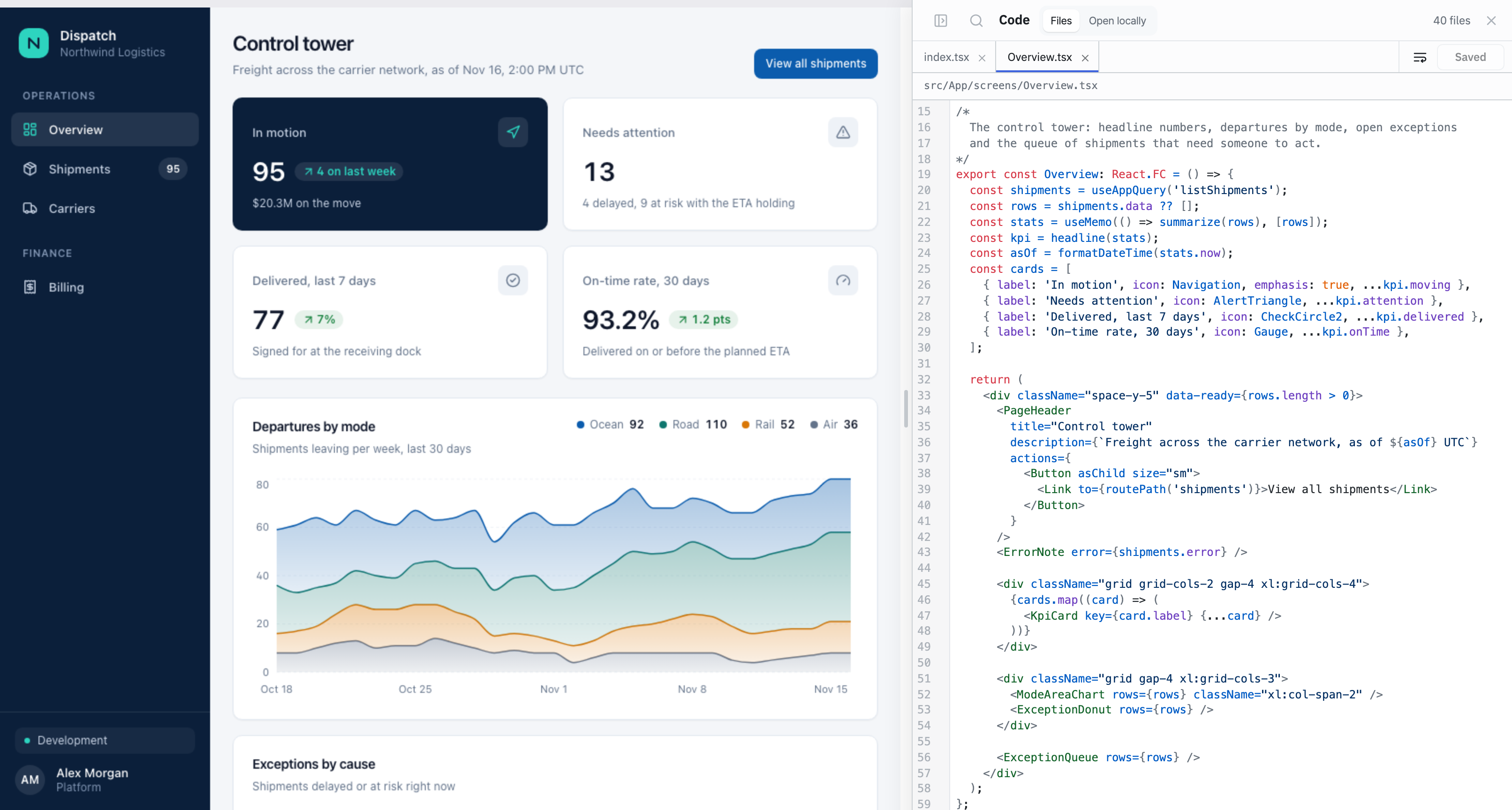
Ways to Build an Application
A React Builder application can be built in three ways. All three change the same application and are recorded in the same version history, so they can be combined.
- Start from a prompt on the dashboard
- Answer clarifying questions during the build
- Review the changes made by each edit
- The canvas updates on each save
- Styling changes without manual code edits
- Preview at phone, tablet and desktop widths
- Local saves sync to ToolJet
- Typed hooks are generated for each query
- The CLI writes instructions for coding agents
Platform Services
ToolJet provides the following services to every React Builder application, so the application code doesn't implement them.
Screen Structure
Each screen is a React component. A screen reads data by running one of the application's queries by name.
import { useAppQuery } from '../tooljet.gen';

export const Shipments = () => {
  const shipments = useAppQuery('listShipments');
  if (shipments.loading) return <p>Loading shipments…</p>;
  return (
    <ul>
      {shipments.data?.map((s) => <li key={s.id}>{s.reference}: {s.status}</li>)}
    </ul>
  );
};
The CLI generates useAppQuery in tooljet.gen.ts from the application's queries, so query names and result rows are typed.
React Builder and Visual Mode
The build mode is selected when an application is created and can't be changed afterwards. Both modes use the same datasources, queries, permissions and release process.
Visual Mode | React Builder | |
|---|---|---|
| Building method | Components are dragged onto a canvas and configured in the properties panel | React components are written in code or generated by ToolJet AI |
| Typical use | Most internal tools, such as tables, forms and dashboards | Interfaces that need a custom layout, interactions or styling |
| Editing | The visual App Builder | The Code panel, the style inspector or a local code editor |
| Release | The standard release process | The standard release process, plus a security check of the code and its packages |