Visual Builder
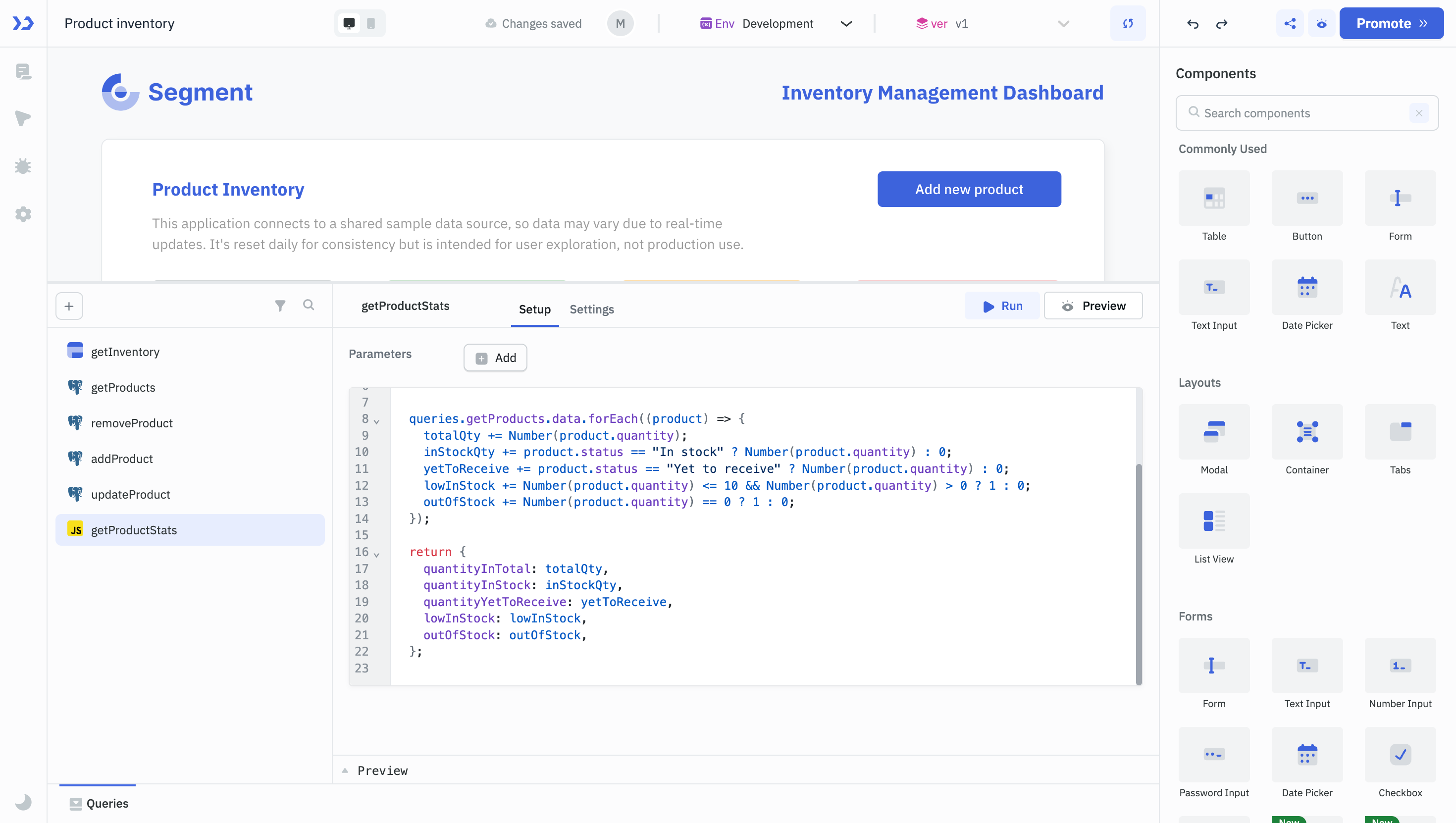
The Visual Builder builds ToolJet applications on a canvas. Components are dragged onto the canvas, connected to datasources through queries, and made interactive with events and actions. RunJS and RunPy queries handle logic that the built-in options don't cover.
A visual application is built in four steps:
- Build the Interface: Drag components onto the canvas and configure them.
- Connect Data: Connect datasources and create queries.
- Add Interactivity: Configure events and actions.
- Add Custom Logic: Write RunJS and RunPy queries for advanced logic.
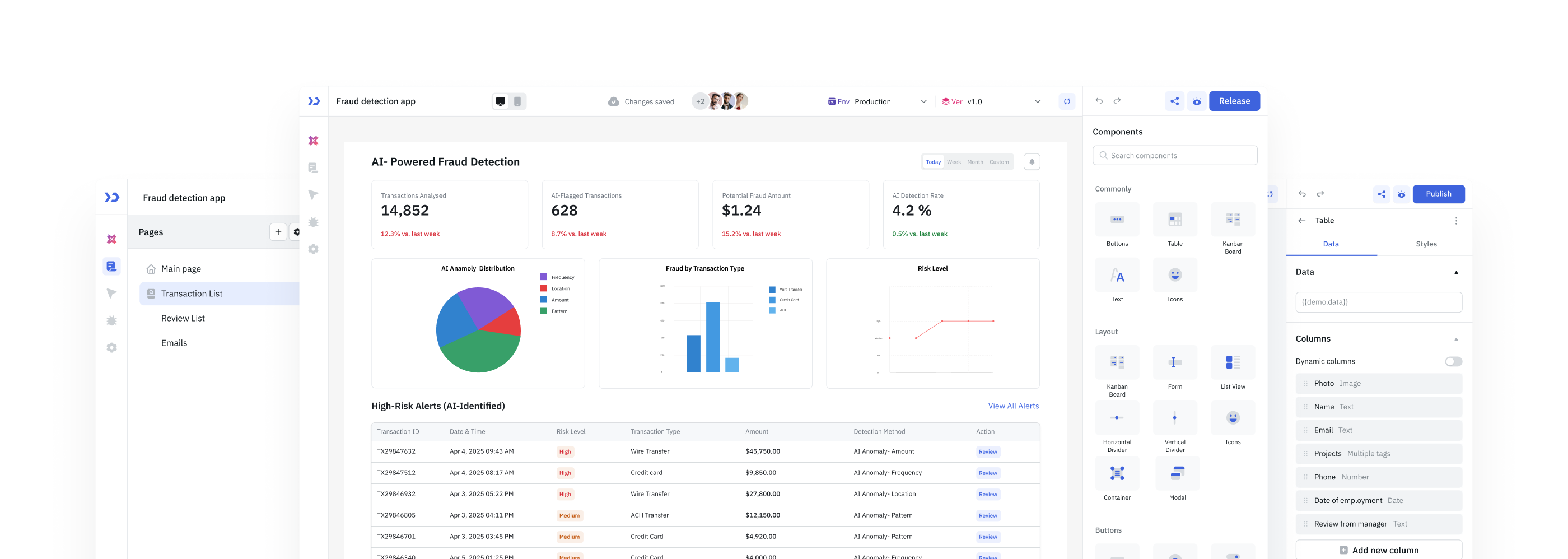
1. Build the Interface
Components such as Tables, Forms, Charts and Buttons come from the component libraries. Components are dragged onto the canvas, resized and repositioned, and configured in the Properties panel.
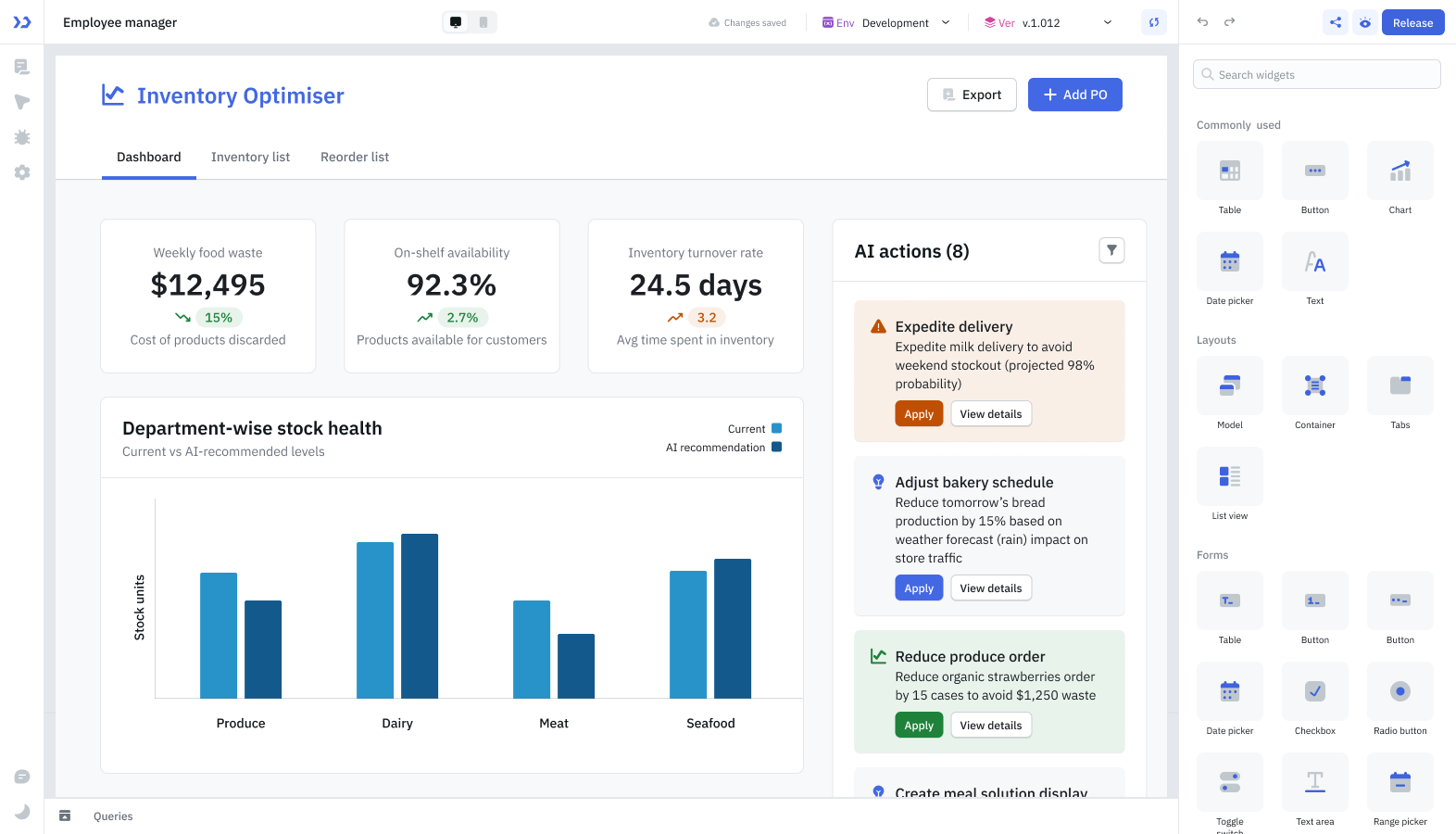
Each component has styling options for text, colors, visibility and more in the Styles panel. Components expose their state and trigger events.
2. Connect Data
An application connects to datasources such as SQL and NoSQL databases, vector databases, APIs, spreadsheets and cloud services. Queries fetch, update or change the data in a datasource, and connect the interface to the data.
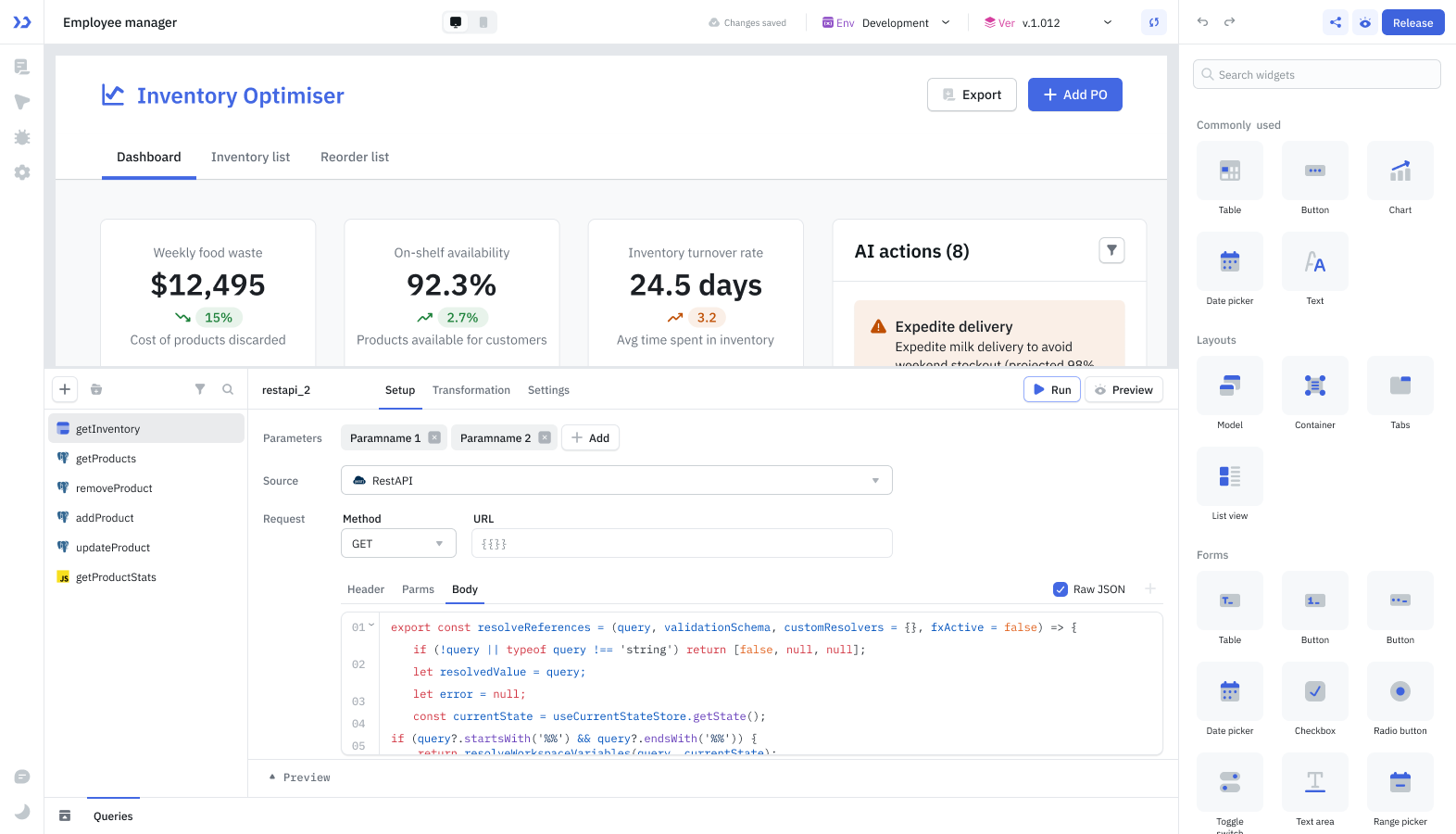
Queries are built in the Query Panel, with a form-based interface or by writing code or SQL. A query can show data in components or write user input back to a datasource. Queries run manually, or are triggered by events such as a page load, a user action on a component, or the success or failure of another query. See Creating and Managing Queries.
3. Add Interactivity
Events define how an application responds to user actions and other conditions. Events can be added to components, queries and pages. ToolJet's declarative events system works like JavaScript event handlers, without repetitive code.
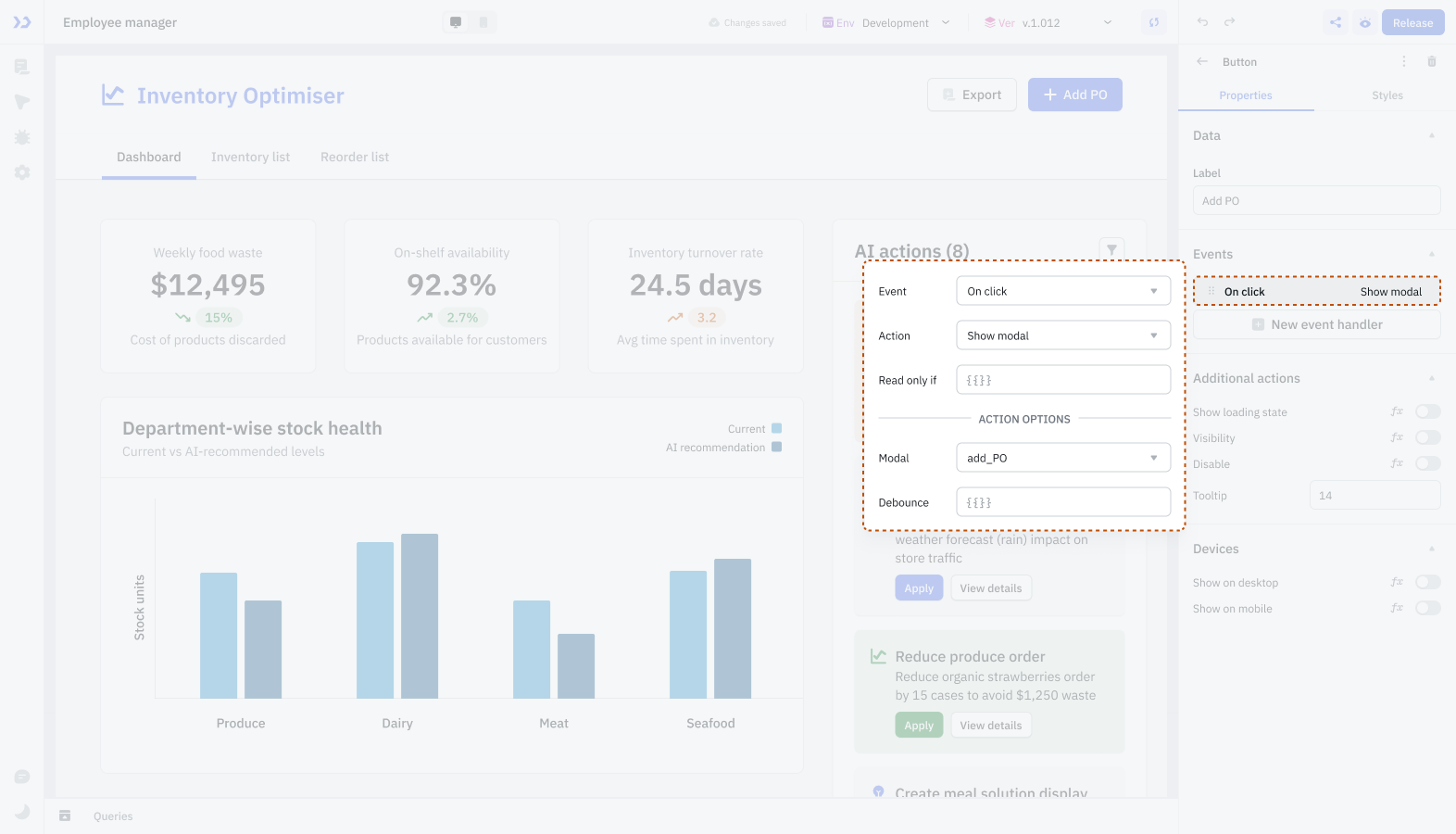
An event is triggered by an action such as a button click, a form submission, a page load or a completed query. The event then runs an action, such as running a query, opening a modal, showing a notification or navigating to another page. Events and actions can be chained into multi-step workflows. See Events and Actions.
4. Add Custom Logic
For logic that the built-in options don't cover, RunJS and RunPy queries run custom code. They can perform calculations, transform data, trigger other queries or update components. The code has access to component properties, query results and the application's state. See Writing Custom Code.
Need Help?
- Reach out via our Slack Community
- Or email us at support@tooljet.com
- Found a bug? Please report it via GitHub Issues