Group Admin
A Group Admin manages the members of one or more custom groups. Workspace Admins control what each group can access, while Group Admins, such as team leads, add and remove people as their teams change.
Workspace Admin vs Group Admin
| Capability | Workspace Admin | Group Admin |
|---|---|---|
| Add or remove existing workspace users in a group | ✓ | Assigned groups only |
| View a group's permissions and granular access | ✓ | Read-only |
| Invite users or change user roles | ✓ | ✗ |
| Create, rename, duplicate or delete groups | ✓ | ✗ |
| Edit permissions and granular access | ✓ | ✗ |
| Assign or remove Group Admins | ✓ | ✗ |
Any active workspace user can be a Group Admin, including End Users. Group Admins can be assigned only to custom groups, not to the default Admin, Builder and End User groups.
Assigning a Group Admin
Role Required: Admin
- Click the settings icon (⚙️) on the bottom left of the dashboard.
- Go to Workspace Settings > Groups and select a custom group.
- Open the Group admins tab.
- Search for users by name or email and select them.
- Click Assign group admin.
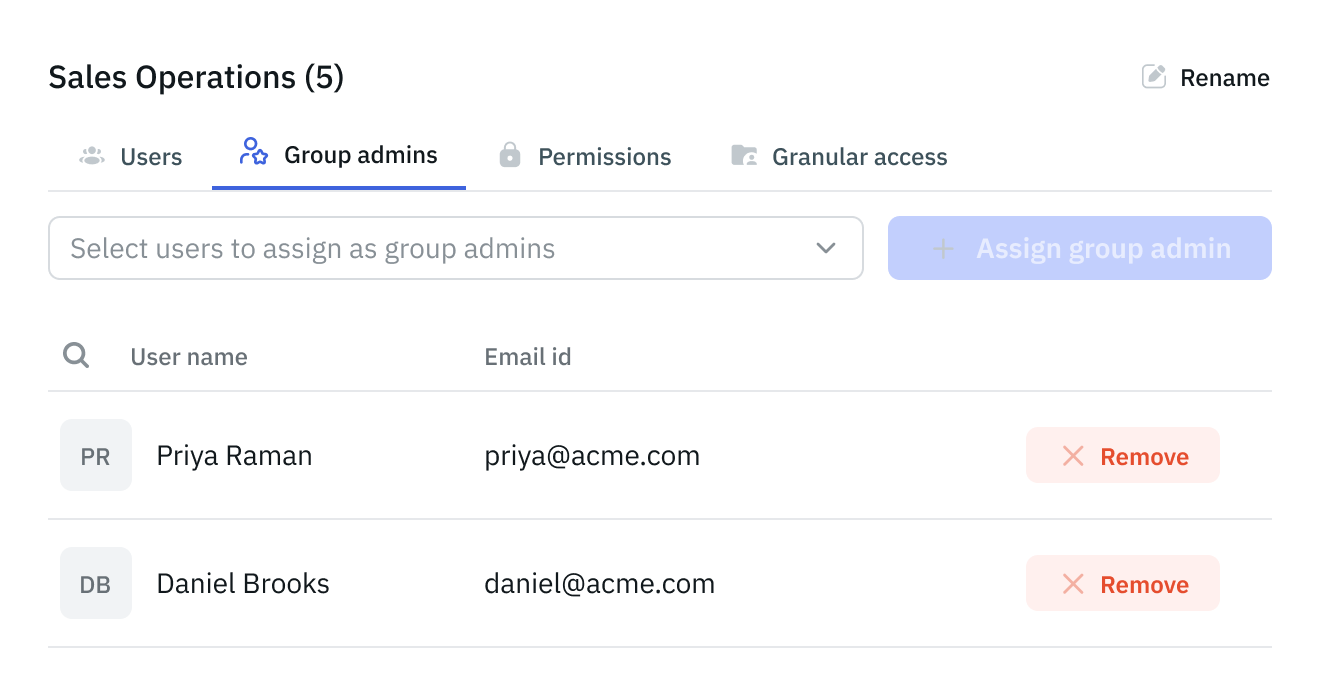
To remove a Group Admin, click Remove on their row.
Managing Group Members
Role Required: Group Admin
- Click the settings icon (⚙️) on the bottom left of the dashboard.
- Go to Workspace Settings > Groups and select the group.
- In the Users tab, search for users by name or email and select them.
- Click Add users.
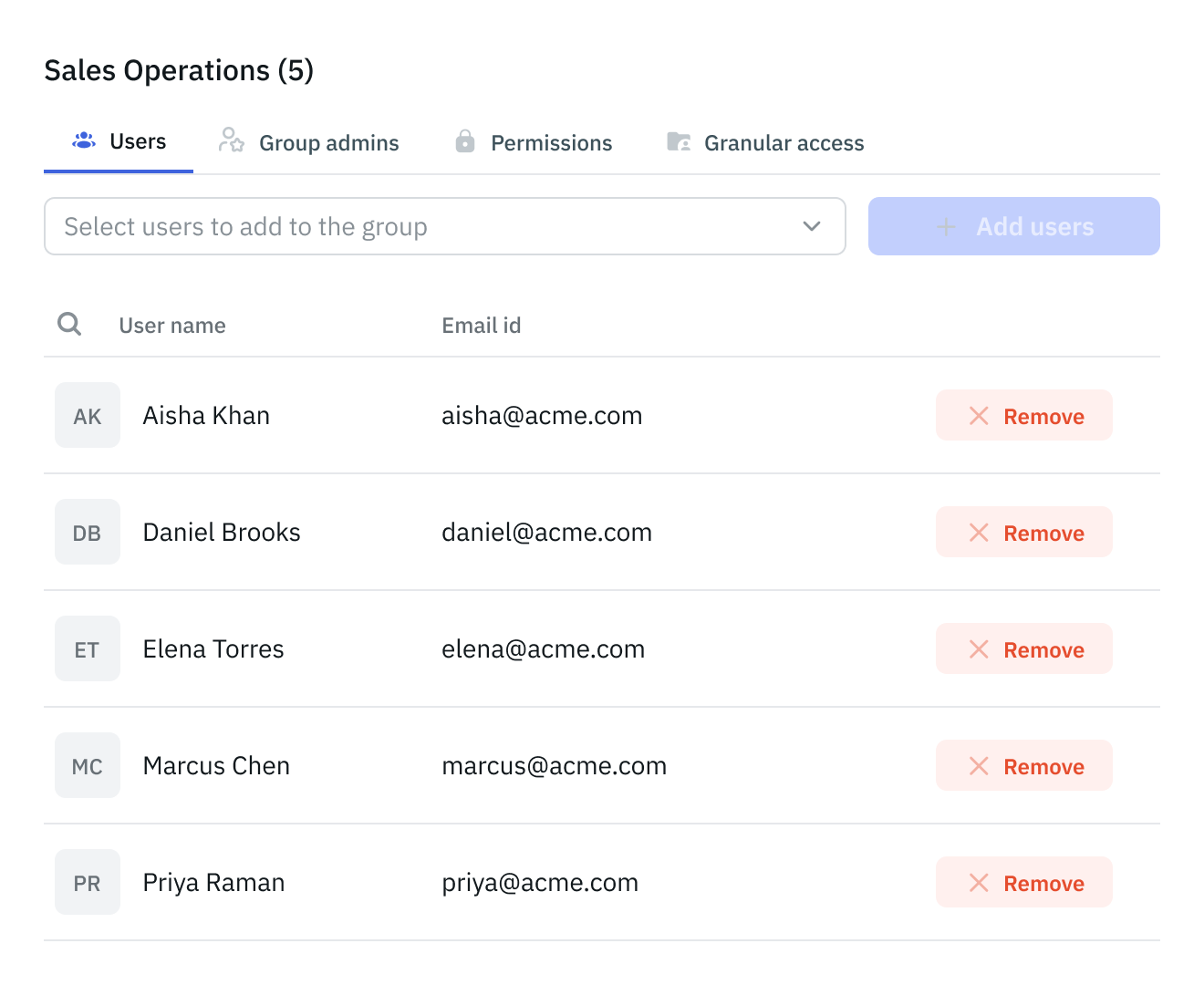
To remove a user, click Remove on their row.
End Users can't be added to a group that grants builder-level permissions, such as editing apps. A Workspace Admin has to change their role to Builder first.
Groups a Group Admin Can See
| Group Admin's Role | Groups Listed |
|---|---|
| End User | Only the custom groups they administer |
| Builder | The custom groups they administer, plus the default groups (read-only) |
Custom groups a Group Admin is only a member of aren't listed.
Related
Need Help?
- Reach out via our Slack Community
- Or email us at support@tooljet.com
- Found a bug? Please report it via GitHub Issues