Switch Page
The Switch Page action navigates to a different page within a Multipage App. Use it with any event handler to build in-app navigation.
Configuration
| Parameter | Description | Default |
|---|---|---|
| Page | The page to navigate to | — |
| Query params | Optional key-value pairs appended to the switched page's URL | Empty |
| Debounce | Time in milliseconds to wait before executing the action | Empty (no delay) |
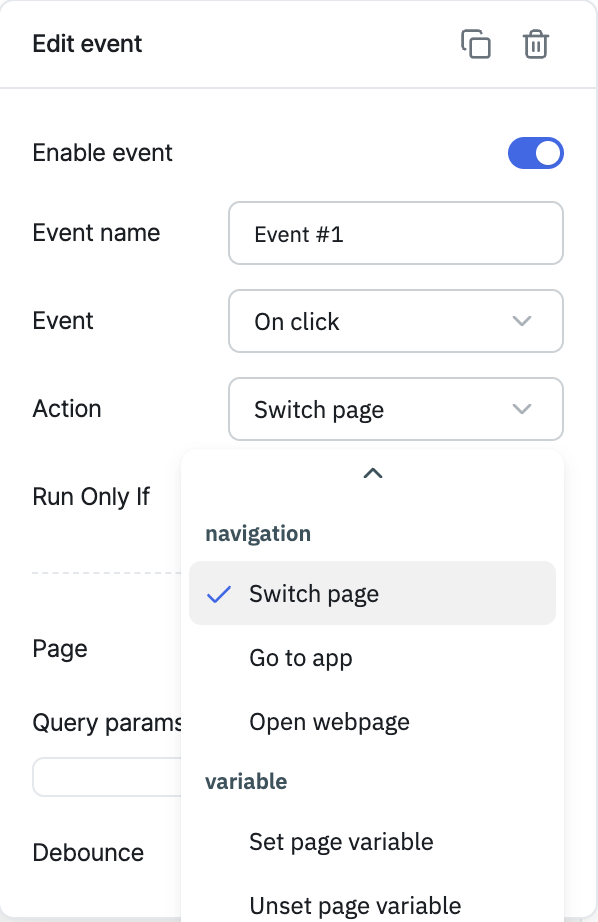
Query params
Query parameters are composed of key-value pairs, where the key and value are separated by an equals sign (=), and are appended to the end of the switched page's URL preceded by a question mark (?). Multiple query parameters can be included by clicking the + button.
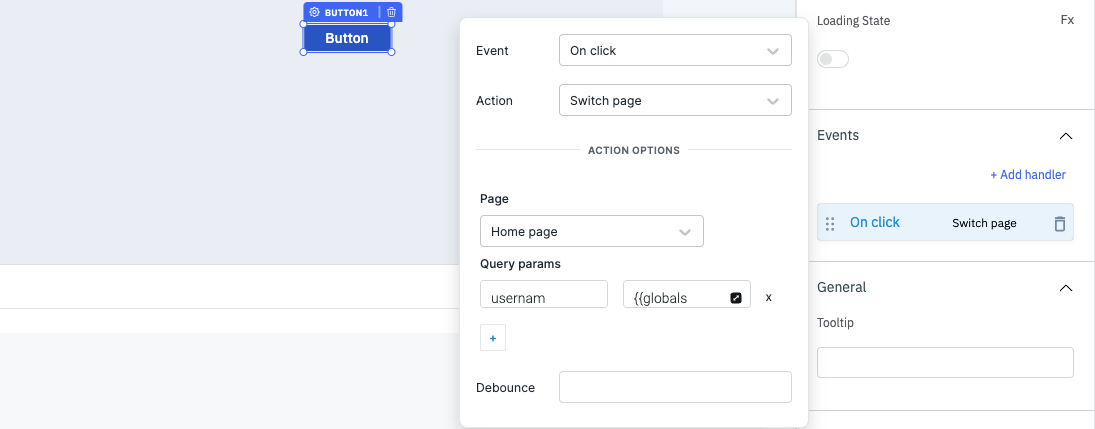
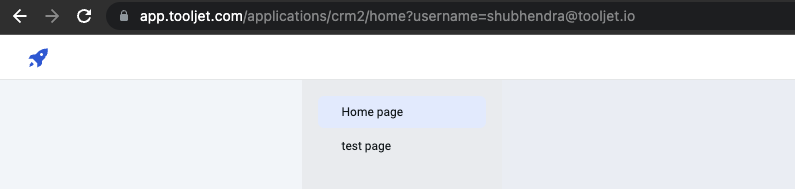
In the above screenshot, username is the key and its value is {{globals.currentUser.email}}, which resolves to the signed-in user's email dynamically. When the button triggers the Switch Page action, the switched page's URL carries this parameter. Query params are commonly used for filtering, pagination, sorting, or passing context to the target page.
Triggering via RunJS
await actions.switchPage('<page-handle>');
Switch page with query params
actions.switchPage('<pageHandle>', [
  ['param1', 'value1'],
  ['param2', 'value2'],
]);
For a full quick-reference of all actions' RunJS syntax, see Run Actions from RunJS.