Google Sheets
ToolJet has the capability to establish a connection with Google Sheet for both reading and writing data. By utilizing OAuth 2.0, ToolJet can establish a secure connection with Google Sheet, ensuring that the application's access to a user's account is restricted and limited appropriately.
Self-Hosted Configuration
If you decide to self-host ToolJet, there are a few additional steps you need to take:
- Proceed with the setup steps provided in the Google OAuth 2.0 guide to configure the necessary settings.
- Assign the corresponding values obtained from the previous step to the following environment variables:
- GOOGLE_CLIENT_ID
- GOOGLE_CLIENT_SECRET
- TOOLJET_HOST
- Activate the Google Sheets API within the Google Cloud Platform (GCP) console.
Connection
To establish a connection with the Google Sheet datasource, you can either click on the + Add new Data source button located on the query panel or navigate to the Data Sources page through the ToolJet dashboard.
Authorization Scopes
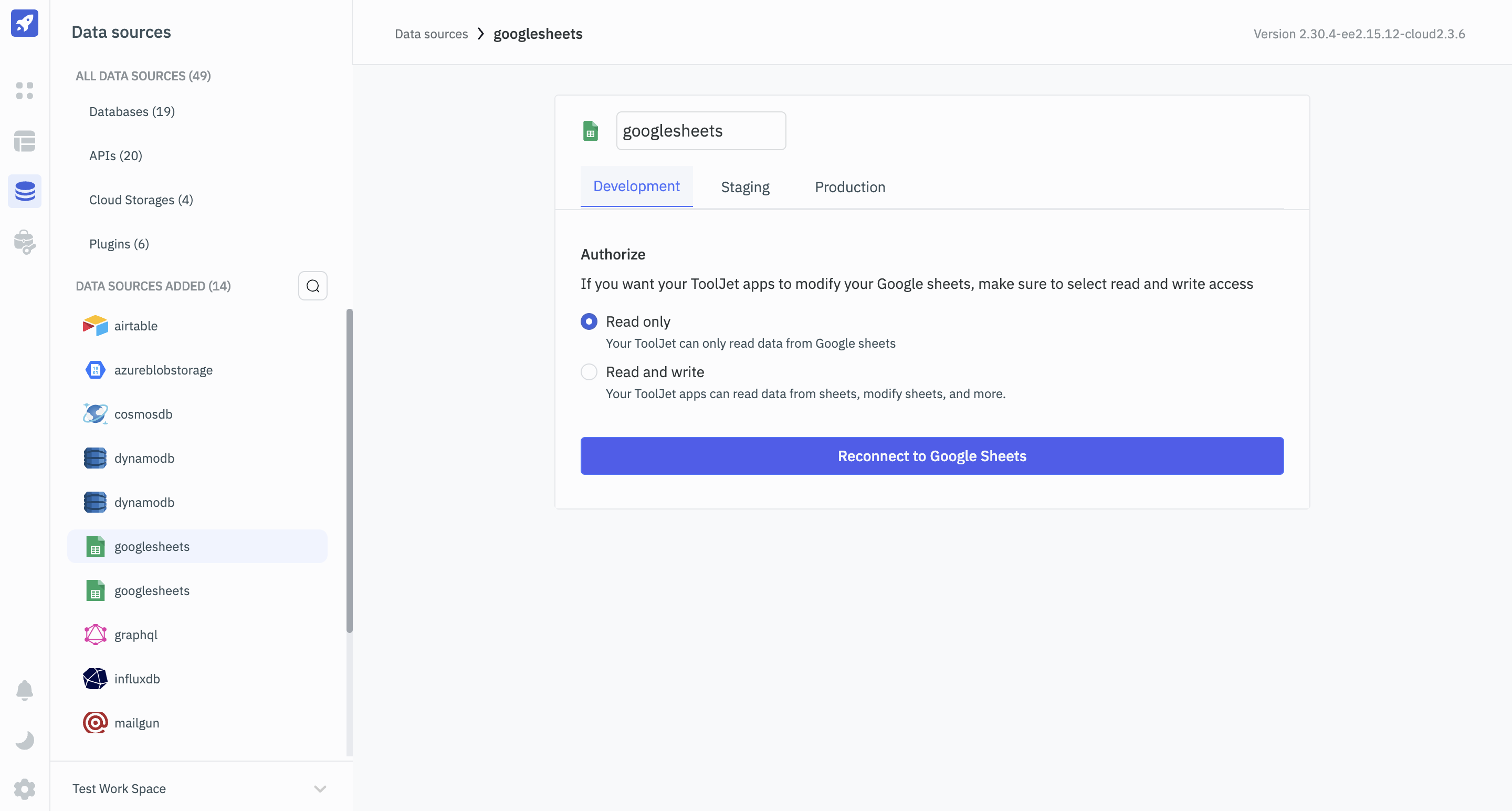
When connecting to a Google Sheets datasource, you can choose between two permission scopes:
- Read Only: This scope allows you to access and retrieve data from the Google Sheet.
- Read and Write: This scope grants you both read and write permissions, enabling you to retrieve and modify data within the Google Sheet.
Querying Google Sheet
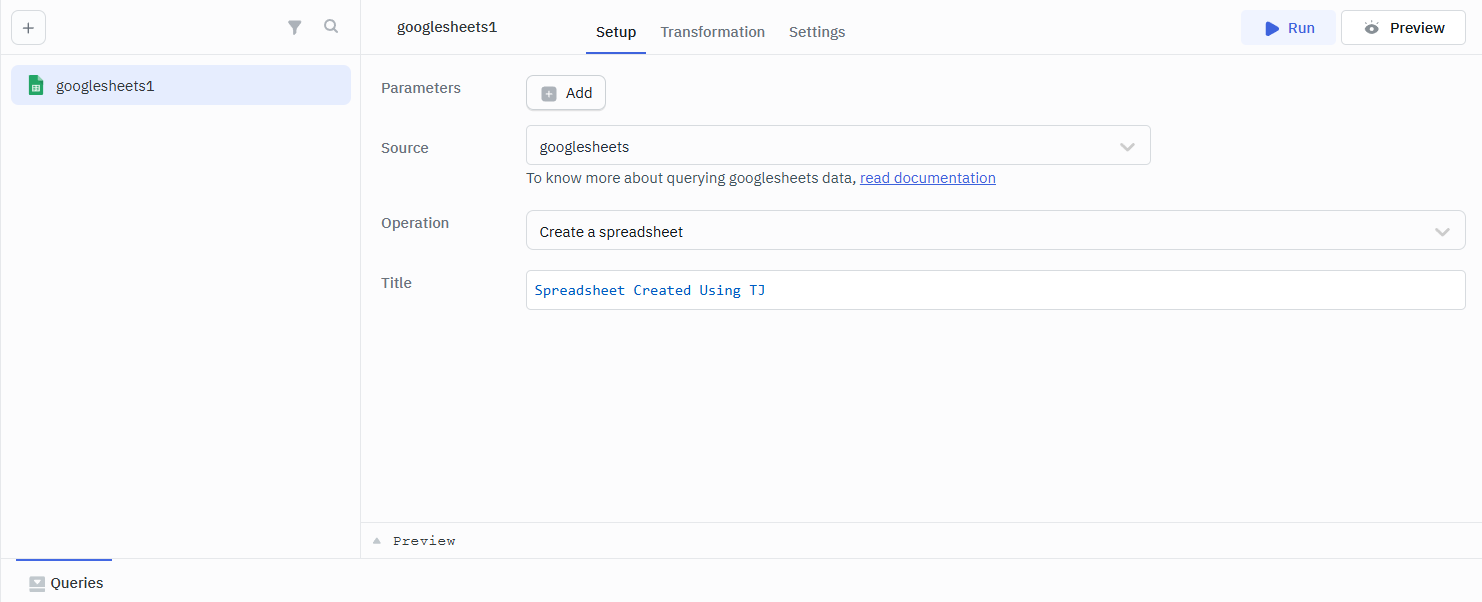
- Click the + Add button in the query manager located at the bottom panel of the editor.
- Select the Google Sheet datasource under the datasource section.
- Choose the desired operation from the dropdown.
- Click on the Preview button to preview the output or Click on the Run button to create and trigger the query.
Using Google sheets data source you can perform several operations from your applications like:
- Create a spreadsheet
- List all sheets of a spreadsheet
- Read data from a spreadsheet
- Append data to a spreadsheet
- Get spreadsheet info
- Update single row of a spreadsheet
- Delete row from a spreadsheet
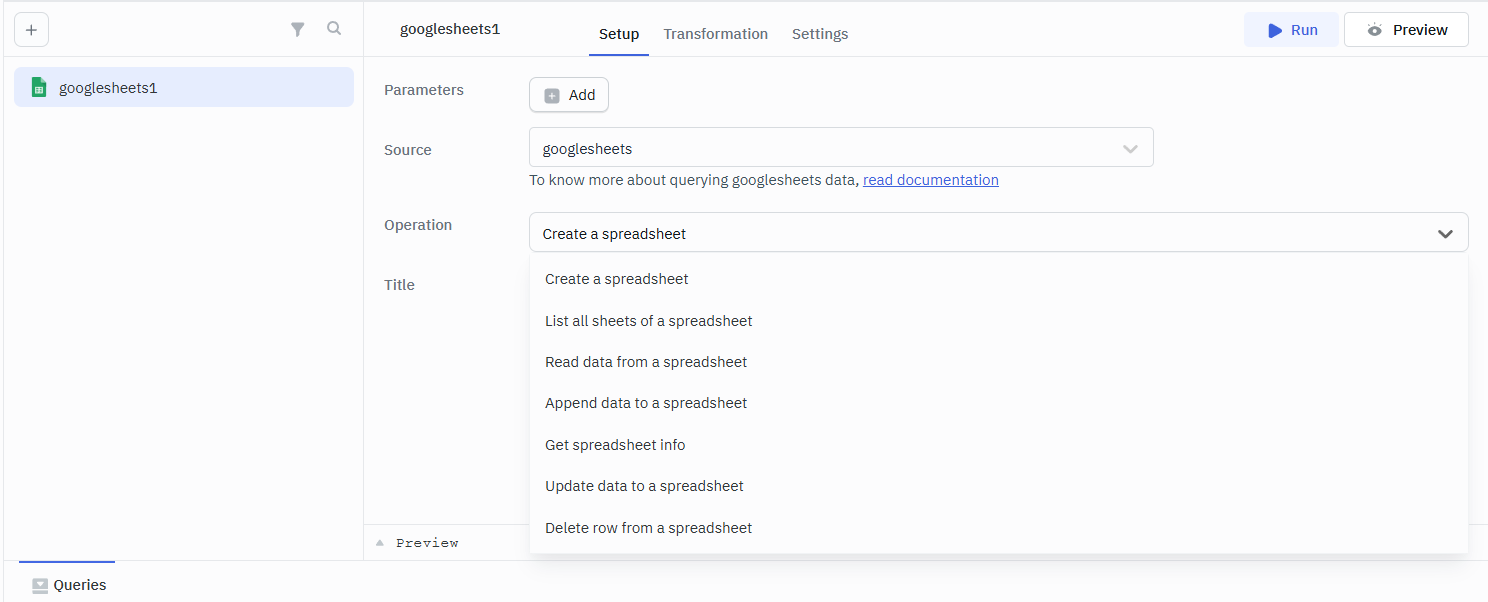
Spreadsheet ID can be obtained from the URL of the spreadsheet. For example, in the URL https://docs.google.com/spreadsheets/d/1W2S4re7zNaPk9vqv6_CqOpPdm_mDEqmLmzjVe7Nb9WM/edit#gid=0, the 1W2S4re7zNaPk9vqv6_CqOpPdm_mDEqmLmzjVe7Nb9WM represents the spreadsheet ID.
Create a Spreadsheet
This operation can be used to create a new spreadsheet.
Required Parameter
- Title
List All Sheets of a Spreadsheet
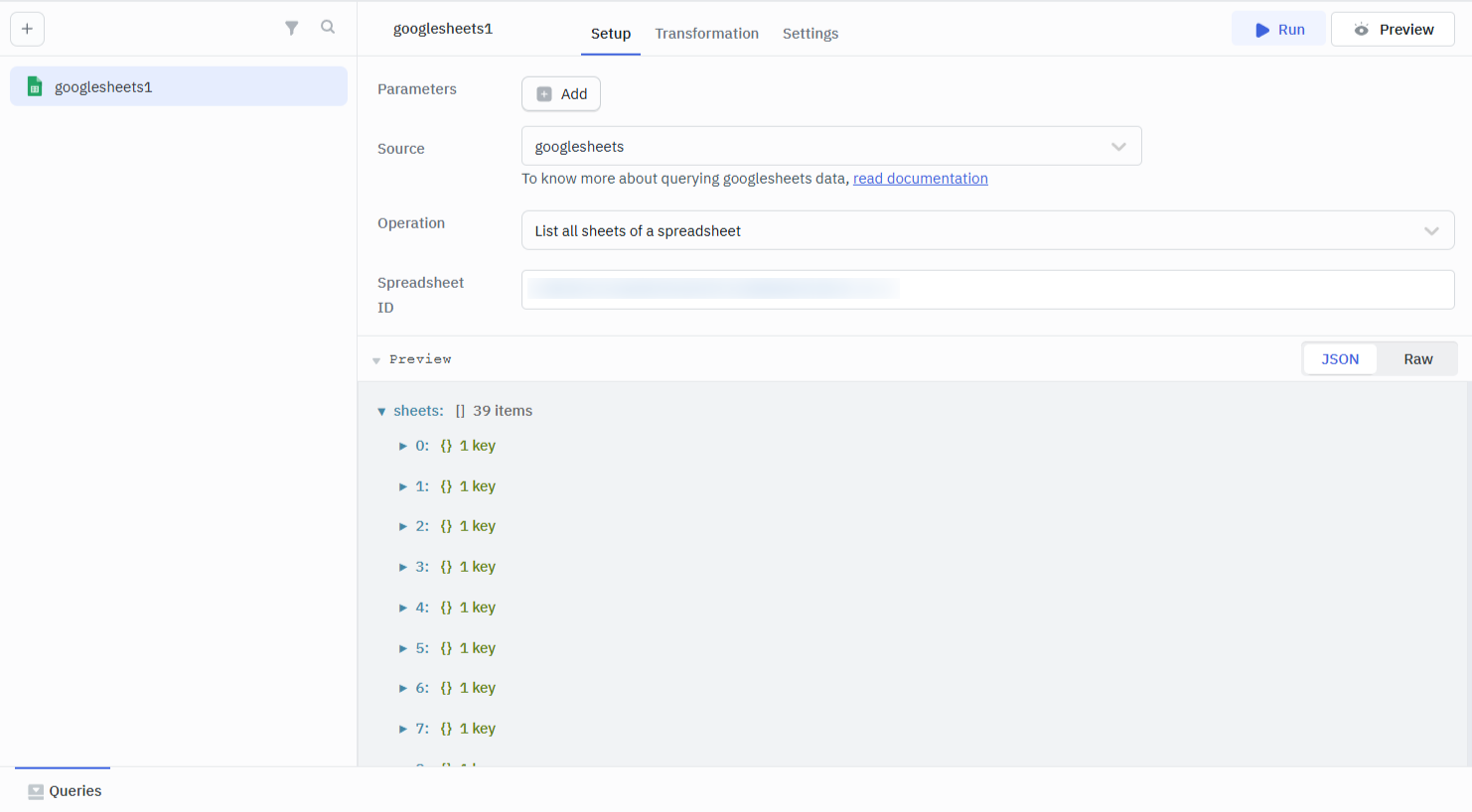
This operation can be used to list all sheets of a spreadsheet.
Required Parameter
- Spreadsheet ID
Read Data From a Spreadsheet
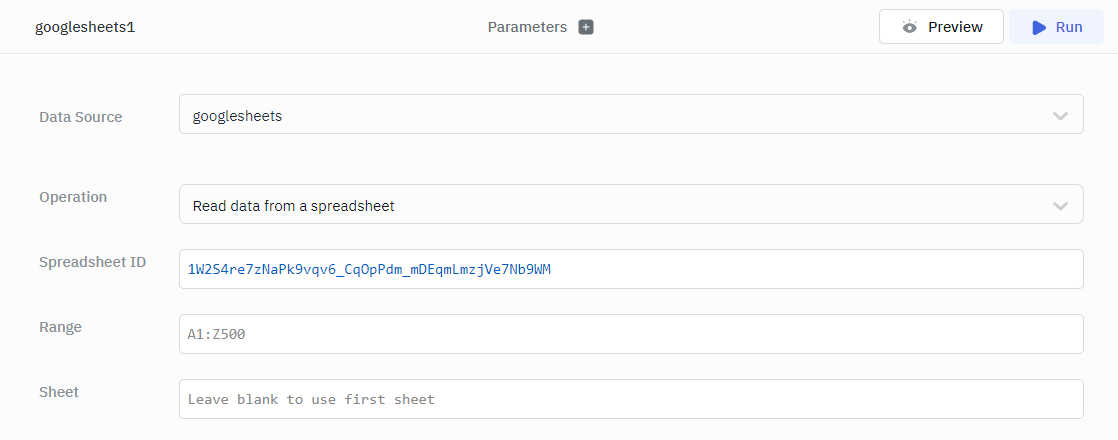
This operation allows you to retrieve the table data from a spreadsheet in the form of a JSON object.
Required Parameter
- Spreadsheet ID
Optional Parameter
- Range
- Sheet
Append Data to a Spreadsheet
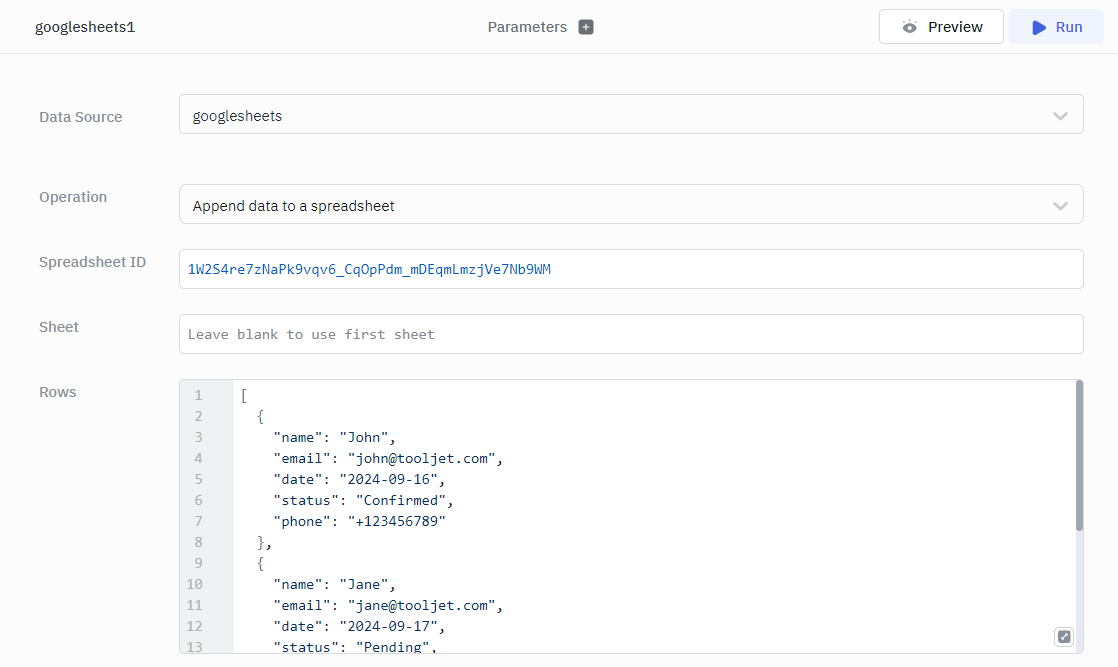
Add additional rows to a table by using the append operation.
Required Parameter
- Spreadsheet ID
- Rows
Optional Parameter
- Sheet
Example
[
  {
    "name": "John",
    "email": "john@tooljet.com",
    "date": "2024-09-16",
    "status": "Confirmed",
    "phone": "+123456789"
  },
  {
    "name": "Jane",
    "email": "jane@tooljet.com",
    "date": "2024-09-17",
    "status": "Pending",
    "phone": "+987654321"
  },
  {
    "name": "Doe",
    "email": "doe@tooljet.com",
    "date": "2024-09-18",
    "status": "Cancelled",
    "phone": "+112233445"
  }
]
Get Spreadsheet Info
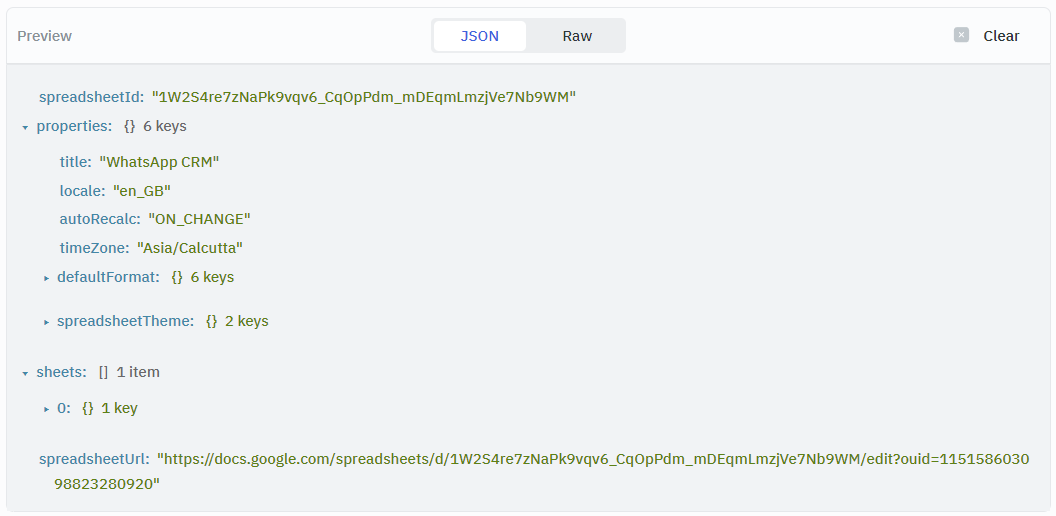
This operation allows you to retrieve basic information about the spreadsheet, including the number of sheets, theme, time zone, format, and URL, among others.
Update Single Row of a Spreadsheet
This operation allows you to update existing data in a sheet.
Required Parameters
- Spreadsheet ID
- Where
- Operator
- Value
- Body
Optional Parameters
- Range
- Sheet
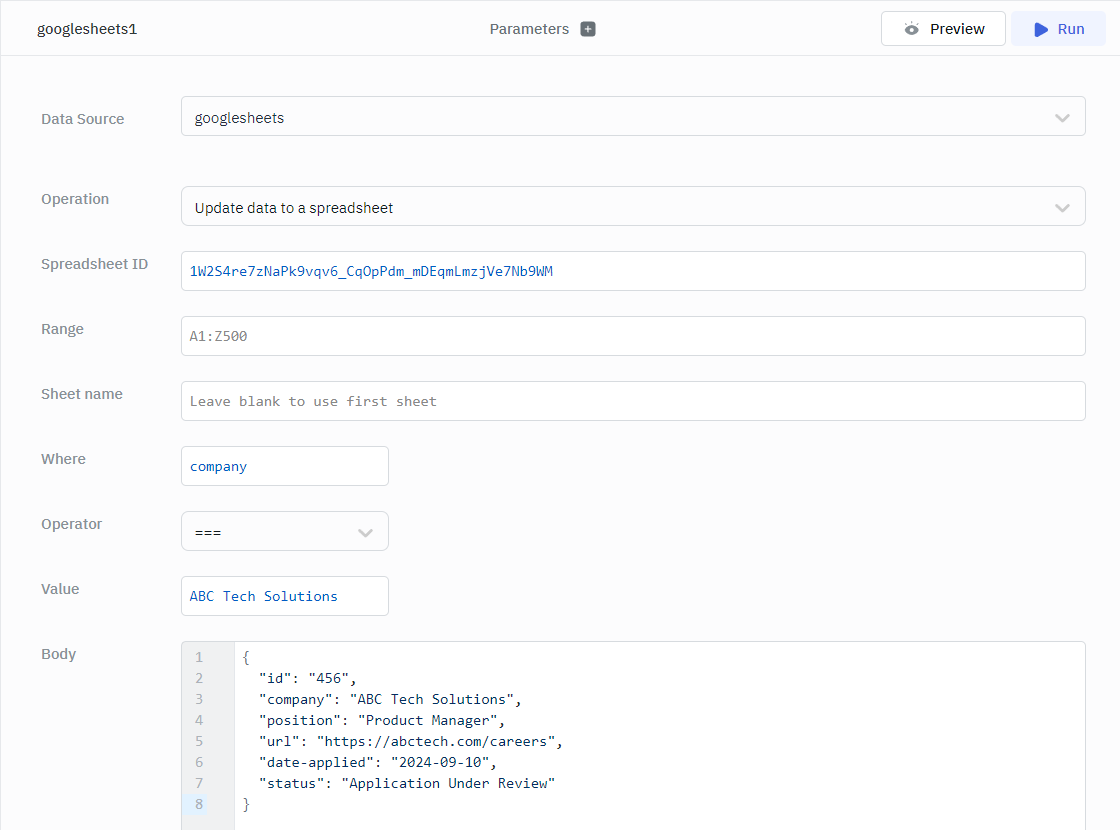
Example
{
  "id": "456",
  "company": "ABC Tech Solutions",
  "position": "Product Manager",
  "url": "https://abctech.com/careers",
  "date-applied": "2024-09-10",
  "status": "Application Under Review"
}
Delete Row From a Spreadsheet
This operation allows you to delete a specific row from the sheet.
Required Parameter
- Spreadsheet ID
- Delete row number
Optional Parameter
- GID